
10 Proven Upselling Strategies for Shopify Stores
Summary
Upselling on Shopify helps increase average order value, boost conversions, and drive more revenue without extra ad spend. From product upgrades and cart offers to bundles, subscriptions, and one click post purchase upsells, the right strategies improve both customer experience and profitability. Success depends on timing, relevance, and testing key metrics like AOV and take rate. Tools like Monk automate personalized upsell flows across the funnel, making it easier to scale revenue with minimal effort.

Key Takeaways
Upselling on Shopify helps increase average order value, boost conversions, and drive more revenue without extra ad spend. From product upgrades and cart offers to bundles, subscriptions, and one click post purchase upsells, the right strategies improve both customer experience and profitability. Success depends on timing, relevance, and testing key metrics like AOV and take rate. Tools like Monk automate personalized upsell flows across the funnel, making it easier to scale revenue with minimal effort.
Upselling nudges a customer who already trusts you toward spending a little more, right when they're most willing to. As the marketing textbook Marketing Metrics puts it, existing customers convert at 60–70% versus 5–20% for cold prospects.
The problem is that Shopify stores either skip upselling entirely or do it so clumsily that it annoys people instead of helping them. A pop-up at the wrong moment or a downgrade disguised as an ‘upgrade’ can cost you the sale and customer.
However, done well, it lifts your average order value (AOV) without costing you a single extra dollar in ad spend.
Below are 10 upselling strategies that increase AOV on Shopify, with concrete examples and the reasoning behind each. We'll also cover where stores go wrong, how to measure whether any of this is working, and where a tool like Monk fits in.
What is Upselling in Shopify?
Upselling is the practice of encouraging a customer to buy a higher-value version of what they're already considering. Or to add something that increases the total order. In a Shopify context, that means using your product pages, cart, checkout, and post-purchase pages to surface relevant offers at the right moments in the buying journey.
It helps to draw the line between upselling and cross-selling, because people constantly mix them up. The distinction affects how you set up your offers.
Upselling moves the customer up. If someone's looking at the 32GB phone, you offer the 128GB version. If they're buying a single bottle of supplements, you offer the three-month supply at a per-unit discount. Same need, bigger or better solution.
Cross-selling moves the customer sideways. If they're buying a camera, you offer a memory card and a carrying case. Different products that complement the ones they're already buying.
Both increase order value, and in practice, you'll often run them together. A coffee subscription store might upsell from the 250g bag to the 500g bag and cross-sell a milk frother on the same cart page. The umbrella term for all of this is ‘AOV optimization,’ because the end goal is identical: get each customer to spend a bit more per visit.
Why Upselling Matters for Shopify Stores
Here's the uncomfortable truth about ecommerce economics. Customer acquisition costs have climbed steadily. And for most stores, the first purchase from a new customer barely breaks even after you factor in ad spend, discounts, and fulfillment. The profit lies in the increase: getting that customer to spend more now and come back later.
Upselling attacks the ‘spend more now’ half directly, and it does so at the cheapest possible point.
You've already paid to acquire the visitor.
You've already earned enough trust for them to add something to their cart.
Every incremental dollar you add to that order is close to pure margin, because there's no additional acquisition cost attached to it.
Consider a simple example. Say your store does $200,000 in monthly revenue across 4,000 orders, so your AOV is $50. If a set of well-placed upsells lifts AOV by just $6 (a 12% bump that's entirely realistic), that's an extra $24,000 a month, or $288,000 a year, with zero added marketing spend.
You didn't find new customers. You just stopped leaving money on the table with the ones you already had.
There's also a retention angle that's easy to overlook. Existing customers are more likely to try new products and tend to spend more than first-timers.
A subscription upsell or a ‘complete the set’ cross-sell, does more than increase today's order. It deepens the relationship and raises lifetime value. Upselling, done with the customer's interests in mind, is one of the few growth levers that's good for your margins and the shopping experience.
10 Proven Upselling Strategies for Shopify Stores
These ten strategies span the entire buying journey, from the product page to the post-purchase thank-you screen. You don't need to run all ten at once. Pick the two or three that match your catalog and traffic, get them working, then layer in more.
Offer Product Upgrades instead of Alternatives
The single most common upselling mistake is showing customers alternatives when you should be showing them upgrades.
An alternative gives the shopper a reason to second-guess the choice they've already made.
An upgrade gives them a reason to spend more on a choice they're already happy with.
Picture a customer on the product page for your $40 entry-level wireless earbuds. If you show them three other earbud models at similar prices, you've just introduced decision paralysis. They might bounce to ‘think about it.’
Instead, show them your $65 noise-canceling version with a clear, benefit-led comparison: longer battery life, active noise cancellation, and a better mic. The framing matters. Instead of asking them to reconsider, you're offering them more of what they came for.
The mechanics that make this work: anchor the upgrade against the base product so the price difference feels small relative to the added value. And lead with benefits.
Use Pre-Purchase Upsell Pop-Ups
A pre-purchase pop-up surfaces an offer before the customer commits. Typically, when they add an item to the cart. Timed and targeted well, it catches buyers at peak intent, the moment they've decided to buy something and are most open to buying a little more.
For example, a customer adds a $35 skincare serum to their cart, and a pop-up appears offering the matching moisturizer for 15% off when bought together. Because the offer is contextual (it relates to what they just chose) and time-bound (the discount applies to this order), it converts far better than the same product sitting passively in a ‘you may also like’ row.
The mechanics that make this work: one pop-up, triggered by a meaningful action, with a clear value proposition and an easy dismiss.
Reality check: Sending a pop-up the instant someone lands on your homepage will train shoppers to close pop-ups reflexively. It kills the strategy before it starts. Use an eligibility rule (only show this offer if the cart contains product X, or exceeds value Y) so the offer is always relevant.
Add Upsells on Product Pages
The product page is where intent forms live, making it prime real estate for upsell offers. The shopper is actively evaluating, so a well-placed recommendation here shapes the order before it even reaches the cart.
There are a few proven placements.
A ‘frequently bought together’ block under the main product is the classic: it bundles complementary items the customer would likely want anyway.
A ‘complete the look’ or ‘complete the kit’ module works beautifully for fashion, home goods, and anything sold as a system.
A tiered quantity offer (‘buy 2, save 10%; buy 3, save 15%’) right on the product page nudges single-unit buyers toward multi-unit orders.
The mechanics that make this work: the upsell should feel like a helpful suggestion from a knowledgeable salesperson. Position it close to the add-to-cart button where attention is highest, and keep the recommended products related to what's on the page.
Optimize Cart Page Upsells
The cart is the highest-intent page in your entire store. By the time a customer is here, they've committed to buying. That makes it the ideal place to add another relevant item or push toward a spending threshold.
Two tactics dominate here.
The first is the cart progress bar with tiered rewards: ‘You're $12 away from free shipping.’
It gives the customer a concrete, gamified reason to add more, and the reward feels like a win they earned rather than a fee they paid.
The second is a focused in-cart upsell or cross-sell: a single, relevant offer displayed alongside the cart contents. Ideally, one can add in a single tap without leaving the page.
A worked example: a customer's cart totals $43, and your free-shipping threshold is $50. A progress bar shows them they're $7 away, and right below it sits a $9 add-on that complements what they're buying. Shoppers will add the item to cross the threshold, taking the order from $43 to $52. You've lifted AOV, and the customer feels good about the deal.
Implement One-Click Post-Purchase Upsells
This is the most underused high-impact strategy on this list, and it's worth understanding why it works so well.
A post-purchase upsell appears after the customer completes their order, on the page before the final thank-you screen. The customer has already paid. Their payment details are captured. So when you offer a relevant add-on, accepting it is a single click, no re-entering card details, no going back through checkout. That frictionlessness is the entire point.
Here's the part that makes it a no-brainer: a post-purchase upsell carries zero risk to your conversion rate. The original order has already been completed and banked.
If the customer declines the upsell, you've lost nothing; you still have the sale. If they accept it, you've added pure incremental revenue. There's no downside scenario where the upsell costs you the original conversion.
For example, a customer just bought a $60 pair of running shoes. The thank-you flow offers them matching moisture-wicking socks for $12, one click to add. A meaningful percentage say yes because they're already in buying mode, the offer is relevant, and adding it costs them no effort.
Monk powers this through the Shopify Checkout Extension, so the offered product gets added to the existing order in a single click.
Use Bundling to Increase Order Value
Bundling packages related products together at a price that's more attractive than buying each item separately. It increases AOV while giving customers a clear reason to buy more: they're getting a better deal per item.
There are two main approaches.
Fixed bundles group a curated set of products, like a skincare routine sold as a ‘morning ritual kit’ at 15% off, rather than buying the three items individually.
Build-your-own bundles let customers assemble their own set from a selection and unlock a discount once they hit a certain number of items. It works well for stores with deep catalogs.
The mechanics that make this work: they simplify the decision, they frame the discount as a reward for buying more, and they let you move slower-selling SKUs by pairing them with popular ones. A well-constructed bundle can easily lift the order value of a $25 single-item purchase to a $60 kit, and the customer walks away feeling they got the smarter deal.
Personalize Upsell Offers
A generic upsell shown to everyone underperforms a relevant upsell shown to the right person at the right moment. Personalization is what separates upselling that feels helpful from upselling that feels like spam.
Personalization on Shopify can be as simple or sophisticated as your setup allows. At the basic level, you trigger offers based on cart contents: if the cart contains a specific product, show its natural companion.
One step up, you segment by behavior or order value: first-time buyers see a different offer than repeat customers; high-value carts see premium add-ons.
At the advanced level, you use an eligibility engine to layer multiple conditions, showing offer A to customers who buy product X with a cart over $80 and offer B to everyone else.
For example, a store that shows every customer the same ‘you might also like’ widget gets mediocre results. But a store that shows a customer buying dog food and then offers that same brand's dog treats converts far better because the recommendation is relevant.
Monk's eligibility system is built precisely for this, letting you target offers by product, quantity, cart value, and other triggers so each shopper sees something that actually fits.
Add Subscription Upsells
If you sell anything consumable, perishable, or replenishable, a subscription upsell is one of the most valuable moves you can make. Because it converts a single transaction into recurring revenue.
The strategy: at the point of purchase, offer the customer the option to receive the product on a recurring schedule, usually at a small discount versus the one-time price. A customer buying a $30 bag of coffee sees ‘Subscribe and save 10%, delivered every month.’
Some convert immediately because they were going to reorder anyway, and the small discount plus the convenience tips them over.
What makes this attractive is the lifetime value. A one-time $30 buyer is worth $30. A subscriber at $27/month is worth $324 a year, and you didn't pay to acquire them eleven additional times.
Use Limited-Time Offers and Scarcity
Urgency and scarcity are old tools because they work. When an offer has a clear deadline or limited availability, customers act now rather than later.
Applied to upselling, this means time-boxing your offers. A post-purchase upsell that says ‘Add this to your order in the next 10 minutes for 20% off’ converts better than the same offer with no deadline. Because the customer can't defer the decision. Stock-based scarcity works too, when it's genuine.
The critical caveat: scarcity only works if it's honest. Fake countdown timers that reset, or ‘only 2 left!’ banners on items you have 500 of, erode trust fast. And a customer who catches you faking urgency will skip the upsell and question everything else in your store.
Use real deadlines tied to the order, real stock levels, or genuinely limited-time discounts.
Use an Upsell App for Automation
You can build some basic upsells with Shopify's native features, but doing it manually hits a ceiling fast. You can't easily set conditional offers, run one-click post-purchase upsells, A/B test variations, or manage offers across the full journey without an app. Trying to hand-code all of this is a time sink that pulls you away from running the store.
A dedicated upsell app automates the entire system. You set up the rules once (which offers appear, to whom, where, and under what conditions), and the app handles the rest. It surfaces the right offer to the right customer at the right moment, every time, without you having to touch it. This is the difference between upselling as an occasional manual effort and upselling as an always-on revenue engine.
What to Look for in a Shopify Upsell App
The wrong upsell app will limit you from running the strategies above. Here are the features worth checking for before you commit.
Full-funnel coverage: The app should run offers across the entire buying journey, from the product page through the cart, checkout, and post-purchase, not just one slice of it.
A flexible eligibility and targeting system: You want to trigger offers based on cart contents, quantity, cart value, customer type, and other conditions, so every shopper sees something relevant rather than a one-size-fits-all widget.
One-click post-purchase upsells: It makes the frictionless post-purchase flow in strategy #5 possible.
Design customization: The offers should match your store's look, fonts, and language so they feel native.
Analytics: The app should surface take rate, upsell revenue, and AOV impact so you can A/B test and double down on what works.
Which brings us to a Shopify-first tool built around exactly these capabilities.
Why Use an Upsell App Like Monk
Monk is a full-funnel upsell and cross-sell app for Shopify with a straightforward goal: help your store drive incremental sales with measurable ROI. Rather than bolting on a single tactic, it covers the entire buying journey, from product pages to the cart to checkout to post-purchase, in one app.
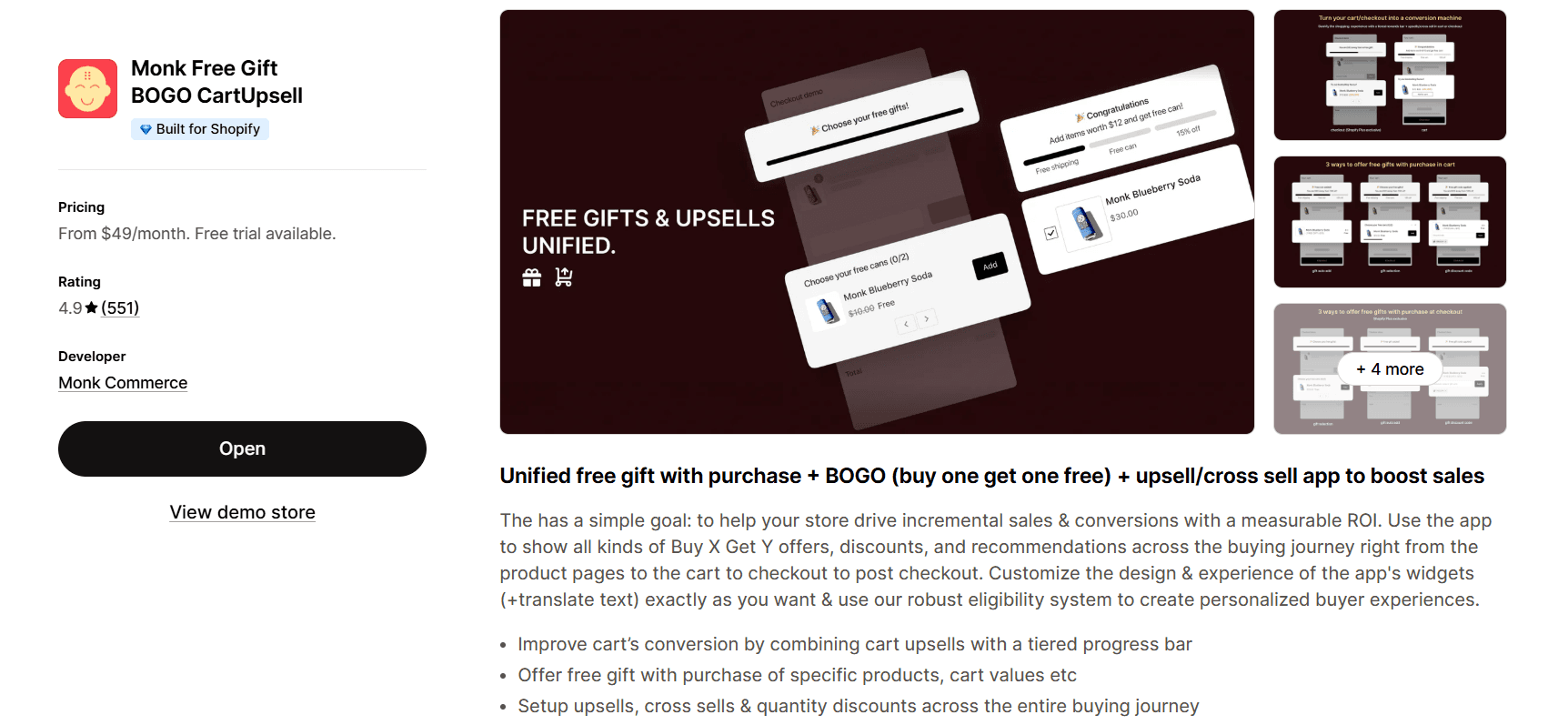
A few things make it a strong fit for the strategies above. Monk runs a strong eligibility engine that lets you target offers by specific products, quantities, cart values, and a range of other triggers. So the personalization in strategy #7 isn't theoretical; you can actually configure it.
It supports one-click post-purchase upsells powered by the Shopify Checkout Extension, so the offered product adds to the order in a single click, exactly the frictionless flow that makes strategy #5 work.
It includes a cart progress bar with tiered rewards for the threshold-based AOV lift in strategy #4, plus bundles and quantity breaks, a subscription upsell to convert one-time buyers into subscribers, and free-gift-with-purchase offers.
On the practical side, the app is fully customizable, so widgets and pop-ups match your store's design and can be translated to fit your market. It requires no code to set up, and is Shopify-first.
The point isn't that you need Monk specifically to upsell. It's that running the full set of strategies above manually is impractical. A single full-funnel app that handles targeting, post-purchase one-click offers, and analytics in one place is the realistic way to run upselling as a system rather than a side project.
Common Upselling Mistakes to Avoid
Here are the mistakes that can make or break your Shopify upselling strategies:
Mistake | Consequence | Fix |
Overloading the customer with offers | Three pop-ups per page and a cluttered checkout overwhelm shoppers. They tune everything out or abandon entirely. More offers don't mean more revenue. | Show one well-targeted offer at a time. A single relevant offer beats five generic ones. |
Showing irrelevant upsells | Offering golf clubs to someone buying cat litter doesn't just fail to convert; it signals your recommendations are random, which erodes trust in all your suggestions. | Trigger offers off-cart contents and customer context so every recommendation is obviously relevant. Relevance is non-negotiable. |
Pushing alternatives instead of upgrades on the product page | Showing competing products before purchase introduces doubt and stalls a sale that was about to happen. | Offer upgrades to what the customer already chose. Save alternatives for when they're clearly rejecting the current item, not when they're about to buy it. |
Discounting so heavily, you erode margin | An upsell that adds $10 to the order but costs $12 in discount isn't an upsell; it's a loss. | Run the margin math on every offer before you launch it. The discount must cost less than the incremental revenue it generates. |
Interrupting at the wrong moment | A pop-up that triggers before the customer engages, or one that blocks checkout, creates friction where you can least afford it. | Time offers to moments of intent, and never let an upsell stand between the customer and the buy button. |
How to Measure Upselling Success
These numbers tell you whether your upselling is paying off:
Average Order Value (AOV): Track it before and after you launch upsells, and watch the trend over time. This is the number every other tactic is ultimately trying to move.
Upsell take rate (attach rate): The percentage of customers who accept an upsell offer when they see it. A low take rate means the offer, the targeting, or the timing is off. This is the metric you A/B test against.
Upsell revenue contribution: How much of your total revenue comes specifically from upsell and cross-sell offers. This tells you how material the channel is and whether it's worth investing more effort into.
Conversion rate: Watch this alongside AOV, because the worst outcome is lifting AOV while quietly tanking conversions with intrusive offers. If AOV goes up but conversion goes down enough to reduce total revenue, the upsell is hurting you.
Revenue per visitor (RPV): AOV multiplied by conversion rate. This is the cleanest single measure of whether your upselling is growing the business overall. It captures the conversion-vs-AOV trade-off that neither metric alone can miss.
Takeaway this workflow and start implementing the strategies: establish your baselines first, change one thing at a time, and give each test enough traffic to reach a conclusion before you judge it. A/B test offers, placements, and discounts, and keep the winners. Upsell apps, including Monk, surface these numbers in built-in analytics so you don't have to stitch the data together manually.
Putting These Shopify Upselling Strategies to Work
Upselling helps people get more value from a purchase they already want to make.
Start with one or two strategies that fit your catalog.
If you sell consumables, lead with subscription upsells and quantity breaks.
If you sell systems or sets, lead with bundles and complete the kit offers.
If you have decent order volume, the post-purchase one-click upsell is close to free money and should be on your shortlist regardless.
Measure against your baselines, keep what works, cut what doesn't.
Once you've proven the concept manually, move to a full-funnel app so upselling runs as an always-on system instead of a one-off experiment.
FAQs
Do upsells negatively affect Shopify conversion rates?
Upsells can negatively affect Shopify conversion rates when done poorly, but they won't when done well. Intrusive pop-ups, irrelevant offers, and anything that interrupts checkout will hurt conversions. Relevant, well-timed offers placed alongside the buying flow lift AOV while holding conversion steady. Post-purchase upsells carry zero conversion risk because the original order is already complete before the offer appears. The safeguard is simple: track conversion rate and revenue per visitor alongside AOV, so you catch any negative tradeoff early.
What is the difference between a one-click upsell and a traditional upsell?
The difference is that a one-click upsell lets the customer accept an offer with a single tap. While a traditional upsell makes them go through the cart-and-checkout flow again. A traditional upsell asks the customer to add the product, then prompts them to re-enter or reconfirm their payment details. A one-click upsell, usually shown post-purchase, skips all that. The customer's payment information is already captured from the original order, so removing those extra steps dramatically increases the take rate.
Can upselling work for low-ticket products on Shopify?
Yes, upselling works for low-ticket products on Shopify. It arguably matters more for low-ticket stores, because their per-order margins are thinner and acquisition costs eat a bigger share of each sale. The tactics shift toward volume and thresholds: quantity breaks like ‘buy 3, save 15%,’ bundles that raise a $15 order to a $40 kit, and complementary cross-sells. A $5 add-on to a $20 order is a 25% AOV lift, which compounds fast at volume.
How do I create high-converting upsell funnels in Shopify?
You create high-converting upsell funnels in Shopify by mapping offers to the buying journey. On the product page, offer upgrades and frequently bought together items. In the cart, run a progress bar toward a free-shipping or free-gift threshold, plus one relevant add-on. Post-purchase, run a one-click upsell on a complementary product. Then personalize each offer using eligibility rules, keep the number of offers restrained, and A/B test placements and discounts against your AOV and take-rate baselines.
Should upsells be shown before or after checkout?
Upsells should be shown both before and after checkout, as each serves a different purpose. Before checkout, offers on the product page and in the cart shape the order while the customer is still deciding. They lift the value of the original purchase. After checkout, a one-click upsell captures extra revenue at zero risk, because the sale is already locked in. The strongest setup runs both. Just don't let a pre-checkout offer get between the customer and the buy button.
10 Proven Upselling Strategies for Shopify Stores
Summary
Upselling on Shopify helps increase average order value, boost conversions, and drive more revenue without extra ad spend. From product upgrades and cart offers to bundles, subscriptions, and one click post purchase upsells, the right strategies improve both customer experience and profitability. Success depends on timing, relevance, and testing key metrics like AOV and take rate. Tools like Monk automate personalized upsell flows across the funnel, making it easier to scale revenue with minimal effort.
Upselling nudges a customer who already trusts you toward spending a little more, right when they're most willing to. As the marketing textbook Marketing Metrics puts it, existing customers convert at 60–70% versus 5–20% for cold prospects.
The problem is that Shopify stores either skip upselling entirely or do it so clumsily that it annoys people instead of helping them. A pop-up at the wrong moment or a downgrade disguised as an ‘upgrade’ can cost you the sale and customer.
However, done well, it lifts your average order value (AOV) without costing you a single extra dollar in ad spend.
Below are 10 upselling strategies that increase AOV on Shopify, with concrete examples and the reasoning behind each. We'll also cover where stores go wrong, how to measure whether any of this is working, and where a tool like Monk fits in.
What is Upselling in Shopify?
Upselling is the practice of encouraging a customer to buy a higher-value version of what they're already considering. Or to add something that increases the total order. In a Shopify context, that means using your product pages, cart, checkout, and post-purchase pages to surface relevant offers at the right moments in the buying journey.
It helps to draw the line between upselling and cross-selling, because people constantly mix them up. The distinction affects how you set up your offers.
Upselling moves the customer up. If someone's looking at the 32GB phone, you offer the 128GB version. If they're buying a single bottle of supplements, you offer the three-month supply at a per-unit discount. Same need, bigger or better solution.
Cross-selling moves the customer sideways. If they're buying a camera, you offer a memory card and a carrying case. Different products that complement the ones they're already buying.
Both increase order value, and in practice, you'll often run them together. A coffee subscription store might upsell from the 250g bag to the 500g bag and cross-sell a milk frother on the same cart page. The umbrella term for all of this is ‘AOV optimization,’ because the end goal is identical: get each customer to spend a bit more per visit.
Why Upselling Matters for Shopify Stores
Here's the uncomfortable truth about ecommerce economics. Customer acquisition costs have climbed steadily. And for most stores, the first purchase from a new customer barely breaks even after you factor in ad spend, discounts, and fulfillment. The profit lies in the increase: getting that customer to spend more now and come back later.
Upselling attacks the ‘spend more now’ half directly, and it does so at the cheapest possible point.
You've already paid to acquire the visitor.
You've already earned enough trust for them to add something to their cart.
Every incremental dollar you add to that order is close to pure margin, because there's no additional acquisition cost attached to it.
Consider a simple example. Say your store does $200,000 in monthly revenue across 4,000 orders, so your AOV is $50. If a set of well-placed upsells lifts AOV by just $6 (a 12% bump that's entirely realistic), that's an extra $24,000 a month, or $288,000 a year, with zero added marketing spend.
You didn't find new customers. You just stopped leaving money on the table with the ones you already had.
There's also a retention angle that's easy to overlook. Existing customers are more likely to try new products and tend to spend more than first-timers.
A subscription upsell or a ‘complete the set’ cross-sell, does more than increase today's order. It deepens the relationship and raises lifetime value. Upselling, done with the customer's interests in mind, is one of the few growth levers that's good for your margins and the shopping experience.
10 Proven Upselling Strategies for Shopify Stores
These ten strategies span the entire buying journey, from the product page to the post-purchase thank-you screen. You don't need to run all ten at once. Pick the two or three that match your catalog and traffic, get them working, then layer in more.
Offer Product Upgrades instead of Alternatives
The single most common upselling mistake is showing customers alternatives when you should be showing them upgrades.
An alternative gives the shopper a reason to second-guess the choice they've already made.
An upgrade gives them a reason to spend more on a choice they're already happy with.
Picture a customer on the product page for your $40 entry-level wireless earbuds. If you show them three other earbud models at similar prices, you've just introduced decision paralysis. They might bounce to ‘think about it.’
Instead, show them your $65 noise-canceling version with a clear, benefit-led comparison: longer battery life, active noise cancellation, and a better mic. The framing matters. Instead of asking them to reconsider, you're offering them more of what they came for.
The mechanics that make this work: anchor the upgrade against the base product so the price difference feels small relative to the added value. And lead with benefits.
Use Pre-Purchase Upsell Pop-Ups
A pre-purchase pop-up surfaces an offer before the customer commits. Typically, when they add an item to the cart. Timed and targeted well, it catches buyers at peak intent, the moment they've decided to buy something and are most open to buying a little more.
For example, a customer adds a $35 skincare serum to their cart, and a pop-up appears offering the matching moisturizer for 15% off when bought together. Because the offer is contextual (it relates to what they just chose) and time-bound (the discount applies to this order), it converts far better than the same product sitting passively in a ‘you may also like’ row.
The mechanics that make this work: one pop-up, triggered by a meaningful action, with a clear value proposition and an easy dismiss.
Reality check: Sending a pop-up the instant someone lands on your homepage will train shoppers to close pop-ups reflexively. It kills the strategy before it starts. Use an eligibility rule (only show this offer if the cart contains product X, or exceeds value Y) so the offer is always relevant.
Add Upsells on Product Pages
The product page is where intent forms live, making it prime real estate for upsell offers. The shopper is actively evaluating, so a well-placed recommendation here shapes the order before it even reaches the cart.
There are a few proven placements.
A ‘frequently bought together’ block under the main product is the classic: it bundles complementary items the customer would likely want anyway.
A ‘complete the look’ or ‘complete the kit’ module works beautifully for fashion, home goods, and anything sold as a system.
A tiered quantity offer (‘buy 2, save 10%; buy 3, save 15%’) right on the product page nudges single-unit buyers toward multi-unit orders.
The mechanics that make this work: the upsell should feel like a helpful suggestion from a knowledgeable salesperson. Position it close to the add-to-cart button where attention is highest, and keep the recommended products related to what's on the page.
Optimize Cart Page Upsells
The cart is the highest-intent page in your entire store. By the time a customer is here, they've committed to buying. That makes it the ideal place to add another relevant item or push toward a spending threshold.
Two tactics dominate here.
The first is the cart progress bar with tiered rewards: ‘You're $12 away from free shipping.’
It gives the customer a concrete, gamified reason to add more, and the reward feels like a win they earned rather than a fee they paid.
The second is a focused in-cart upsell or cross-sell: a single, relevant offer displayed alongside the cart contents. Ideally, one can add in a single tap without leaving the page.
A worked example: a customer's cart totals $43, and your free-shipping threshold is $50. A progress bar shows them they're $7 away, and right below it sits a $9 add-on that complements what they're buying. Shoppers will add the item to cross the threshold, taking the order from $43 to $52. You've lifted AOV, and the customer feels good about the deal.
Implement One-Click Post-Purchase Upsells
This is the most underused high-impact strategy on this list, and it's worth understanding why it works so well.
A post-purchase upsell appears after the customer completes their order, on the page before the final thank-you screen. The customer has already paid. Their payment details are captured. So when you offer a relevant add-on, accepting it is a single click, no re-entering card details, no going back through checkout. That frictionlessness is the entire point.
Here's the part that makes it a no-brainer: a post-purchase upsell carries zero risk to your conversion rate. The original order has already been completed and banked.
If the customer declines the upsell, you've lost nothing; you still have the sale. If they accept it, you've added pure incremental revenue. There's no downside scenario where the upsell costs you the original conversion.
For example, a customer just bought a $60 pair of running shoes. The thank-you flow offers them matching moisture-wicking socks for $12, one click to add. A meaningful percentage say yes because they're already in buying mode, the offer is relevant, and adding it costs them no effort.
Monk powers this through the Shopify Checkout Extension, so the offered product gets added to the existing order in a single click.
Use Bundling to Increase Order Value
Bundling packages related products together at a price that's more attractive than buying each item separately. It increases AOV while giving customers a clear reason to buy more: they're getting a better deal per item.
There are two main approaches.
Fixed bundles group a curated set of products, like a skincare routine sold as a ‘morning ritual kit’ at 15% off, rather than buying the three items individually.
Build-your-own bundles let customers assemble their own set from a selection and unlock a discount once they hit a certain number of items. It works well for stores with deep catalogs.
The mechanics that make this work: they simplify the decision, they frame the discount as a reward for buying more, and they let you move slower-selling SKUs by pairing them with popular ones. A well-constructed bundle can easily lift the order value of a $25 single-item purchase to a $60 kit, and the customer walks away feeling they got the smarter deal.
Personalize Upsell Offers
A generic upsell shown to everyone underperforms a relevant upsell shown to the right person at the right moment. Personalization is what separates upselling that feels helpful from upselling that feels like spam.
Personalization on Shopify can be as simple or sophisticated as your setup allows. At the basic level, you trigger offers based on cart contents: if the cart contains a specific product, show its natural companion.
One step up, you segment by behavior or order value: first-time buyers see a different offer than repeat customers; high-value carts see premium add-ons.
At the advanced level, you use an eligibility engine to layer multiple conditions, showing offer A to customers who buy product X with a cart over $80 and offer B to everyone else.
For example, a store that shows every customer the same ‘you might also like’ widget gets mediocre results. But a store that shows a customer buying dog food and then offers that same brand's dog treats converts far better because the recommendation is relevant.
Monk's eligibility system is built precisely for this, letting you target offers by product, quantity, cart value, and other triggers so each shopper sees something that actually fits.
Add Subscription Upsells
If you sell anything consumable, perishable, or replenishable, a subscription upsell is one of the most valuable moves you can make. Because it converts a single transaction into recurring revenue.
The strategy: at the point of purchase, offer the customer the option to receive the product on a recurring schedule, usually at a small discount versus the one-time price. A customer buying a $30 bag of coffee sees ‘Subscribe and save 10%, delivered every month.’
Some convert immediately because they were going to reorder anyway, and the small discount plus the convenience tips them over.
What makes this attractive is the lifetime value. A one-time $30 buyer is worth $30. A subscriber at $27/month is worth $324 a year, and you didn't pay to acquire them eleven additional times.
Use Limited-Time Offers and Scarcity
Urgency and scarcity are old tools because they work. When an offer has a clear deadline or limited availability, customers act now rather than later.
Applied to upselling, this means time-boxing your offers. A post-purchase upsell that says ‘Add this to your order in the next 10 minutes for 20% off’ converts better than the same offer with no deadline. Because the customer can't defer the decision. Stock-based scarcity works too, when it's genuine.
The critical caveat: scarcity only works if it's honest. Fake countdown timers that reset, or ‘only 2 left!’ banners on items you have 500 of, erode trust fast. And a customer who catches you faking urgency will skip the upsell and question everything else in your store.
Use real deadlines tied to the order, real stock levels, or genuinely limited-time discounts.
Use an Upsell App for Automation
You can build some basic upsells with Shopify's native features, but doing it manually hits a ceiling fast. You can't easily set conditional offers, run one-click post-purchase upsells, A/B test variations, or manage offers across the full journey without an app. Trying to hand-code all of this is a time sink that pulls you away from running the store.
A dedicated upsell app automates the entire system. You set up the rules once (which offers appear, to whom, where, and under what conditions), and the app handles the rest. It surfaces the right offer to the right customer at the right moment, every time, without you having to touch it. This is the difference between upselling as an occasional manual effort and upselling as an always-on revenue engine.
What to Look for in a Shopify Upsell App
The wrong upsell app will limit you from running the strategies above. Here are the features worth checking for before you commit.
Full-funnel coverage: The app should run offers across the entire buying journey, from the product page through the cart, checkout, and post-purchase, not just one slice of it.
A flexible eligibility and targeting system: You want to trigger offers based on cart contents, quantity, cart value, customer type, and other conditions, so every shopper sees something relevant rather than a one-size-fits-all widget.
One-click post-purchase upsells: It makes the frictionless post-purchase flow in strategy #5 possible.
Design customization: The offers should match your store's look, fonts, and language so they feel native.
Analytics: The app should surface take rate, upsell revenue, and AOV impact so you can A/B test and double down on what works.
Which brings us to a Shopify-first tool built around exactly these capabilities.
Why Use an Upsell App Like Monk
Monk is a full-funnel upsell and cross-sell app for Shopify with a straightforward goal: help your store drive incremental sales with measurable ROI. Rather than bolting on a single tactic, it covers the entire buying journey, from product pages to the cart to checkout to post-purchase, in one app.
A few things make it a strong fit for the strategies above. Monk runs a strong eligibility engine that lets you target offers by specific products, quantities, cart values, and a range of other triggers. So the personalization in strategy #7 isn't theoretical; you can actually configure it.
It supports one-click post-purchase upsells powered by the Shopify Checkout Extension, so the offered product adds to the order in a single click, exactly the frictionless flow that makes strategy #5 work.
It includes a cart progress bar with tiered rewards for the threshold-based AOV lift in strategy #4, plus bundles and quantity breaks, a subscription upsell to convert one-time buyers into subscribers, and free-gift-with-purchase offers.
On the practical side, the app is fully customizable, so widgets and pop-ups match your store's design and can be translated to fit your market. It requires no code to set up, and is Shopify-first.
The point isn't that you need Monk specifically to upsell. It's that running the full set of strategies above manually is impractical. A single full-funnel app that handles targeting, post-purchase one-click offers, and analytics in one place is the realistic way to run upselling as a system rather than a side project.
Common Upselling Mistakes to Avoid
Here are the mistakes that can make or break your Shopify upselling strategies:
Mistake | Consequence | Fix |
Overloading the customer with offers | Three pop-ups per page and a cluttered checkout overwhelm shoppers. They tune everything out or abandon entirely. More offers don't mean more revenue. | Show one well-targeted offer at a time. A single relevant offer beats five generic ones. |
Showing irrelevant upsells | Offering golf clubs to someone buying cat litter doesn't just fail to convert; it signals your recommendations are random, which erodes trust in all your suggestions. | Trigger offers off-cart contents and customer context so every recommendation is obviously relevant. Relevance is non-negotiable. |
Pushing alternatives instead of upgrades on the product page | Showing competing products before purchase introduces doubt and stalls a sale that was about to happen. | Offer upgrades to what the customer already chose. Save alternatives for when they're clearly rejecting the current item, not when they're about to buy it. |
Discounting so heavily, you erode margin | An upsell that adds $10 to the order but costs $12 in discount isn't an upsell; it's a loss. | Run the margin math on every offer before you launch it. The discount must cost less than the incremental revenue it generates. |
Interrupting at the wrong moment | A pop-up that triggers before the customer engages, or one that blocks checkout, creates friction where you can least afford it. | Time offers to moments of intent, and never let an upsell stand between the customer and the buy button. |
How to Measure Upselling Success
These numbers tell you whether your upselling is paying off:
Average Order Value (AOV): Track it before and after you launch upsells, and watch the trend over time. This is the number every other tactic is ultimately trying to move.
Upsell take rate (attach rate): The percentage of customers who accept an upsell offer when they see it. A low take rate means the offer, the targeting, or the timing is off. This is the metric you A/B test against.
Upsell revenue contribution: How much of your total revenue comes specifically from upsell and cross-sell offers. This tells you how material the channel is and whether it's worth investing more effort into.
Conversion rate: Watch this alongside AOV, because the worst outcome is lifting AOV while quietly tanking conversions with intrusive offers. If AOV goes up but conversion goes down enough to reduce total revenue, the upsell is hurting you.
Revenue per visitor (RPV): AOV multiplied by conversion rate. This is the cleanest single measure of whether your upselling is growing the business overall. It captures the conversion-vs-AOV trade-off that neither metric alone can miss.
Takeaway this workflow and start implementing the strategies: establish your baselines first, change one thing at a time, and give each test enough traffic to reach a conclusion before you judge it. A/B test offers, placements, and discounts, and keep the winners. Upsell apps, including Monk, surface these numbers in built-in analytics so you don't have to stitch the data together manually.
Putting These Shopify Upselling Strategies to Work
Upselling helps people get more value from a purchase they already want to make.
Start with one or two strategies that fit your catalog.
If you sell consumables, lead with subscription upsells and quantity breaks.
If you sell systems or sets, lead with bundles and complete the kit offers.
If you have decent order volume, the post-purchase one-click upsell is close to free money and should be on your shortlist regardless.
Measure against your baselines, keep what works, cut what doesn't.
Once you've proven the concept manually, move to a full-funnel app so upselling runs as an always-on system instead of a one-off experiment.
FAQs
Do upsells negatively affect Shopify conversion rates?
Upsells can negatively affect Shopify conversion rates when done poorly, but they won't when done well. Intrusive pop-ups, irrelevant offers, and anything that interrupts checkout will hurt conversions. Relevant, well-timed offers placed alongside the buying flow lift AOV while holding conversion steady. Post-purchase upsells carry zero conversion risk because the original order is already complete before the offer appears. The safeguard is simple: track conversion rate and revenue per visitor alongside AOV, so you catch any negative tradeoff early.
What is the difference between a one-click upsell and a traditional upsell?
The difference is that a one-click upsell lets the customer accept an offer with a single tap. While a traditional upsell makes them go through the cart-and-checkout flow again. A traditional upsell asks the customer to add the product, then prompts them to re-enter or reconfirm their payment details. A one-click upsell, usually shown post-purchase, skips all that. The customer's payment information is already captured from the original order, so removing those extra steps dramatically increases the take rate.
Can upselling work for low-ticket products on Shopify?
Yes, upselling works for low-ticket products on Shopify. It arguably matters more for low-ticket stores, because their per-order margins are thinner and acquisition costs eat a bigger share of each sale. The tactics shift toward volume and thresholds: quantity breaks like ‘buy 3, save 15%,’ bundles that raise a $15 order to a $40 kit, and complementary cross-sells. A $5 add-on to a $20 order is a 25% AOV lift, which compounds fast at volume.
How do I create high-converting upsell funnels in Shopify?
You create high-converting upsell funnels in Shopify by mapping offers to the buying journey. On the product page, offer upgrades and frequently bought together items. In the cart, run a progress bar toward a free-shipping or free-gift threshold, plus one relevant add-on. Post-purchase, run a one-click upsell on a complementary product. Then personalize each offer using eligibility rules, keep the number of offers restrained, and A/B test placements and discounts against your AOV and take-rate baselines.
Should upsells be shown before or after checkout?
Upsells should be shown both before and after checkout, as each serves a different purpose. Before checkout, offers on the product page and in the cart shape the order while the customer is still deciding. They lift the value of the original purchase. After checkout, a one-click upsell captures extra revenue at zero risk, because the sale is already locked in. The strongest setup runs both. Just don't let a pre-checkout offer get between the customer and the buy button.
Contents
Related Articles
Cart Upsell Strategies for Shopify Stores to Increase AOV
How to Add Upsell Offers on Shopify to Increase AOV (Step-by-Step Guide)
How to Choose the Right Shopify Upsell App for Your Store
Get Monk Free Gift app for just $1/month this Black Friday
First month: $1 after your 7-day free trial. All features included. Offer live!
Claim offer now

Get Monk Free Gift app for just $1/month this Black Friday
First month: $1 after your 7-day free trial. All features included. Offer live!
Claim offer now
Get Monk Free Gift app for just $1/month this Black Friday
First month: $1 after your 7-day free trial. All features included. Offer live!
Claim offer now