
Shopify Bundles Guide: Types, Benefits, and Setup Tips
Summary
Shopify bundles group complementary products into a single offer to increase average order value and improve product discovery. From fixed kits to mix and match, BOGO, and volume discounts, bundles make buying feel more valuable rather than discounted. They help move inventory, reduce price comparison, and create better shopping experiences. With the right pricing, placement, and testing, bundles can drive consistent revenue growth. Tools like Monk automate bundle offers, gifting, and cart-based promotions to maximize conversions efficiently.

Kashish Jain
Senior Content Writer
A Shopify and ecommerce writer passionate about simplifying complex topics into actionable, data-backed content for merchants and online businesses.
Key Takeaways
Shopify bundles group complementary products into a single offer to increase average order value and improve product discovery. From fixed kits to mix and match, BOGO, and volume discounts, bundles make buying feel more valuable rather than discounted. They help move inventory, reduce price comparison, and create better shopping experiences. With the right pricing, placement, and testing, bundles can drive consistent revenue growth. Tools like Monk automate bundle offers, gifting, and cart-based promotions to maximize conversions efficiently.
A customer lands on your store looking for one thing. They find it, but right next to it, there's a combo so well put together that buying just the one suddenly feels incomplete. That's bundling doing exactly what it's supposed to do.
The moment you put the right two things side by side with a price that makes the decision feel obvious, the cart fills itself. A shampoo and conditioner that were made for each other. A phone case paired with a screen guard. A skincare duo that solves two problems at once. These combinations don't feel like upsells. They feel like common sense.
The customer walks away feeling like they got a better deal, and you walk away with a higher order value.
This guide will explore what bundles actually are, the different types worth knowing, how to set them up the right way, which apps make the whole thing easier, and how to tell whether your bundle strategy is genuinely creating an impact.
What Are Shopify Bundles?
A Shopify bundle is when you group two or more products together and sell them as a single offer, often at a combined price that feels more attractive than buying each item separately. The bundle can be a fixed set of products, a choice-based selection, or even a quantity-based deal.
For example, a skincare brand might bundle a cleanser, toner, and moisturizer into a 'Morning Routine Kit' and offer it at a slight discount compared to buying all three individually. The customer gets convenience and a better deal. The store sells three products instead of one and increases the order value without spending more on acquisition. |
Bundles can live as their own product listings, appear as add-on suggestions on product pages, or be triggered during checkout. The format depends on your goals and the type of bundle you are building.
Why Shopify Bundles Matter for Shopify Stores
The math behind bundles is straightforward: the average order value goes up because customers are buying more per transaction. But the benefits extend well beyond that single metric.
Bundles help with product discovery: A customer who came to your store for one item gets introduced to two or three others they might not have found on their own, and if they like them, they come back for more. It is one of the most organic ways to expand a customer's relationship with your catalog.
Bundles help with inventory management: Every store has slow-moving products sitting in stock. Pairing them with bestsellers in a bundle is a far better outcome than discounting them in isolation, which erodes the perceived value of the product long-term.
Bundles are harder to compare-shop: A customer can easily compare the price of a single lipstick across five stores. A curated lip kit with three coordinating shades is a unique offer that belongs only to you, and that uniqueness shifts the buying decision away from price and toward value.
Different Types of Shopify Bundles
There are different kinds of bundles you can choose from for your Shopify store:
Fixed Product Bundles
A fixed bundle is a pre-set group of products sold together as one unit. The customer does not choose what goes in. Think of a 'Starter Kit' or 'Gift Set' where everything is predetermined. This works well when the combination has an obvious logic to it, like a camera with a memory card and a carrying case.
Mix and Match Bundles
Mix-and-match lets customers build their own bundle by choosing from a predefined set of options. For example, a candle brand might let customers pick any three scents from a collection of twelve. The bundle has a fixed structure (three candles), but the contents are up to the buyer. This is particularly effective for stores with wide product ranges, because it gives customers ownership over what they are buying.
Frequently Bought Together Bundles
These bundles are data-driven. They surface products that customers commonly purchase in the same order and present them as a suggested bundle at the point of decision, usually on the product page. If someone is buying a yoga mat, a 'frequently bought together' suggestion might pair it with a yoga block and a water bottle. Amazon popularized this format, and it works just as well on Shopify when backed by real purchase data.
BOGO offers are bundle deals in which buying one product unlocks a second, either free or at a reduced price. Buy one pair of socks, get a second pair free. Buy two T-shirts, get the third at 50% off. The mechanic drives volume purchases and is particularly effective for apparel, consumables, and products where owning multiples makes sense.
Volume Discount Bundles
Volume bundles reward customers for buying more of the same product. The more units they buy, the better the per-unit price. Buy one for $20, three for $54 ($18 each), or five for $85 ($17 each). This works extremely well for consumables like coffee, supplements, and cleaning products, where customers already know they will use more over time. It is also a reliable way to increase the customer's stock, reducing the chance they will shop elsewhere when they run out.
Subscription Bundles
Subscription bundles combine the repeat-purchase mechanics of a subscription with the volume logic of a bundle. A customer subscribes to receive a curated selection of products on a set schedule: weekly coffee deliveries, a monthly skincare box, a quarterly pantry refill. The bundle element adds perceived value because the customer is getting a curated experience, not just a repeat charge.
Build Your Own Bundle
Build Your Own Bundle (BYOB) gives customers total flexibility within a defined structure. Instead of choosing from pre-set combinations, customers start from scratch and select exactly what goes into their bundle from your full catalog or a specific category. A supplement brand might let customers pick five products from their range and call it 'Your Custom Stack.' This is one of the most engaging bundle formats because it transforms shopping from passive browsing into active curation.
How Shopify Bundles Work
On the technical side, Shopify bundles work in one of two ways, depending on how they are set up.
The first method is to create a bundle as its own product, a new SKU that represents the combined set. When the bundle sells, Shopify's inventory deducts the relevant quantities from each component product. This approach is clean for inventory tracking but requires more upfront setup.
The second method is app-based, where a bundle app sits on top of your existing product catalog and handles the grouping, pricing logic, and display without creating new product listings. The customer adds the bundle to their cart through the app's interface, and the individual products appear as line items. This approach is more flexible and easier to manage, especially for stores with large or frequently updated catalogs.
From the customer's perspective, bundles appear as a single offer on a product page, on a dedicated bundle page, in the cart widget, or during checkout. The discount (if any) is applied automatically, and the checkout experience remains seamless. The complexity happens in the background; the customer just sees a good deal presented clearly.
How to Set Up Shopify Bundles
Now that we know the different kinds of Shopify bundles and how to set them up, let us dive into the actual process of setting them up:
Step 1: Choose the Right Bundle Type
Start by deciding what problem the bundle solves. If you want to move specific inventory, a fixed bundle or volume discount makes sense. If you want to increase personalization and engagement, mixing and matching or building your own works better. Match the bundle type to your goal before you think about products or pricing.
Step 2: Select Complementary Products
The products in a bundle need to have a logical connection. They should solve a related problem, serve the same use case, or complement each other in an obvious way. A phone and a charger make sense. A phone and a kitchen spatula do not. Pull your sales data to see which products customers already buy together.
Step 3: Decide Bundle Pricing Strategy
There are three common pricing approaches. Discount-based pricing gives a percentage off the combined total, clear, and easy to communicate. Value-based pricing sets the bundle price based on the perceived value of the combination rather than just the sum of parts. And anchor pricing shows the original combined price next to the bundle price to make the saving visible. For most Shopify stores, a 10–20% bundle discount hits the sweet spot between driving uptake and maintaining healthy margins.
Step 4: Configure Inventory Rules
If your bundle uses a native Shopify product listing, make sure inventory is linked correctly so that selling the bundle deducts the right quantities from each component. If you are using a bundle app, check how it handles inventory sync.
Step 5: Design High-Converting Bundle Pages
A bundle page needs to answer three questions instantly: what is in it, what do I save, and why do I need it. Use clear product imagery, a breakdown of what is included, a prominent price comparison showing the savings, and a short description that explains the use case.
Step 6: Add Bundle Offers to Product and Cart Pages
Do not limit your bundle to its own page. Surface bundle offers where customers are already active. On product pages, show a 'Complete the Set' or 'Frequently Bought Together' widget. In the cart, show a progress bar toward a bundle discount or suggest adding one more product to unlock the deal. These in-context placements catch customers at the moment of highest purchase intent.
Step 7: Test and Optimize Bundle Performance
Once live, track which bundles are being viewed and which are converting. Run A/B tests on your discount levels, bundle naming, and page placement. A bundle called 'Morning Skincare Routine' typically outperforms one called 'Bundle A.' Small copy changes often have a bigger impact than structural ones. Review performance monthly and retire or rework bundles that are not pulling their weight.
Best Shopify Bundle Apps to Consider
Here are the top Shopify bundling apps to swiftly and effectively add bundles to your store:
Monk Free Gift BOGO CartUpsell
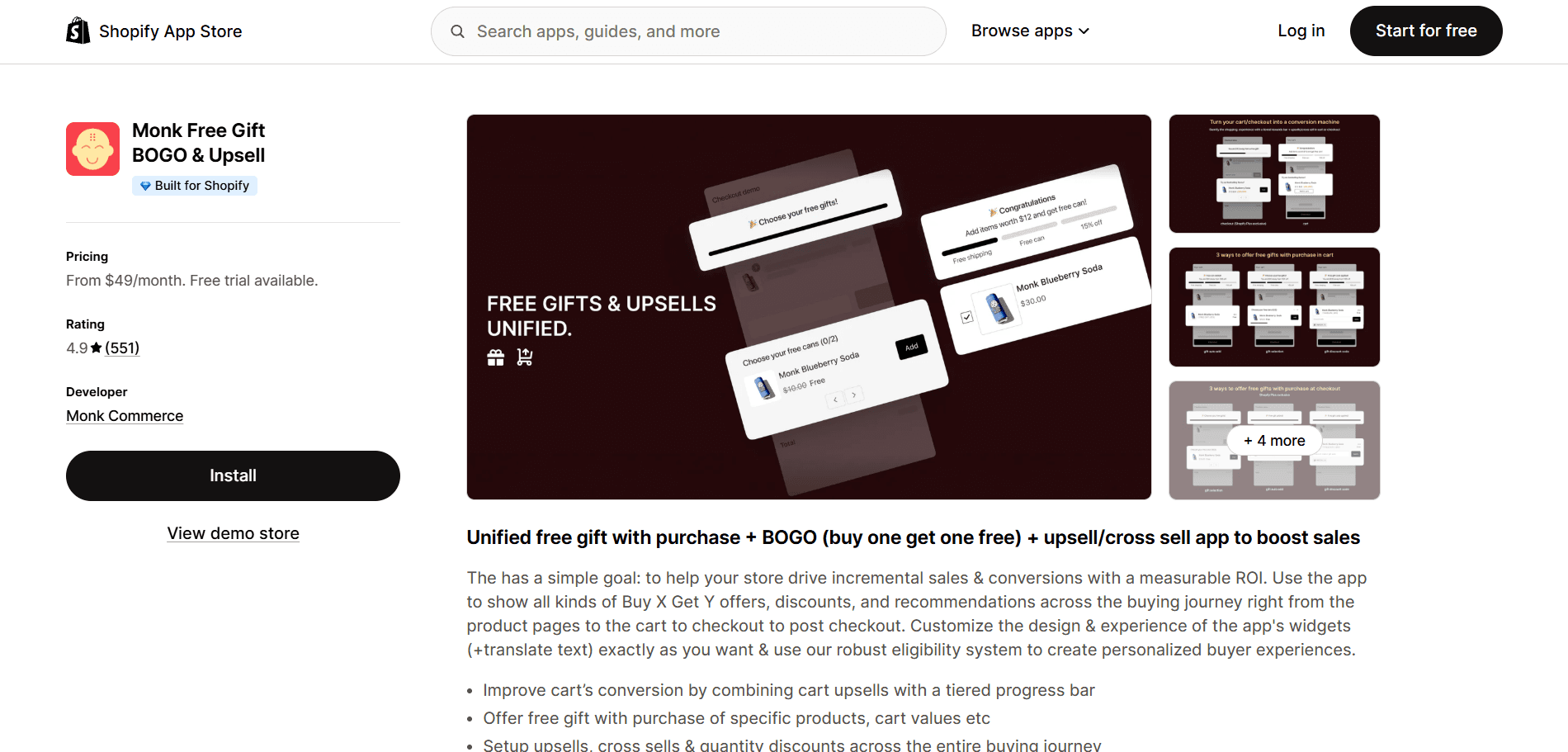
Monk Free Gift BOGO CartUpsell is purpose-built for Shopify stores that want to turn the cart and checkout into active conversion moments. Rather than just presenting a static bundle, it lets you build intelligent offer flows that respond to what is already in the customer's cart, surfacing the right bundle, free gift, or BOGO deal at exactly the right threshold.
What makes it stand out for bundles specifically is the combination of cart-value-triggered offers, free gift-with-purchase flows (where customers can choose their gift), and BOGO mechanics, all within a single app.
The progress bar, which shows customers how close they are to unlocking a bundle deal, is particularly effective at increasing order values without requiring any manual prompting. It is designed to feel helpful to the customer, not transactional.
Rating: 4.9/5
Pricing:
7-day Free trial available
Start- $49/month
Scale- $149/month
FBP: Fast Bundle & Upsell App
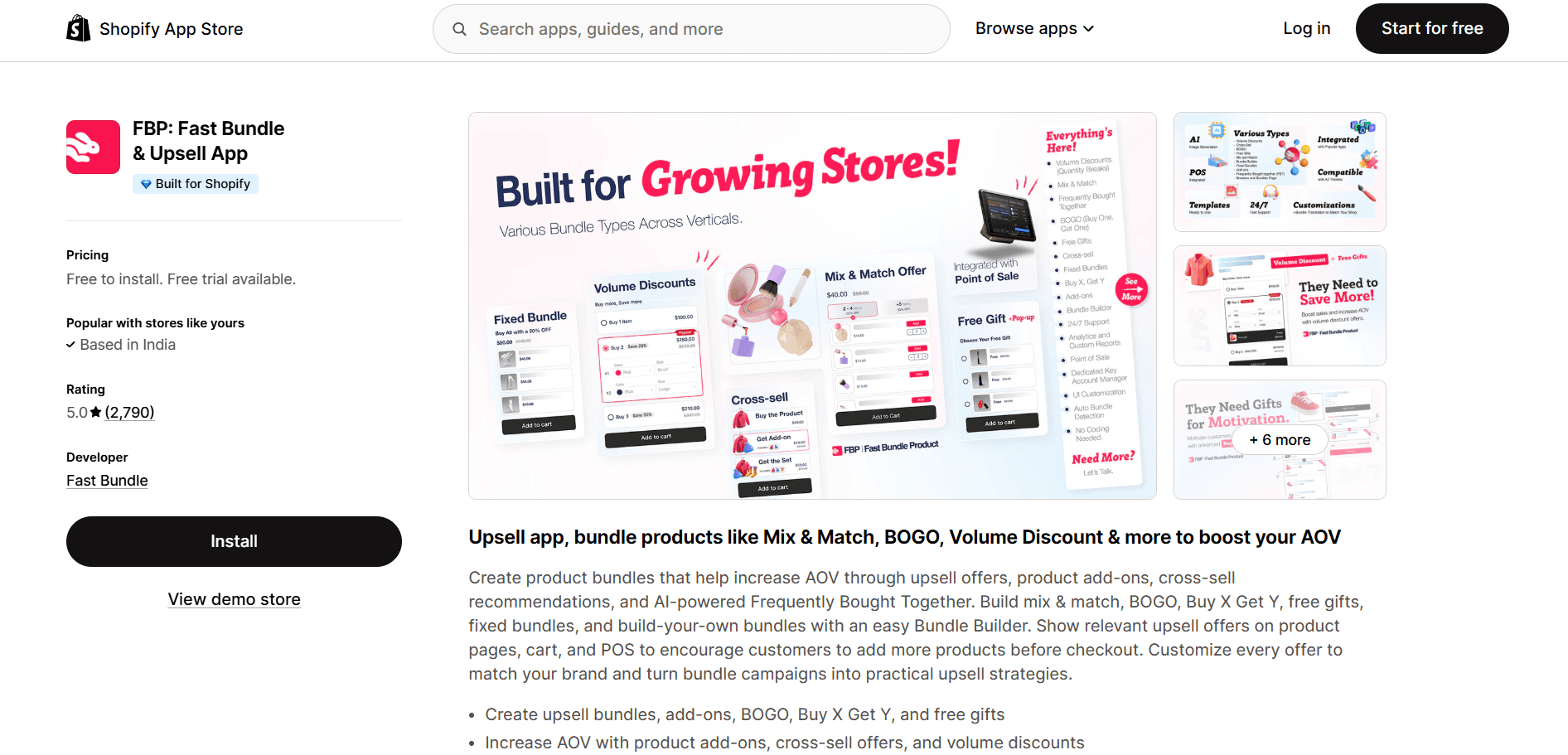
FBP: Fast Bundle & Upsell App focuses on making bundle creation quick and visual. Store owners can set up fixed bundles, mix-and-match bundles, and frequently bought-together offers without touching any code. The app's bundle pages are clean and mobile-optimized out of the box. It also supports bundle-specific discount codes and integrates with most major Shopify themes.
Rating: 5/5
Pricing:
Free to install - Free plan for the development stores
Standard (1k) - $19/month
Standard (3k) - $49/month
Standard (1k) - $139/month
7- day free trial available
Bundler ‑ Product Bundles App
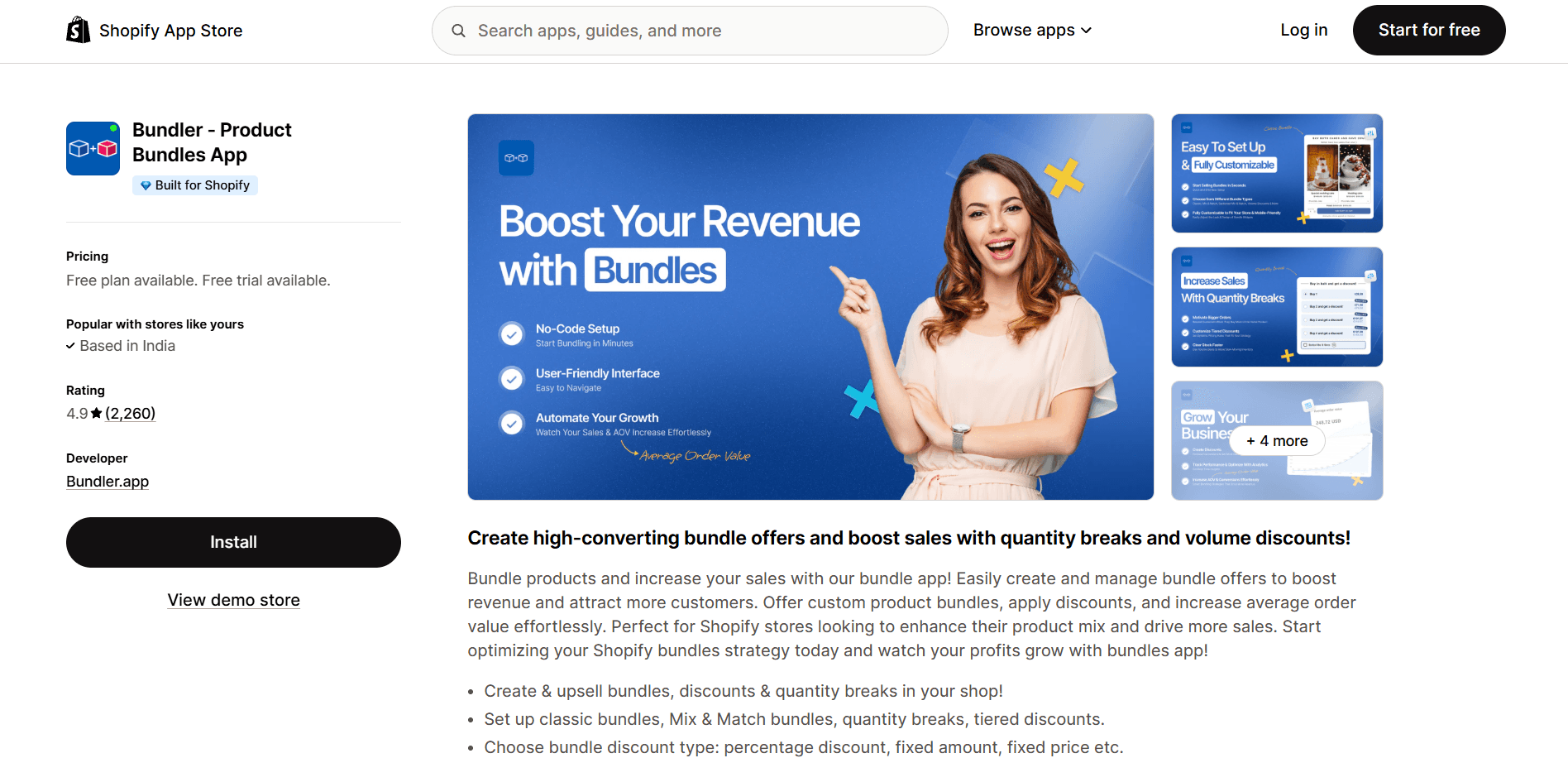
Bundler is one of the most widely used bundle apps on Shopify for good reason. It handles a broad range of bundle types, including fixed, mix and match, volume discounts, and quantity breaks. It supports percentage, fixed-amount, and tiered discounts, and the inventory sync is reliable. Good fit for stores that want a versatile, well-tested solution.
Rating: 4.9/5
Pricing:
Free plan available.
Premium - $9.99/month
Executive - $19.99/month
7-day free trial available
BOGOS: Free Gift Bundle Upsell
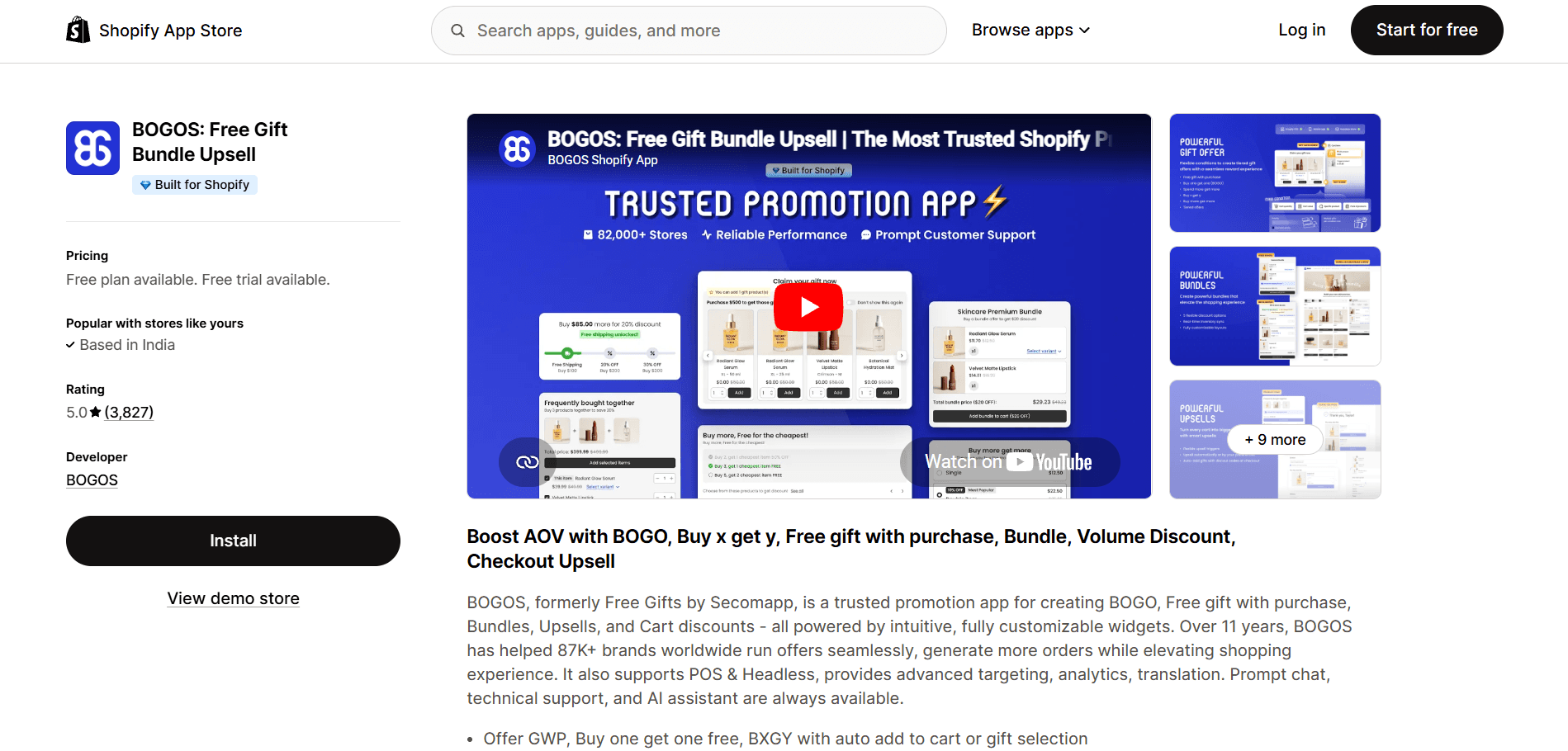
BOGOS is the go-to app for stores whose bundle strategy centers on Buy One Get One mechanics. It handles free gifts, BOGO, and spend-to-get offers with a level of rule customization that goes well beyond Shopify's native discount system. You can set conditions based on product tags, customer tags, cart value, or specific SKUs. It is particularly effective for promotional campaigns and seasonal bundle offers.
Rating: 5/5
Pricing:
Free plan available
Basic - $29.99/month
Grow - $49.99/month
Plus - $109.99/month
7-day free trial available
Shopify Bundles vs. Traditional Discounts
A blanket discount, say 20% off everything this weekend, is easy to set up, but it trains customers to wait for sales and devalues your products over time.
On the other hand, bundles create a different kind of incentive: one that is tied to buying more, not to paying less for the same thing.
Here is how the two approaches compare across the metrics that matter:
Feature | Shopify Bundles | Traditional Discounts |
AOV increase | Higher | Moderate |
Product Discovery | Better | Limited |
Inventory Movement | Strong | Weak |
Customer Experience | Better | Basic |
Personalization | Possible | Limited |
The clearest way to think about it: a traditional discount takes money off the table. A bundle adds value to what it contains. The customer still feels they got a deal, but your average order value goes up rather than down.
How to Measure Shopify Bundle Performance
You cannot improve what you do not measure. These are the metrics worth tracking for every bundle you run:
Bundle conversion rate: Of all the customers who viewed the bundle, what percentage added it to their cart and completed a purchase? This tells you whether the offer is compelling at the point of consideration.
Average order value (AOV): Compare AOV for orders that include a bundle against orders that do not. A meaningful AOV lift confirms the bundle is doing its job.
Bundle revenue contribution: What percentage of total store revenue is coming from bundle purchases? Track this monthly to understand how much your bundle strategy is actually moving the needle.
Component product performance: Which products in your bundles are pulling the most weight? If one component is consistently left out of mix-and-match bundles, replace it.
Margin per bundle: Revenue is only part of the picture. Calculate the actual margin on each bundle to make sure the discount structure is not eroding profitability.
Return rate on bundle orders: If customers are returning bundle orders at a higher rate than individual products, something in the bundle's communication or composition is creating mismatched expectations.
Most bundle apps include basic analytics in their dashboards. For deeper analysis, export order data to a spreadsheet or use tools like Shopify Analytics or Google Analytics to segment bundle orders and compare them with your baseline metrics.
Conclusion
Shopify bundles are among the few strategies that simultaneously improve multiple metrics: average order value, product discovery, inventory turnover, and customer retention. They do this not by pushing customers harder, but by making the purchase feel more valuable.
The key is starting with a clear goal, choosing a bundle type that fits your products and your customers' shopping behavior, and building the offer around genuine value rather than a manufactured discount. A well-constructed bundle does not feel like a promotion; it feels like the obvious thing to buy.
Pick one bundle type, build it properly, measure what happens, and let the results guide what you build next.
Frequently Asked Questions
How do Shopify product bundles work?
Shopify bundles group two or more products into a single offer, usually at a price that feels more attractive than buying each item separately. They can be set up as a dedicated product listing with linked inventory, or through a bundle app that handles the grouping and discount logic on top of your existing catalog. From the customer's perspective, the experience is seamless; they see the bundle, choose it, and check out as usual.
Does Shopify have a native bundle app?
Shopify does have a native Bundles app in the Shopify App Store, but it is relatively basic in terms of functionality. It supports simple fixed bundles and some inventory syncing. Most stores that want more flexibility mix-and-match, BOGO, volume tiers, cart-triggered offers, and use third-party apps that offer more advanced rule-setting and display options.
Can Shopify bundles increase average order value?
Yes, Shopify bundles increase average order value. When customers buy a bundle instead of a single product, the transaction value increases. Bundles that include a spending threshold to unlock a discount (such as 'Spend $75 to get the bundle at 15% off') are particularly effective at increasing AOV, because customers actively add more items to their cart to reach the threshold.
Which Shopify bundle apps are best for conversions?
The best Shopify bundle apps depend on your bundle strategy. For cart and checkout offer flows with free gifts and BOGO mechanics, Monk Free Gift+BOGO is a strong choice. For frequently bought together widgets on product pages, Kaching Bundles or Bundler work well. For BOGO-specific campaigns, BOGOS offers the most sophisticated rule-setting. Most of these apps have free plans or trials so you can test before committing.
Are Shopify bundles good for subscription products?
Yes, subscription bundles work very well for consumable products, anything a customer buys repeatedly on a regular schedule. Combining a bundle discount with a subscription discount creates a compelling offer that rewards commitment. Customers get a lower per-unit price; you get predictable recurring revenue and a customer who is less likely to shop around.
How do I optimize Shopify bundles for mobile users?
Make sure bundle widgets are visually clean and tap-friendly on small screens, and avoid cramming too many products into a single row. Keep the bundle value proposition (what is included, what they save) visible without requiring the customer to scroll. Test the entire bundle selection and checkout flow on both iOS and Android before going live. Many bundle apps have mobile-optimized templates, but always verify with a real device rather than a browser simulator.
Can Shopify bundles improve customer retention?
Yes, customers who buy bundles engage with more products from your store in a single transaction, which means they have more touchpoints with your brand and are more likely to return. A customer who buys your full skincare routine as a bundle has experienced your entire product range from day one. That makes the second purchase decision much easier than it would be for a customer who only ever bought one item.
How do I track the performance of Shopify bundles?
Start with the analytics inside your bundle app, which typically shows views, add-to-cart rates, and revenue per bundle. For deeper analysis, tag bundle orders in Shopify and compare them against non-bundle orders using Shopify Analytics or a reporting tool. The key metrics to track are conversion rate, average order value, margin per bundle, and return rate. Review these monthly and use the data to retire underperforming bundles and optimize those with strong potential.
Shopify Bundles Guide: Types, Benefits, and Setup Tips
Summary
Shopify bundles group complementary products into a single offer to increase average order value and improve product discovery. From fixed kits to mix and match, BOGO, and volume discounts, bundles make buying feel more valuable rather than discounted. They help move inventory, reduce price comparison, and create better shopping experiences. With the right pricing, placement, and testing, bundles can drive consistent revenue growth. Tools like Monk automate bundle offers, gifting, and cart-based promotions to maximize conversions efficiently.
A customer lands on your store looking for one thing. They find it, but right next to it, there's a combo so well put together that buying just the one suddenly feels incomplete. That's bundling doing exactly what it's supposed to do.
The moment you put the right two things side by side with a price that makes the decision feel obvious, the cart fills itself. A shampoo and conditioner that were made for each other. A phone case paired with a screen guard. A skincare duo that solves two problems at once. These combinations don't feel like upsells. They feel like common sense.
The customer walks away feeling like they got a better deal, and you walk away with a higher order value.
This guide will explore what bundles actually are, the different types worth knowing, how to set them up the right way, which apps make the whole thing easier, and how to tell whether your bundle strategy is genuinely creating an impact.
What Are Shopify Bundles?
A Shopify bundle is when you group two or more products together and sell them as a single offer, often at a combined price that feels more attractive than buying each item separately. The bundle can be a fixed set of products, a choice-based selection, or even a quantity-based deal.
For example, a skincare brand might bundle a cleanser, toner, and moisturizer into a 'Morning Routine Kit' and offer it at a slight discount compared to buying all three individually. The customer gets convenience and a better deal. The store sells three products instead of one and increases the order value without spending more on acquisition. |
Bundles can live as their own product listings, appear as add-on suggestions on product pages, or be triggered during checkout. The format depends on your goals and the type of bundle you are building.
Why Shopify Bundles Matter for Shopify Stores
The math behind bundles is straightforward: the average order value goes up because customers are buying more per transaction. But the benefits extend well beyond that single metric.
Bundles help with product discovery: A customer who came to your store for one item gets introduced to two or three others they might not have found on their own, and if they like them, they come back for more. It is one of the most organic ways to expand a customer's relationship with your catalog.
Bundles help with inventory management: Every store has slow-moving products sitting in stock. Pairing them with bestsellers in a bundle is a far better outcome than discounting them in isolation, which erodes the perceived value of the product long-term.
Bundles are harder to compare-shop: A customer can easily compare the price of a single lipstick across five stores. A curated lip kit with three coordinating shades is a unique offer that belongs only to you, and that uniqueness shifts the buying decision away from price and toward value.
Different Types of Shopify Bundles
There are different kinds of bundles you can choose from for your Shopify store:
Fixed Product Bundles
A fixed bundle is a pre-set group of products sold together as one unit. The customer does not choose what goes in. Think of a 'Starter Kit' or 'Gift Set' where everything is predetermined. This works well when the combination has an obvious logic to it, like a camera with a memory card and a carrying case.
Mix and Match Bundles
Mix-and-match lets customers build their own bundle by choosing from a predefined set of options. For example, a candle brand might let customers pick any three scents from a collection of twelve. The bundle has a fixed structure (three candles), but the contents are up to the buyer. This is particularly effective for stores with wide product ranges, because it gives customers ownership over what they are buying.
Frequently Bought Together Bundles
These bundles are data-driven. They surface products that customers commonly purchase in the same order and present them as a suggested bundle at the point of decision, usually on the product page. If someone is buying a yoga mat, a 'frequently bought together' suggestion might pair it with a yoga block and a water bottle. Amazon popularized this format, and it works just as well on Shopify when backed by real purchase data.
BOGO offers are bundle deals in which buying one product unlocks a second, either free or at a reduced price. Buy one pair of socks, get a second pair free. Buy two T-shirts, get the third at 50% off. The mechanic drives volume purchases and is particularly effective for apparel, consumables, and products where owning multiples makes sense.
Volume Discount Bundles
Volume bundles reward customers for buying more of the same product. The more units they buy, the better the per-unit price. Buy one for $20, three for $54 ($18 each), or five for $85 ($17 each). This works extremely well for consumables like coffee, supplements, and cleaning products, where customers already know they will use more over time. It is also a reliable way to increase the customer's stock, reducing the chance they will shop elsewhere when they run out.
Subscription Bundles
Subscription bundles combine the repeat-purchase mechanics of a subscription with the volume logic of a bundle. A customer subscribes to receive a curated selection of products on a set schedule: weekly coffee deliveries, a monthly skincare box, a quarterly pantry refill. The bundle element adds perceived value because the customer is getting a curated experience, not just a repeat charge.
Build Your Own Bundle
Build Your Own Bundle (BYOB) gives customers total flexibility within a defined structure. Instead of choosing from pre-set combinations, customers start from scratch and select exactly what goes into their bundle from your full catalog or a specific category. A supplement brand might let customers pick five products from their range and call it 'Your Custom Stack.' This is one of the most engaging bundle formats because it transforms shopping from passive browsing into active curation.
How Shopify Bundles Work
On the technical side, Shopify bundles work in one of two ways, depending on how they are set up.
The first method is to create a bundle as its own product, a new SKU that represents the combined set. When the bundle sells, Shopify's inventory deducts the relevant quantities from each component product. This approach is clean for inventory tracking but requires more upfront setup.
The second method is app-based, where a bundle app sits on top of your existing product catalog and handles the grouping, pricing logic, and display without creating new product listings. The customer adds the bundle to their cart through the app's interface, and the individual products appear as line items. This approach is more flexible and easier to manage, especially for stores with large or frequently updated catalogs.
From the customer's perspective, bundles appear as a single offer on a product page, on a dedicated bundle page, in the cart widget, or during checkout. The discount (if any) is applied automatically, and the checkout experience remains seamless. The complexity happens in the background; the customer just sees a good deal presented clearly.
How to Set Up Shopify Bundles
Now that we know the different kinds of Shopify bundles and how to set them up, let us dive into the actual process of setting them up:
Step 1: Choose the Right Bundle Type
Start by deciding what problem the bundle solves. If you want to move specific inventory, a fixed bundle or volume discount makes sense. If you want to increase personalization and engagement, mixing and matching or building your own works better. Match the bundle type to your goal before you think about products or pricing.
Step 2: Select Complementary Products
The products in a bundle need to have a logical connection. They should solve a related problem, serve the same use case, or complement each other in an obvious way. A phone and a charger make sense. A phone and a kitchen spatula do not. Pull your sales data to see which products customers already buy together.
Step 3: Decide Bundle Pricing Strategy
There are three common pricing approaches. Discount-based pricing gives a percentage off the combined total, clear, and easy to communicate. Value-based pricing sets the bundle price based on the perceived value of the combination rather than just the sum of parts. And anchor pricing shows the original combined price next to the bundle price to make the saving visible. For most Shopify stores, a 10–20% bundle discount hits the sweet spot between driving uptake and maintaining healthy margins.
Step 4: Configure Inventory Rules
If your bundle uses a native Shopify product listing, make sure inventory is linked correctly so that selling the bundle deducts the right quantities from each component. If you are using a bundle app, check how it handles inventory sync.
Step 5: Design High-Converting Bundle Pages
A bundle page needs to answer three questions instantly: what is in it, what do I save, and why do I need it. Use clear product imagery, a breakdown of what is included, a prominent price comparison showing the savings, and a short description that explains the use case.
Step 6: Add Bundle Offers to Product and Cart Pages
Do not limit your bundle to its own page. Surface bundle offers where customers are already active. On product pages, show a 'Complete the Set' or 'Frequently Bought Together' widget. In the cart, show a progress bar toward a bundle discount or suggest adding one more product to unlock the deal. These in-context placements catch customers at the moment of highest purchase intent.
Step 7: Test and Optimize Bundle Performance
Once live, track which bundles are being viewed and which are converting. Run A/B tests on your discount levels, bundle naming, and page placement. A bundle called 'Morning Skincare Routine' typically outperforms one called 'Bundle A.' Small copy changes often have a bigger impact than structural ones. Review performance monthly and retire or rework bundles that are not pulling their weight.
Best Shopify Bundle Apps to Consider
Here are the top Shopify bundling apps to swiftly and effectively add bundles to your store:
Monk Free Gift BOGO CartUpsell
Monk Free Gift BOGO CartUpsell is purpose-built for Shopify stores that want to turn the cart and checkout into active conversion moments. Rather than just presenting a static bundle, it lets you build intelligent offer flows that respond to what is already in the customer's cart, surfacing the right bundle, free gift, or BOGO deal at exactly the right threshold.
What makes it stand out for bundles specifically is the combination of cart-value-triggered offers, free gift-with-purchase flows (where customers can choose their gift), and BOGO mechanics, all within a single app.
The progress bar, which shows customers how close they are to unlocking a bundle deal, is particularly effective at increasing order values without requiring any manual prompting. It is designed to feel helpful to the customer, not transactional.
Rating: 4.9/5
Pricing:
7-day Free trial available
Start- $49/month
Scale- $149/month
FBP: Fast Bundle & Upsell App
FBP: Fast Bundle & Upsell App focuses on making bundle creation quick and visual. Store owners can set up fixed bundles, mix-and-match bundles, and frequently bought-together offers without touching any code. The app's bundle pages are clean and mobile-optimized out of the box. It also supports bundle-specific discount codes and integrates with most major Shopify themes.
Rating: 5/5
Pricing:
Free to install - Free plan for the development stores
Standard (1k) - $19/month
Standard (3k) - $49/month
Standard (1k) - $139/month
7- day free trial available
Bundler ‑ Product Bundles App
Bundler is one of the most widely used bundle apps on Shopify for good reason. It handles a broad range of bundle types, including fixed, mix and match, volume discounts, and quantity breaks. It supports percentage, fixed-amount, and tiered discounts, and the inventory sync is reliable. Good fit for stores that want a versatile, well-tested solution.
Rating: 4.9/5
Pricing:
Free plan available.
Premium - $9.99/month
Executive - $19.99/month
7-day free trial available
BOGOS: Free Gift Bundle Upsell
BOGOS is the go-to app for stores whose bundle strategy centers on Buy One Get One mechanics. It handles free gifts, BOGO, and spend-to-get offers with a level of rule customization that goes well beyond Shopify's native discount system. You can set conditions based on product tags, customer tags, cart value, or specific SKUs. It is particularly effective for promotional campaigns and seasonal bundle offers.
Rating: 5/5
Pricing:
Free plan available
Basic - $29.99/month
Grow - $49.99/month
Plus - $109.99/month
7-day free trial available
Shopify Bundles vs. Traditional Discounts
A blanket discount, say 20% off everything this weekend, is easy to set up, but it trains customers to wait for sales and devalues your products over time.
On the other hand, bundles create a different kind of incentive: one that is tied to buying more, not to paying less for the same thing.
Here is how the two approaches compare across the metrics that matter:
Feature | Shopify Bundles | Traditional Discounts |
AOV increase | Higher | Moderate |
Product Discovery | Better | Limited |
Inventory Movement | Strong | Weak |
Customer Experience | Better | Basic |
Personalization | Possible | Limited |
The clearest way to think about it: a traditional discount takes money off the table. A bundle adds value to what it contains. The customer still feels they got a deal, but your average order value goes up rather than down.
How to Measure Shopify Bundle Performance
You cannot improve what you do not measure. These are the metrics worth tracking for every bundle you run:
Bundle conversion rate: Of all the customers who viewed the bundle, what percentage added it to their cart and completed a purchase? This tells you whether the offer is compelling at the point of consideration.
Average order value (AOV): Compare AOV for orders that include a bundle against orders that do not. A meaningful AOV lift confirms the bundle is doing its job.
Bundle revenue contribution: What percentage of total store revenue is coming from bundle purchases? Track this monthly to understand how much your bundle strategy is actually moving the needle.
Component product performance: Which products in your bundles are pulling the most weight? If one component is consistently left out of mix-and-match bundles, replace it.
Margin per bundle: Revenue is only part of the picture. Calculate the actual margin on each bundle to make sure the discount structure is not eroding profitability.
Return rate on bundle orders: If customers are returning bundle orders at a higher rate than individual products, something in the bundle's communication or composition is creating mismatched expectations.
Most bundle apps include basic analytics in their dashboards. For deeper analysis, export order data to a spreadsheet or use tools like Shopify Analytics or Google Analytics to segment bundle orders and compare them with your baseline metrics.
Conclusion
Shopify bundles are among the few strategies that simultaneously improve multiple metrics: average order value, product discovery, inventory turnover, and customer retention. They do this not by pushing customers harder, but by making the purchase feel more valuable.
The key is starting with a clear goal, choosing a bundle type that fits your products and your customers' shopping behavior, and building the offer around genuine value rather than a manufactured discount. A well-constructed bundle does not feel like a promotion; it feels like the obvious thing to buy.
Pick one bundle type, build it properly, measure what happens, and let the results guide what you build next.
Frequently Asked Questions
How do Shopify product bundles work?
Shopify bundles group two or more products into a single offer, usually at a price that feels more attractive than buying each item separately. They can be set up as a dedicated product listing with linked inventory, or through a bundle app that handles the grouping and discount logic on top of your existing catalog. From the customer's perspective, the experience is seamless; they see the bundle, choose it, and check out as usual.
Does Shopify have a native bundle app?
Shopify does have a native Bundles app in the Shopify App Store, but it is relatively basic in terms of functionality. It supports simple fixed bundles and some inventory syncing. Most stores that want more flexibility mix-and-match, BOGO, volume tiers, cart-triggered offers, and use third-party apps that offer more advanced rule-setting and display options.
Can Shopify bundles increase average order value?
Yes, Shopify bundles increase average order value. When customers buy a bundle instead of a single product, the transaction value increases. Bundles that include a spending threshold to unlock a discount (such as 'Spend $75 to get the bundle at 15% off') are particularly effective at increasing AOV, because customers actively add more items to their cart to reach the threshold.
Which Shopify bundle apps are best for conversions?
The best Shopify bundle apps depend on your bundle strategy. For cart and checkout offer flows with free gifts and BOGO mechanics, Monk Free Gift+BOGO is a strong choice. For frequently bought together widgets on product pages, Kaching Bundles or Bundler work well. For BOGO-specific campaigns, BOGOS offers the most sophisticated rule-setting. Most of these apps have free plans or trials so you can test before committing.
Are Shopify bundles good for subscription products?
Yes, subscription bundles work very well for consumable products, anything a customer buys repeatedly on a regular schedule. Combining a bundle discount with a subscription discount creates a compelling offer that rewards commitment. Customers get a lower per-unit price; you get predictable recurring revenue and a customer who is less likely to shop around.
How do I optimize Shopify bundles for mobile users?
Make sure bundle widgets are visually clean and tap-friendly on small screens, and avoid cramming too many products into a single row. Keep the bundle value proposition (what is included, what they save) visible without requiring the customer to scroll. Test the entire bundle selection and checkout flow on both iOS and Android before going live. Many bundle apps have mobile-optimized templates, but always verify with a real device rather than a browser simulator.
Can Shopify bundles improve customer retention?
Yes, customers who buy bundles engage with more products from your store in a single transaction, which means they have more touchpoints with your brand and are more likely to return. A customer who buys your full skincare routine as a bundle has experienced your entire product range from day one. That makes the second purchase decision much easier than it would be for a customer who only ever bought one item.
How do I track the performance of Shopify bundles?
Start with the analytics inside your bundle app, which typically shows views, add-to-cart rates, and revenue per bundle. For deeper analysis, tag bundle orders in Shopify and compare them against non-bundle orders using Shopify Analytics or a reporting tool. The key metrics to track are conversion rate, average order value, margin per bundle, and return rate. Review these monthly and use the data to retire underperforming bundles and optimize those with strong potential.
Kashish Jain
Guest Writer
A Shopify and ecommerce writer passionate about simplifying complex topics into actionable, data-backed content for merchants and online businesses.
Contents
Related Articles
Upsell vs Cross-Sell in Shopify: Key Differences, Examples & Strategies
Shopify Upselling Guide for Beginners
Shopify Cart Upsell vs Checkout Upsell: Differences, Benefits & How to Maximize Conversions
Get Monk Free Gift app for just $1/month this Black Friday
First month: $1 after your 7-day free trial. All features included. Offer live!
Claim offer now

Get Monk Free Gift app for just $1/month this Black Friday
First month: $1 after your 7-day free trial. All features included. Offer live!
Claim offer now
Get Monk Free Gift app for just $1/month this Black Friday
First month: $1 after your 7-day free trial. All features included. Offer live!
Claim offer now