Shopify Product Recommendations That Increase AOV
Summary
Product recommendations are the cheapest way to raise average order value on Shopify, since they earn more from shoppers you've already paid to acquire. This guide covers the recommendation types that work best—frequently bought together, related products, best sellers, recently viewed, cart and post-purchase upsells, and AI personalization, plus where to place each one, from the homepage to the thank-you page. It explains how AI sharpens suggestions through behavior tracking and real-time matching, walks through setting up a recommendation system, and shares cross-sell, upsell, and bundle strategies. Crucially, it stresses protecting margin, avoiding common mistakes, and measuring AOV, CTR, conversion, returns, and profit together.

Ravish (RV)
Senior Content Writer
Ravish is an ecommerce and SaaS marketing expert with 6+ years of experience in Shopify and ecommerce and 10+ years of experience in marketing, and growth strategy. He has worked closely with Shopify merchants to solve real ecommerce challenges and shares practical, research-backed insights, industry best practices, and emerging trends.
Key Takeaways
Product recommendations are the cheapest way to raise average order value on Shopify, since they earn more from shoppers you've already paid to acquire. This guide covers the recommendation types that work best—frequently bought together, related products, best sellers, recently viewed, cart and post-purchase upsells, and AI personalization, plus where to place each one, from the homepage to the thank-you page. It explains how AI sharpens suggestions through behavior tracking and real-time matching, walks through setting up a recommendation system, and shares cross-sell, upsell, and bundle strategies. Crucially, it stresses protecting margin, avoiding common mistakes, and measuring AOV, CTR, conversion, returns, and profit together.
Raising average order value is the cheapest way to grow a Shopify store. Simply put, you already pay to bring shoppers in, so getting each one to spend a little more beats chasing new traffic. Product recommendations are how you do that.
This guide breaks down which recommendation types work on Shopify and where to place them. You will also see where margin matters, since a bigger cart means nothing if discounts eat your profit.
What Are Ecommerce Product Recommendations?
Ecommerce product recommendations are product suggestions a store shows to shoppers based on their behavior, past purchases, or what similar customers bought. You see them as ‘frequently bought together,’ ‘you may also like,’ or ‘customers also viewed’ blocks across a store.
Put simply, you help each shopper find more of what they want, so they add more to the cart. A good recommendation feels useful and earns the click. It answers a question the shopper already had, like what goes with this product or what to buy next.
These suggestions can be manual, where you pick the products, or automated, where software studies shopper data and picks for you. Most growing Shopify stores use AI product recommendations along with upsells and free gifts with purchases in Shopify because they update automatically and scale across thousands of products.
Why Product Recommendations Increase Average Order Value (AOV) on Shopify
Average order value is the average amount each customer spends per order. You raise it by getting shoppers to add more items or pick higher-priced ones. Product recommendations push both.
They work so well because a shopper who has already decided to buy is the easiest person to sell to. They trust your store, they are ready to spend, and they are open to one more relevant item. A timely recommendation turns that moment into a bigger order.
Recommendations also remove the ambiguity for shoppers. When someone buys a camera, suggesting the right memory card and case saves them a search. They get a better setup, and you get a larger order.
Key Statistics and Benchmarks for Product Recommendations
The numbers make the case clearer. Here is what product recommendations deliver across ecommerce stores.
Personalized recommendations can increase average order value by up to 369% when well matched to shopper intent.
Stores that use personalization can cut customer acquisition costs by about 50% because they earn more per visitor.
A product recommendation engine often drives a 10% to 30% lift in revenue from the channels where it runs.
McKinsey found that upselling adds close to 30% more revenue, while cross-selling adds around 20%.
Well-placed recommendations can grow total revenue by 5% to 10% without extra ad spend.
Treat these as benchmarks, not promises. Your results depend on your products, your traffic, and the relevance of your suggestions. The pattern still holds across store sizes. Better recommendations mean bigger orders.
Types of Shopify Product Recommendations That Work Best
Each recommendation type fits a different page and a different shopper. These are the ones that drive the most results on Shopify. We also discuss when to use each.
Frequently Bought Together
This block shows items people often buy with the product on the page. A shopper buying a phone gets a case and a screen protector. Someone buying a coffee maker gets filters. The pairing feels obvious, so they add both without a second thought.
It works best on product pages and in the cart. Shopify can build these pairings from your real sales data, so the suggestions match what your customers buy together. This is one of the strongest frequently bought together Shopify tactics for increasing cart size.
Related Products
Related products show items similar to what the shopper is viewing. If someone looks at a blue running shoe, you show other running shoes in different colors or styles.
These keep shoppers browsing when the current product is not yet in their cart. They lower the chance that someone will leave to search elsewhere. Place them on product pages and collection pages where people compare options.
Best Sellers and Trending Products
Best sellers show what most people buy. Trending products show what is selling fast right now. Both use social proof, since shoppers trust items that other customers have already chosen.
These work well for new visitors who don't yet know your catalog. Show them on the homepage and at the top of collection pages to guide first-time shoppers toward proven products.
Recently Viewed Products
This block reminds shoppers of items they previously viewed. People often browse several products, get distracted, and forget what caught their eye. A recently viewed row brings those items back.
It lowers friction for returning shoppers and helps them finish a purchase they almost made. Place it on the homepage and product pages.
Cart Page Recommendations
Cart recommendations suggest add-on items while the shopper reviews their order. This spot converts well, since the shopper has already committed to buying.
A small, relevant add-on here feels natural. A shopper checking out with a dress sees a matching belt or jewelry. Tools like Monk's upsell and cross-sell app let you trigger these cart upsell recommendations based on what is already in the basket, so the offer stays relevant.
Checkout and Post Purchase Upsells
Checkout upsells appear during the final steps. Post-purchase upsells appear on the thank-you page right after the shopper pays. Both add revenue without risking the original sale.
The post-purchase upsell works so well because shoppers already trust you with their card. They can add an item in one click without re-entering payment details. This makes post-purchase upsell offers some of the highest-converting recommendations you can run.
Personalized AI Recommendations
Personalized recommendations use each shopper's own behavior to pick products. The software tracks what they view, click, and buy, then shows items that match their taste.
This is where personalized product recommendations beat manual blocks. Two shoppers on the same page see different suggestions, each tuned to them. The more a shopper interacts, the more specific the recommendations get.
Best Locations to Display Product Recommendations on a Shopify Store
Placement decides whether a recommendation gets seen or ignored. We’ve noticed at Monk that these spots earn the most clicks and added items.
Homepage
The homepage sets the first impression. Show best sellers, trending items, and recently viewed products here to guide shoppers fast. New visitors get directions, and returning ones pick up where they left off.
Product Pages
Product pages are where shoppers decide. Add frequently bought together and related product blocks below the main product. These suggestions answer the ‘what else do I need’ question right when the shopper asks it.
Collection Pages
Collection pages help shoppers compare. Surface best sellers and trending items at the top so people see proven products first. This shortens the path from browsing to buying.
Cart Drawer
The cart drawer opens as soon as someone adds an item. A single smart add-on here can increase the order before checkout. Keep it to one or two relevant items so you do not slow the shopper down.
Checkout Page
The checkout page is the last chance to add value before payment. Use low-friction, low-priced add-ons that need no extra thought. Adding complex or expensive suggestions can cost you the sale.
Thank You Page
The thank-you page is the best spot for post-purchase upsells. The shopper already paid, so an offer here cannot hurt the original order. One-click add-ons on this page often convert better than any other placement.
Email and SMS Campaigns
Recommendations work outside your store, too. Email and SMS campaigns can show each customer products based on past orders. For example, you can send a skincare buyer a refill reminder based on their last purchase. This brings shoppers back for repeat orders.
How AI Product Recommendations Improve Shopify Sales
AI takes vague recommendations and turns them into targeted sales. Here is how it works:
Customer behavior tracking: AI records views, clicks, time on page, and past purchases. This data shows what each person likes, which guides every subsequent suggestion.
Predictive product matching: The system compares customers’ behavior with that of thousands of other shoppers to identify patterns. If people who bought one item often buy another next, the AI suggests it at the right time.
Dynamic merchandising: AI updates inventory, trends, and behavior shifts, improving product recommendations in response. A sold-out item drops out, and a strong alternative automatically takes its place.
Real-time personalization: The AI adjusts suggestions during the same visit. For example, a shopper who starts looking at hiking gear quickly sees more of it. Each click improves the next set of recommendations, so each shopper gets a personalized shopping experience within minutes.
Recommendation automation at scale: Manual recommendations break down past a few hundred products. AI handles thousands of items and shoppers at once. It keeps every suggestion fresh without you touching a single product block.
Emerging Technologies for Product Recommendations
Recommendation tech keeps moving fast. A few tools and ideas are shaping where it heads next.
Google's Recommendation AI and Vertex AI bring enterprise-grade models to stores that need them. They use Google's data and machine learning to predict shopper intent accurately. Larger Shopify stores connect these to handle huge catalogs.
Deep learning models push personalization further. They spot subtle patterns in shopper behavior that simpler systems miss. This leads to more dynamic suggestions.
AI explainability is the newest shift worth watching. It shows shoppers why an item appears, such as ‘because you viewed similar products.’ This transparency builds trust, and trust lowers return rates because shoppers understand the fit before they buy.
Implementing a Product Recommendation System on Shopify
Setting up recommendations on Shopify takes three clear steps. Follow them in order, and the system runs smoothly.
Step 1: Choose your tools
Shopify has built-in recommendation blocks, and the app store offers stronger Shopify product recommendation apps for dynamic recs. Compare the best Shopify Product recommendation apps based on your catalog size, budget, and the placements you need.
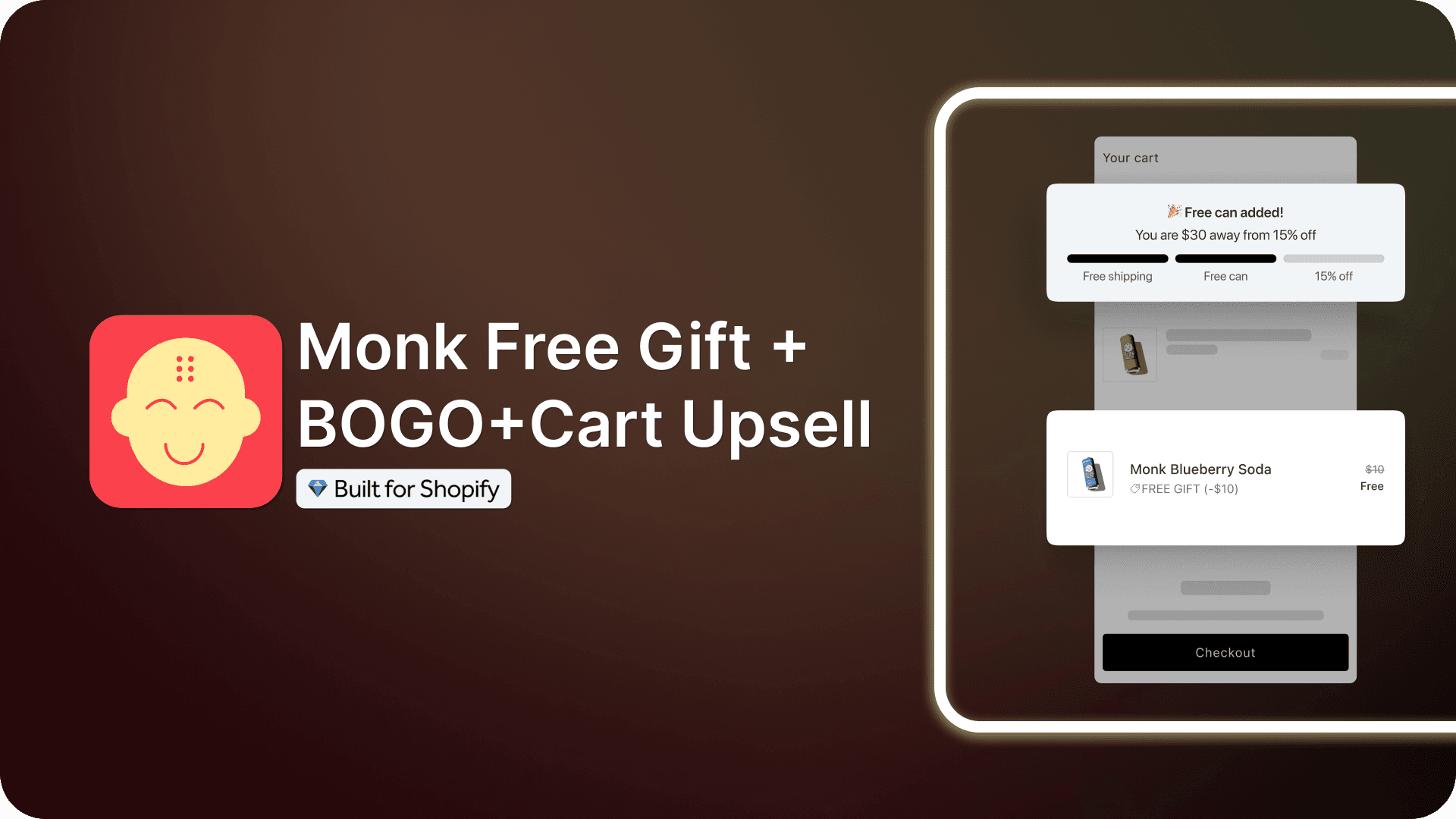
For cart upsells, bundles, and post-purchase offers, Shopify upsell apps like Monk Free Gift BOGO & Cart Upsell 's upsell and cross-sell suite handle the AOV-focused work in one place.
Monk also runs AI-powered recommendations, so instead of picking add-ons by hand, it auto-suggests products from your bestsellers and past customer purchases.
This auto-recommendation works best once your store passes a certan number of orders a month, where the larger data set makes each suggestion sharper.
Step 2: Connect your data
Your recommendation engine needs access to inventory, order history, and customer profiles. Link it to your CRM and your Shopify store so it sees real-time stock and accurate purchase data. This keeps it from suggesting sold-out or irrelevant items.
Step 3: Check the data flow
Ensure information flows smoothly between your store, app, and CRM. Test a few orders to confirm the recommendations update as stock and behavior change. Clean data flow is what keeps suggestions accurate over time.
Shopify Product Recommendation Strategies That Work
The right strategy, with proper implementation, will drive better results than just having your tool stack ready. These strategies move AOV on Shopify.
Cross-Sell Strategies
Cross-selling suggests items that go with the main product. Someone buying a laptop sees a sleeve, a mouse, and a USB hub. The key is relevance. Suggest things that complete the purchase, and shoppers will gladly add them. These cross-sell recommendations work best on product and cart pages. A Shopify cross-sell app like Monk can trigger them based on what is already in the basket.
Upsell Strategies
Upselling moves a shopper to a higher-value version of what they want. A shopper picking the 128GB phone sees the 256GB model for a small price increase. Show the upgrade early, explain the extra value plainly, and many shoppers trade up. This drives ecommerce upselling strategies, since higher-value versions carry better margins. Ecommerce stores often lean on strong upsell recommendations.
Bundle Discount Strategies
Bundles group related products at a slight discount. A skincare set costs less than buying each item alone, so the shopper feels they win while you raise the order value. Build bundles around a job the shopper wants done, like a full shave kit, rather than around your top sellers.
Free Shipping Threshold Recommendations
A free shipping bar shows how close a shopper is to earning free delivery. Set the threshold just above your current AOV, so shoppers add one more item to reach it. Message it early in the cart and mini-cart, and base the tier on your real shipping costs so the deal stays profitable.
Smart Cart Recommendations
Smart cart recommendations react to what is already in the basket. If a shopper has running shoes, the cart suggests socks and insoles. Because the offer matches the cart, it feels helpful and converts well. This is one of the easiest smart product recommendations to set up.
Personalized Offers Based on Customer Segments
Group shoppers by behavior, then tailor offers to each group. For example:
New visitors see best sellers.
Repeat buyers see complementary items for past orders.
VIP customers see early access or premium picks.
Segment-based offers beat one-size-fits-all suggestions every time.
Profitability and Margin Considerations
A bigger order means little if it costs you your margin. Track profit alongside AOV, or you can grow sales and shrink earnings at the same time.
Start with contribution margin, the money left after the cost of the product and selling it. Monitor this number alongside the AOV. A cart full of deeply discounted bundles can boost AOV while reducing your actual profit.
Go easy on discounts. Heavy markdowns train shoppers to wait for deals and erode margin on every order.
Use small, smart nudges like free shipping thresholds instead of steep price cuts.
Focus on high-attach-rate, low-return items.
Suggest products people often add and rarely send back.
These lift AOV and protect margin, since returns wipe out the gain from a larger order.
Common Mistakes That Affect Product Recommendation Performance
A few common mistakes quietly drag down recommendation results. Each one is easy to fix once you spot it. The table below shows what goes wrong, what it costs you, and how to correct it.
Mistake | Consequence | How to fix |
Generic add-ons | Suggestions feel random, so shoppers ignore the whole block, and your real offers lose visibility | Keep every suggestion tightly relevant to the product or cart |
Ignoring mobile UX | Recommendations crowd the cart or slow checkout on small screens, so shoppers drop off | Test every placement on mobile first |
Skipping segmentation | Every shopper sees the same block, so you miss the people most likely to buy more | Tailor recommendations by behavior and segment |
Overloading pages | Too many suggestions confuse shoppers and slow your store | Show two or three sharp picks per page |
All four mistakes share one cause: weak relevance. In that case, a suggestion that fits the shopper and the page helps. It should not add friction and slow down the store. Audit your placements each quarter, check them on a phone, and reduce anything that does not lift orders.
How to Measure Product Recommendation Performance
You cannot improve what you do not track. Watch these metrics to see if your recommendations earn their place.
The average order value tells you whether carts are growing. Compare AOV with and without recommendations live.
Click-through rate (CTR) shows whether shoppers notice and care about your suggestions. Low CTR means weak relevance or poor placement.
Conversion rate tracks how often a recommendation turns into a sale, not just a click.
Return rate reduction shows if your suggestions fit shoppers well. Good recommendations lower returns because the products match intent.
Margin impact confirms the profit and the revenue. A higher AOV with a steady margin brings in better ROI.
Check these together. A jump in AOV with rising returns and falling margin is a problem hiding behind a good-looking number. Watched as a group, these numbers turn recommendations into a core part of your ecommerce conversion optimization work.
Future of Shopify Product Recommendations
Recommendations on Shopify keep getting smarter. A few shifts will shape the next few years.
Personalization will go deeper. AI will read intent from fewer signals and tailor suggestions within seconds of a shopper landing. The store will feel custom-built for each person.
Visual and voice search will feed recommendations. Shoppers will snap a photo or make a request, and the store will instantly suggest matching products.
Transparency will become standard. More stores will show why an item appears, thereby building trust and reducing returns. Shoppers will expect to understand their suggestions.
The core goal stays the same. Help each shopper find the right next product, and the bigger orders follow.
Raise AOV Without Spending on Traffic
You already paid to bring shoppers in. Recommendations make each of those visits worth more, which is why they power nearly all Shopify AOV strategies.
Start with the basics. Add frequently bought together on product pages, a free shipping bar in the cart, and a post-purchase upsell on the thank-you page. Track AOV, CTR, conversion, returns, and margin together. Then add AI and segmentation as you grow.
Keep every suggestion relevant and every offer profitable. Do that, and your recommendations will quietly grow revenue on every order. Tools like Monk's upsell and cross-sell suite handle the AOV-focused placements. You can run cart upsells, bundles, and post-purchase offers from one app and focus on strategy.
FAQ
Are AI recommendation engines worth it for small Shopify stores?
Yes, AI recommendation engines are worth it for most small Shopify stores. These businesses see higher AOV when suggestions match shopper intent. Start with an affordable app that covers cart upsells and post-purchase offers, then scale up as your catalog and traffic grow.
How can Shopify stores personalize product recommendations?
Shopify stores can personalize product recommendations using a few strategies. Track shopper behavior, then group customers by segment. Show new visitors best sellers, repeat buyers, complementary items, and VIPs' premium picks. Personalized product recommendations beat showing everyone the same block.
How do post-purchase product recommendations increase sales?
Post-purchase product recommendations increase sales by appearing right after the shopper pays, on the thank-you page. The shopper already trusts you with their card so that they can add an item in one click. This adds revenue without risking the original sale.
What metrics should be tracked for recommendation performance?
To monitor your recommendation performance, track average order value, click-through rate, conversion rate, return rate, and margin impact together. Watching them as a group shows whether recommendations grow real profit, not just clicks.
How do cart recommendations improve checkout value?
Cart recommendations improve checkout value by suggesting relevant add-ons while the shopper reviews the cart. The shopper has already committed to buying, so a small, fitting add-on feels natural and lifts the order before checkout.
Do product recommendation apps slow down Shopify stores?
Product recommendation apps can slow down Shopify stores. For example, well-built apps add little load time. The problems also come from too many blocks or heavy scripts. To avoid this, limit suggestions to two or three per page and pick apps known for clean, fast code.
What are the best practices for e-commerce personalization?
Follow these best practices for e-commerce personalization. Keep every suggestion relevant, place recommendations where shoppers decide, segment your audience, and protect your margin. Test on mobile first, and measure results across AOV, CTR, conversion, and returns.
Shopify Product Recommendations That Increase AOV
Summary
Product recommendations are the cheapest way to raise average order value on Shopify, since they earn more from shoppers you've already paid to acquire. This guide covers the recommendation types that work best—frequently bought together, related products, best sellers, recently viewed, cart and post-purchase upsells, and AI personalization, plus where to place each one, from the homepage to the thank-you page. It explains how AI sharpens suggestions through behavior tracking and real-time matching, walks through setting up a recommendation system, and shares cross-sell, upsell, and bundle strategies. Crucially, it stresses protecting margin, avoiding common mistakes, and measuring AOV, CTR, conversion, returns, and profit together.
Raising average order value is the cheapest way to grow a Shopify store. Simply put, you already pay to bring shoppers in, so getting each one to spend a little more beats chasing new traffic. Product recommendations are how you do that.
This guide breaks down which recommendation types work on Shopify and where to place them. You will also see where margin matters, since a bigger cart means nothing if discounts eat your profit.
What Are Ecommerce Product Recommendations?
Ecommerce product recommendations are product suggestions a store shows to shoppers based on their behavior, past purchases, or what similar customers bought. You see them as ‘frequently bought together,’ ‘you may also like,’ or ‘customers also viewed’ blocks across a store.
Put simply, you help each shopper find more of what they want, so they add more to the cart. A good recommendation feels useful and earns the click. It answers a question the shopper already had, like what goes with this product or what to buy next.
These suggestions can be manual, where you pick the products, or automated, where software studies shopper data and picks for you. Most growing Shopify stores use AI product recommendations along with upsells and free gifts with purchases in Shopify because they update automatically and scale across thousands of products.
Why Product Recommendations Increase Average Order Value (AOV) on Shopify
Average order value is the average amount each customer spends per order. You raise it by getting shoppers to add more items or pick higher-priced ones. Product recommendations push both.
They work so well because a shopper who has already decided to buy is the easiest person to sell to. They trust your store, they are ready to spend, and they are open to one more relevant item. A timely recommendation turns that moment into a bigger order.
Recommendations also remove the ambiguity for shoppers. When someone buys a camera, suggesting the right memory card and case saves them a search. They get a better setup, and you get a larger order.
Key Statistics and Benchmarks for Product Recommendations
The numbers make the case clearer. Here is what product recommendations deliver across ecommerce stores.
Personalized recommendations can increase average order value by up to 369% when well matched to shopper intent.
Stores that use personalization can cut customer acquisition costs by about 50% because they earn more per visitor.
A product recommendation engine often drives a 10% to 30% lift in revenue from the channels where it runs.
McKinsey found that upselling adds close to 30% more revenue, while cross-selling adds around 20%.
Well-placed recommendations can grow total revenue by 5% to 10% without extra ad spend.
Treat these as benchmarks, not promises. Your results depend on your products, your traffic, and the relevance of your suggestions. The pattern still holds across store sizes. Better recommendations mean bigger orders.
Types of Shopify Product Recommendations That Work Best
Each recommendation type fits a different page and a different shopper. These are the ones that drive the most results on Shopify. We also discuss when to use each.
Frequently Bought Together
This block shows items people often buy with the product on the page. A shopper buying a phone gets a case and a screen protector. Someone buying a coffee maker gets filters. The pairing feels obvious, so they add both without a second thought.
It works best on product pages and in the cart. Shopify can build these pairings from your real sales data, so the suggestions match what your customers buy together. This is one of the strongest frequently bought together Shopify tactics for increasing cart size.
Related Products
Related products show items similar to what the shopper is viewing. If someone looks at a blue running shoe, you show other running shoes in different colors or styles.
These keep shoppers browsing when the current product is not yet in their cart. They lower the chance that someone will leave to search elsewhere. Place them on product pages and collection pages where people compare options.
Best Sellers and Trending Products
Best sellers show what most people buy. Trending products show what is selling fast right now. Both use social proof, since shoppers trust items that other customers have already chosen.
These work well for new visitors who don't yet know your catalog. Show them on the homepage and at the top of collection pages to guide first-time shoppers toward proven products.
Recently Viewed Products
This block reminds shoppers of items they previously viewed. People often browse several products, get distracted, and forget what caught their eye. A recently viewed row brings those items back.
It lowers friction for returning shoppers and helps them finish a purchase they almost made. Place it on the homepage and product pages.
Cart Page Recommendations
Cart recommendations suggest add-on items while the shopper reviews their order. This spot converts well, since the shopper has already committed to buying.
A small, relevant add-on here feels natural. A shopper checking out with a dress sees a matching belt or jewelry. Tools like Monk's upsell and cross-sell app let you trigger these cart upsell recommendations based on what is already in the basket, so the offer stays relevant.
Checkout and Post Purchase Upsells
Checkout upsells appear during the final steps. Post-purchase upsells appear on the thank-you page right after the shopper pays. Both add revenue without risking the original sale.
The post-purchase upsell works so well because shoppers already trust you with their card. They can add an item in one click without re-entering payment details. This makes post-purchase upsell offers some of the highest-converting recommendations you can run.
Personalized AI Recommendations
Personalized recommendations use each shopper's own behavior to pick products. The software tracks what they view, click, and buy, then shows items that match their taste.
This is where personalized product recommendations beat manual blocks. Two shoppers on the same page see different suggestions, each tuned to them. The more a shopper interacts, the more specific the recommendations get.
Best Locations to Display Product Recommendations on a Shopify Store
Placement decides whether a recommendation gets seen or ignored. We’ve noticed at Monk that these spots earn the most clicks and added items.
Homepage
The homepage sets the first impression. Show best sellers, trending items, and recently viewed products here to guide shoppers fast. New visitors get directions, and returning ones pick up where they left off.
Product Pages
Product pages are where shoppers decide. Add frequently bought together and related product blocks below the main product. These suggestions answer the ‘what else do I need’ question right when the shopper asks it.
Collection Pages
Collection pages help shoppers compare. Surface best sellers and trending items at the top so people see proven products first. This shortens the path from browsing to buying.
Cart Drawer
The cart drawer opens as soon as someone adds an item. A single smart add-on here can increase the order before checkout. Keep it to one or two relevant items so you do not slow the shopper down.
Checkout Page
The checkout page is the last chance to add value before payment. Use low-friction, low-priced add-ons that need no extra thought. Adding complex or expensive suggestions can cost you the sale.
Thank You Page
The thank-you page is the best spot for post-purchase upsells. The shopper already paid, so an offer here cannot hurt the original order. One-click add-ons on this page often convert better than any other placement.
Email and SMS Campaigns
Recommendations work outside your store, too. Email and SMS campaigns can show each customer products based on past orders. For example, you can send a skincare buyer a refill reminder based on their last purchase. This brings shoppers back for repeat orders.
How AI Product Recommendations Improve Shopify Sales
AI takes vague recommendations and turns them into targeted sales. Here is how it works:
Customer behavior tracking: AI records views, clicks, time on page, and past purchases. This data shows what each person likes, which guides every subsequent suggestion.
Predictive product matching: The system compares customers’ behavior with that of thousands of other shoppers to identify patterns. If people who bought one item often buy another next, the AI suggests it at the right time.
Dynamic merchandising: AI updates inventory, trends, and behavior shifts, improving product recommendations in response. A sold-out item drops out, and a strong alternative automatically takes its place.
Real-time personalization: The AI adjusts suggestions during the same visit. For example, a shopper who starts looking at hiking gear quickly sees more of it. Each click improves the next set of recommendations, so each shopper gets a personalized shopping experience within minutes.
Recommendation automation at scale: Manual recommendations break down past a few hundred products. AI handles thousands of items and shoppers at once. It keeps every suggestion fresh without you touching a single product block.
Emerging Technologies for Product Recommendations
Recommendation tech keeps moving fast. A few tools and ideas are shaping where it heads next.
Google's Recommendation AI and Vertex AI bring enterprise-grade models to stores that need them. They use Google's data and machine learning to predict shopper intent accurately. Larger Shopify stores connect these to handle huge catalogs.
Deep learning models push personalization further. They spot subtle patterns in shopper behavior that simpler systems miss. This leads to more dynamic suggestions.
AI explainability is the newest shift worth watching. It shows shoppers why an item appears, such as ‘because you viewed similar products.’ This transparency builds trust, and trust lowers return rates because shoppers understand the fit before they buy.
Implementing a Product Recommendation System on Shopify
Setting up recommendations on Shopify takes three clear steps. Follow them in order, and the system runs smoothly.
Step 1: Choose your tools
Shopify has built-in recommendation blocks, and the app store offers stronger Shopify product recommendation apps for dynamic recs. Compare the best Shopify Product recommendation apps based on your catalog size, budget, and the placements you need.
For cart upsells, bundles, and post-purchase offers, Shopify upsell apps like Monk Free Gift BOGO & Cart Upsell 's upsell and cross-sell suite handle the AOV-focused work in one place.
Monk also runs AI-powered recommendations, so instead of picking add-ons by hand, it auto-suggests products from your bestsellers and past customer purchases.
This auto-recommendation works best once your store passes a certan number of orders a month, where the larger data set makes each suggestion sharper.
Step 2: Connect your data
Your recommendation engine needs access to inventory, order history, and customer profiles. Link it to your CRM and your Shopify store so it sees real-time stock and accurate purchase data. This keeps it from suggesting sold-out or irrelevant items.
Step 3: Check the data flow
Ensure information flows smoothly between your store, app, and CRM. Test a few orders to confirm the recommendations update as stock and behavior change. Clean data flow is what keeps suggestions accurate over time.
Shopify Product Recommendation Strategies That Work
The right strategy, with proper implementation, will drive better results than just having your tool stack ready. These strategies move AOV on Shopify.
Cross-Sell Strategies
Cross-selling suggests items that go with the main product. Someone buying a laptop sees a sleeve, a mouse, and a USB hub. The key is relevance. Suggest things that complete the purchase, and shoppers will gladly add them. These cross-sell recommendations work best on product and cart pages. A Shopify cross-sell app like Monk can trigger them based on what is already in the basket.
Upsell Strategies
Upselling moves a shopper to a higher-value version of what they want. A shopper picking the 128GB phone sees the 256GB model for a small price increase. Show the upgrade early, explain the extra value plainly, and many shoppers trade up. This drives ecommerce upselling strategies, since higher-value versions carry better margins. Ecommerce stores often lean on strong upsell recommendations.
Bundle Discount Strategies
Bundles group related products at a slight discount. A skincare set costs less than buying each item alone, so the shopper feels they win while you raise the order value. Build bundles around a job the shopper wants done, like a full shave kit, rather than around your top sellers.
Free Shipping Threshold Recommendations
A free shipping bar shows how close a shopper is to earning free delivery. Set the threshold just above your current AOV, so shoppers add one more item to reach it. Message it early in the cart and mini-cart, and base the tier on your real shipping costs so the deal stays profitable.
Smart Cart Recommendations
Smart cart recommendations react to what is already in the basket. If a shopper has running shoes, the cart suggests socks and insoles. Because the offer matches the cart, it feels helpful and converts well. This is one of the easiest smart product recommendations to set up.
Personalized Offers Based on Customer Segments
Group shoppers by behavior, then tailor offers to each group. For example:
New visitors see best sellers.
Repeat buyers see complementary items for past orders.
VIP customers see early access or premium picks.
Segment-based offers beat one-size-fits-all suggestions every time.
Profitability and Margin Considerations
A bigger order means little if it costs you your margin. Track profit alongside AOV, or you can grow sales and shrink earnings at the same time.
Start with contribution margin, the money left after the cost of the product and selling it. Monitor this number alongside the AOV. A cart full of deeply discounted bundles can boost AOV while reducing your actual profit.
Go easy on discounts. Heavy markdowns train shoppers to wait for deals and erode margin on every order.
Use small, smart nudges like free shipping thresholds instead of steep price cuts.
Focus on high-attach-rate, low-return items.
Suggest products people often add and rarely send back.
These lift AOV and protect margin, since returns wipe out the gain from a larger order.
Common Mistakes That Affect Product Recommendation Performance
A few common mistakes quietly drag down recommendation results. Each one is easy to fix once you spot it. The table below shows what goes wrong, what it costs you, and how to correct it.
Mistake | Consequence | How to fix |
Generic add-ons | Suggestions feel random, so shoppers ignore the whole block, and your real offers lose visibility | Keep every suggestion tightly relevant to the product or cart |
Ignoring mobile UX | Recommendations crowd the cart or slow checkout on small screens, so shoppers drop off | Test every placement on mobile first |
Skipping segmentation | Every shopper sees the same block, so you miss the people most likely to buy more | Tailor recommendations by behavior and segment |
Overloading pages | Too many suggestions confuse shoppers and slow your store | Show two or three sharp picks per page |
All four mistakes share one cause: weak relevance. In that case, a suggestion that fits the shopper and the page helps. It should not add friction and slow down the store. Audit your placements each quarter, check them on a phone, and reduce anything that does not lift orders.
How to Measure Product Recommendation Performance
You cannot improve what you do not track. Watch these metrics to see if your recommendations earn their place.
The average order value tells you whether carts are growing. Compare AOV with and without recommendations live.
Click-through rate (CTR) shows whether shoppers notice and care about your suggestions. Low CTR means weak relevance or poor placement.
Conversion rate tracks how often a recommendation turns into a sale, not just a click.
Return rate reduction shows if your suggestions fit shoppers well. Good recommendations lower returns because the products match intent.
Margin impact confirms the profit and the revenue. A higher AOV with a steady margin brings in better ROI.
Check these together. A jump in AOV with rising returns and falling margin is a problem hiding behind a good-looking number. Watched as a group, these numbers turn recommendations into a core part of your ecommerce conversion optimization work.
Future of Shopify Product Recommendations
Recommendations on Shopify keep getting smarter. A few shifts will shape the next few years.
Personalization will go deeper. AI will read intent from fewer signals and tailor suggestions within seconds of a shopper landing. The store will feel custom-built for each person.
Visual and voice search will feed recommendations. Shoppers will snap a photo or make a request, and the store will instantly suggest matching products.
Transparency will become standard. More stores will show why an item appears, thereby building trust and reducing returns. Shoppers will expect to understand their suggestions.
The core goal stays the same. Help each shopper find the right next product, and the bigger orders follow.
Raise AOV Without Spending on Traffic
You already paid to bring shoppers in. Recommendations make each of those visits worth more, which is why they power nearly all Shopify AOV strategies.
Start with the basics. Add frequently bought together on product pages, a free shipping bar in the cart, and a post-purchase upsell on the thank-you page. Track AOV, CTR, conversion, returns, and margin together. Then add AI and segmentation as you grow.
Keep every suggestion relevant and every offer profitable. Do that, and your recommendations will quietly grow revenue on every order. Tools like Monk's upsell and cross-sell suite handle the AOV-focused placements. You can run cart upsells, bundles, and post-purchase offers from one app and focus on strategy.
FAQ
Are AI recommendation engines worth it for small Shopify stores?
Yes, AI recommendation engines are worth it for most small Shopify stores. These businesses see higher AOV when suggestions match shopper intent. Start with an affordable app that covers cart upsells and post-purchase offers, then scale up as your catalog and traffic grow.
How can Shopify stores personalize product recommendations?
Shopify stores can personalize product recommendations using a few strategies. Track shopper behavior, then group customers by segment. Show new visitors best sellers, repeat buyers, complementary items, and VIPs' premium picks. Personalized product recommendations beat showing everyone the same block.
How do post-purchase product recommendations increase sales?
Post-purchase product recommendations increase sales by appearing right after the shopper pays, on the thank-you page. The shopper already trusts you with their card so that they can add an item in one click. This adds revenue without risking the original sale.
What metrics should be tracked for recommendation performance?
To monitor your recommendation performance, track average order value, click-through rate, conversion rate, return rate, and margin impact together. Watching them as a group shows whether recommendations grow real profit, not just clicks.
How do cart recommendations improve checkout value?
Cart recommendations improve checkout value by suggesting relevant add-ons while the shopper reviews the cart. The shopper has already committed to buying, so a small, fitting add-on feels natural and lifts the order before checkout.
Do product recommendation apps slow down Shopify stores?
Product recommendation apps can slow down Shopify stores. For example, well-built apps add little load time. The problems also come from too many blocks or heavy scripts. To avoid this, limit suggestions to two or three per page and pick apps known for clean, fast code.
What are the best practices for e-commerce personalization?
Follow these best practices for e-commerce personalization. Keep every suggestion relevant, place recommendations where shoppers decide, segment your audience, and protect your margin. Test on mobile first, and measure results across AOV, CTR, conversion, and returns.
Ravish (RV)
Co-Founder, Monk Commerce
Ravish is an ecommerce and SaaS marketing expert with 6+ years of experience in Shopify and ecommerce and 10+ years of experience in marketing, and growth strategy. He has worked closely with Shopify merchants to solve real ecommerce challenges and shares practical, research-backed insights, industry best practices, and emerging trends.
Contents
Related Articles
10 Proven Upselling Strategies for Shopify Stores
Shopify Cart Upsell vs Checkout Upsell: Differences, Benefits & How to Maximize Conversions
How to Add Checkout Upsells in Shopify: Step-by-Step Guide to Boost AOV
Get Monk Free Gift app for just $1/month this Black Friday
First month: $1 after your 7-day free trial. All features included. Offer live!
Claim offer now

Get Monk Free Gift app for just $1/month this Black Friday
First month: $1 after your 7-day free trial. All features included. Offer live!
Claim offer now
Get Monk Free Gift app for just $1/month this Black Friday
First month: $1 after your 7-day free trial. All features included. Offer live!
Claim offer now