Tiered Gift Campaign with a Progress Bar on Shopify: The Complete Guide
Summary
A tiered gift campaign rewards shoppers at set cart milestones and uses a progress bar to show how close they are to the next reward. This guide covers how to set thresholds that protect your margin, example tier ladders by store type, and step-by-step setup in Monk Free Gift. It also covers the technical guardrails that break campaigns after launch: discount stacking, gift inventory, and returns.

Senior Content Writer
Key Takeaways
A tiered gift campaign rewards shoppers at set cart milestones and uses a progress bar to show how close they are to the next reward. This guide covers how to set thresholds that protect your margin, example tier ladders by store type, and step-by-step setup in Monk Free Gift. It also covers the technical guardrails that break campaigns after launch: discount stacking, gift inventory, and returns.
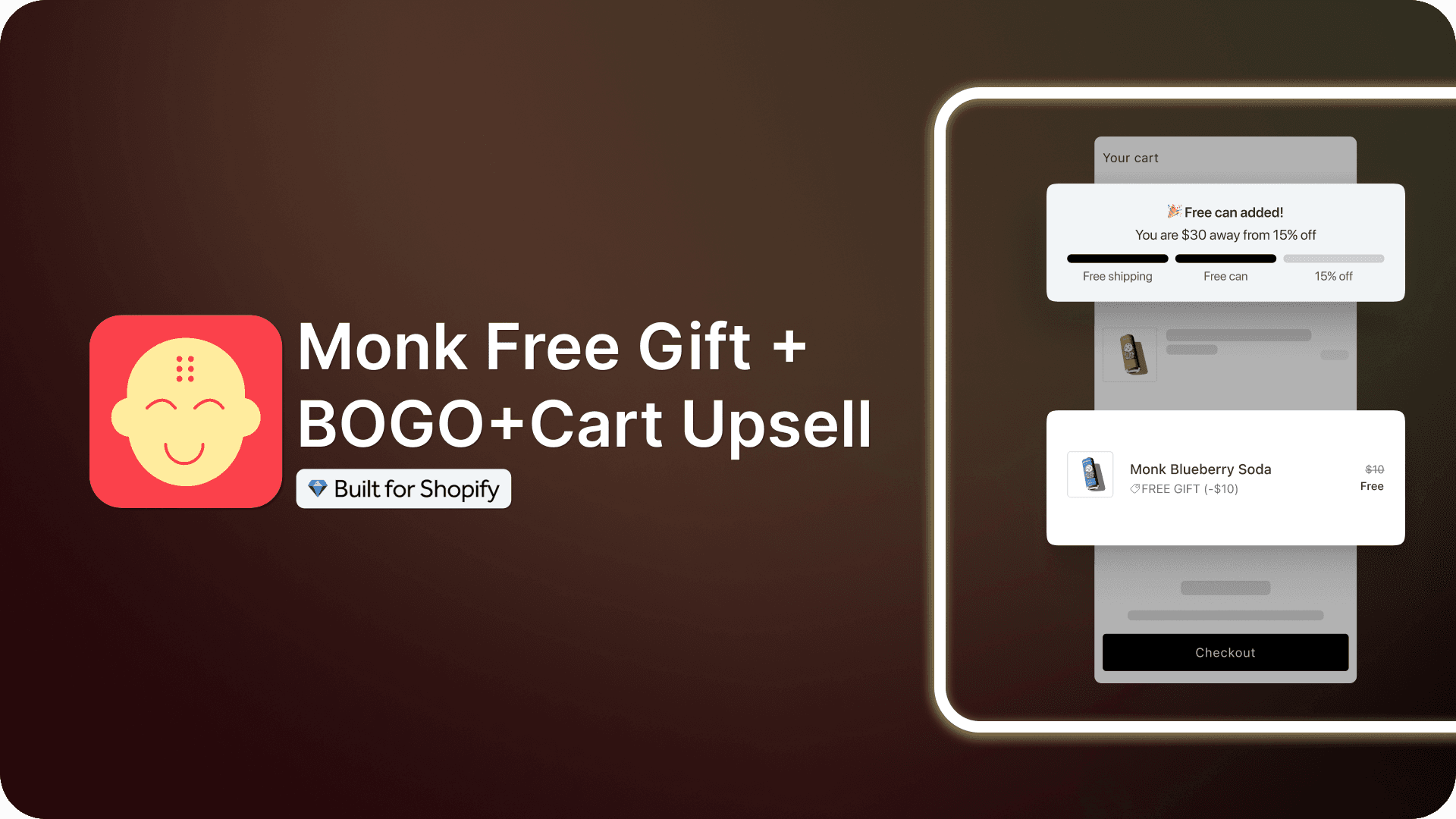
A tiered gift campaign rewards shoppers at set cart milestones, such as free shipping at $50 and a free gift at $75, and uses a progress bar to show how close they are to the next reward. When a shopper sees they’re $12 away from a free gift, adding one more item becomes the obvious move.
This guide covers how tiered campaigns work, how to set thresholds that protect your margin, and how to build one on Shopify with Monk Free Gift. It also covers the technical issues that break campaigns after launch: discount stacking, gift inventory, and returns.
What Is a Tiered Gift Campaign on Shopify?
A tiered gift campaign on Shopify is a promotion that unlocks rewards at set cart milestones. Each milestone offers a bigger incentive than the last.
A typical structure looks like this:
Customers who spend $50 unlock free shipping.
Customers who spend $75 unlock a free gift.
Customers who spend $100 unlock a free gift plus 10% off.
How Does a Tiered Gift Campaign Work on Shopify?
A tiered gift campaign tracks the customer’s cart in real time and unlocks rewards as milestones are reached. The app watches either the total cart value or the number of items in the cart. When the customer crosses a threshold, the reward applies automatically: a discount is applied, a gift is added to the cart, or a free shipping message appears.
The customer never enters a code or leaves the cart. The reward logic runs in the background while the progress bar shows their status.
Single-Tier vs. Tiered Rewards
A single-tier offer has one milestone and one reward, such as a free gift at $60. A tiered campaign stacks two or more milestones with escalating rewards.
Single-tier offer | Tiered campaign | |
|---|---|---|
Milestones | One threshold | Two to four thresholds |
Customer behavior | Customers stop adding items once they hit the threshold | Customers keep adding items to reach the next reward |
Best for | Simple gift-with-purchase promotions | AOV growth and larger baskets |
Setup complexity | Low | Moderate, but one app handles it |
When to use which: Run a single-tier offer when you have one clear goal, such as clearing a specific product or hitting a free shipping threshold, or when you’re testing gift-with-purchase for the first time. Run a tiered campaign when your goal is AOV growth, because single-tier offers stop working the moment a customer qualifies. Most stores start with a single tier, confirm the gift drives add-ons, then expand to two or three milestones.
What Is a Shopify Cart Progress Bar?
A Shopify cart progress bar is a visual widget that shows customers how close they are to earning a reward. It sits in the cart drawer, cart page, or product page and fills up as the cart value grows.
Here’s how a cart progress bar works:
The customer adds a product, and the bar appears with a message like “You’re $25 away from free shipping.”
Each new item moves the bar forward and updates the message.
The customer crosses a milestone, and the reward applies automatically, often with a confetti animation to mark the moment.
The bar then points to the next milestone until the customer reaches the top tier.

Monk’s progress bar embeds in your theme’s native cart and works with drawer carts, cart popups, and cart pages. It doesn’t add, remove, or edit your theme’s existing code.
Two settings make the biggest difference to conversion:
Replace generic copy with dynamic amounts: Avoid static text like “Spend more to get a reward.” Use Monk’s dynamic parameters to show the exact amount needed in real time, for example, “You’re only $12 away from a free luxury sample!”
Match the reward type to the product: For static perks like free shipping or single-variant items (e.g., a branded sticker), use Auto Add to put the gift straight in the cart. If your gift has variants, like t-shirt sizes or skin types, use the Free Gift Selection pop-up instead. Having customers choose their variant before checkout prevents shipping errors and reduces returns.
Types of Tiered Reward Campaigns
Monk supports four reward types for progress bar campaigns, and you can combine up to six rewards in a single milestone and create as many milestones as you want.
Free Shipping
Free Gift- Automatically Added
Free Gift- Customer Selection
Order Level Discounts
Where the progress bar can appear:
Cart drawer: The highest-impact placement, because it appears at the moment of purchase intent.
Cart page: Works well for stores where customers review orders before checkout.
Product page: Builds awareness earlier in the session, before the customer opens the cart.
Checkout page: Available for Shopify Plus stores only, due to Shopify’s checkout restrictions.
You can’t run the same offer at checkout and on other store pages at the same time. Shopify’s technical limits require these to be separate offers.
Benefits of Running Tiered Gift Campaigns
The main benefits of a tiered gift campaign are higher average order value, lower cart abandonment, and a way to move slow inventory without public markdowns. Campaigns also improve the buying experience and encourage repeat purchases through product sampling.
Increase average order value: Tiered campaigns raise AOV by giving customers a concrete reason to add more items.
Reduce cart abandonment: Progress bars give customers a reason to finish checkout now. A customer who has unlocked a free gift has more invested in completing the order.
Move slow inventory: Free gift tiers clear slow-moving stock, samples, and limited editions without public markdowns. The gift keeps its full perceived value while you protect your pricing.
Improve customer experience: Customers see clear goals, immediate rewards, and no coupon codes to hunt down or paste in.
Increase repeat purchases: Gift tiers that include product samples introduce customers to items they might later buy at full price, which turns your promotion budget into a sampling program.
Pro Tip: Base your first tier on your AOV and cost of goods sold (COGS), not a guess. If your AOV is $60 and your gross margin is 60%, a $75 tier with a gift that costs $3 is profitable: the extra $15 in cart value yields $9 in gross profit, which covers the $3 gift and nets you $6 per order. This math only holds for customers the tier pulls upward. Orders that would have crossed $75 anyway cost you the gift with no added profit, which is why tracking contribution margin matters.
How to Build a Tiered Gift Campaign in Shopify Using Monk Free Gift
To build a tiered gift campaign in Monk, you create the offer, set display rules and a tracking method, add milestones with rewards, and configure gift behavior. The full setup takes under 10 minutes.

Step 1: Define Your Reward Strategy
Start outside the app. Open Shopify Analytics and pull your average order value for the last 90 days. Set your first milestone 15–25% above that number, close enough that most customers see it as reachable with one added item.
Then decide what each tier offers. The goal is high perceived value at low real cost, so audit your catalog for candidates before you commit:
Free shipping works as a first tier because customers value it more than it costs you.
Samples and travel sizes work as mid-tier gifts because they double as product discovery for repeat purchases.
Slow-moving or last-season stock works as a top-tier gift because it clears inventory at full perceived value.
Write your tiers down as a simple ladder, for example: free shipping at $50, free sample at $80, full-size gift of choice at $120. Every setting in the app follows from this ladder.
Step 2: Create the Offer
Open Monk under your Shopify admin dashboard. Scroll to the bottom for the Offer Library -> select Tiered Cart Rewards.

Step 3: Choose the Reward type
Select the reward tiers you would like for your progress bar to have. Monk has reward tiers like, Free Shipping, Gift Auto Add, Gift Selection, Order Level Discount.

Step 4: Set Display Rules
Display rules decide which shoppers see the campaign; Home page, Product Page, Cart or the Checkout(Shopify Plus only)

Use the rule builder to target offers based on products, collections, customer tags, countries, or other conditions. You can combine multiple rules with AND and OR operators for more specific campaigns.
For example:
Show the offer only when products from a specific collection are in the cart.
Restrict the campaign to customers in a particular country.
Create separate offers for each product category.
If you sell internationally, separate offers per country give you more control over milestone thresholds than automatic currency conversion.
Step 5: Configure Milestones and Rewards
Under Set milestones & rewards, choose how customers progress toward each reward.
First, select the milestone type:
Cart value tracks the total cart amount and suits most stores, because it directly increases average order value.
Item count rewards customers after they add a set number of products, which fits lower-priced catalogs better.
Next, choose the currency. All currencies converts milestone values from your store’s base currency, while a specific currency keeps the threshold fixed.

Add each milestone from the ladder you planned in Step 1. For every milestone, enter the minimum qualifying value and attach one or more rewards. A single milestone can include up to six rewards across these types:
Free shipping
Free gift (Auto Add)
Free gift (Selection)
Percentage discounts
Fixed discounts
Custom rewards
Two reward rules to know:
Free Gift (Auto Add) and Free Gift (Selection) can’t be used together in the same milestone.
Free shipping and custom rewards only display in the progress bar. Set up the shipping rule in Shopify’s Shipping settings and any discount in Shopify Discounts.
If you use Free Gift (Selection), add the eligible products and set:
Total gifts: the maximum number of gifts customers can claim.
Gifts per product: the maximum quantity of each individual gift.
Two or three milestones usually create the clearest upgrade path.
Step 6: Configure Offer Settings
Step 6: Configure Offer Settings
Expand Offer Settings and review three groups:
Cart behavior: Keep Auto Refresh on unless your theme updates the cart instantly. Turn on Auto Remove so gifts leave the cart when customers stop qualifying, and decide whether customers can opt out of auto-added gifts.
Progress bar display: Choose what the bar shows (banner text, milestone icons, reward names, confetti) and whether it appears before the cart is eligible. Use Most Recent Milestone to decide whether customers keep every unlocked reward or only the highest one.
Free gift selection: If you use Free Gift (Selection), you can show gifts as FREE, let customers pick variants, and hide gifts once they’re added.
Step 7: Customize Messaging and Design
Write milestone copy that always names the gap and the reward, such as “Add $15 more to unlock your free gift.”
The Content section handles all text edits and translations. The design editor controls fonts, colors, spacing, and layout, and a setting under Advanced Display Settings lets you use a different layout on mobile. Custom CSS covers anything the editor doesn’t. Enable the confetti animation to mark each unlock.
Step 8: Test the Campaign
Test on an unpublished theme before customers see anything. Run the full journey rather than a single check:
Add products until you cross each milestone, and confirm each reward applies at the correct threshold.
Remove items and confirm gifts leave the cart when eligibility drops.
Open the store on a phone and confirm the bar renders correctly in the mobile cart drawer, since much of your traffic is likely mobile.
Check the inventory and sales channel status of your gift products, since an out-of-stock gift in a single-milestone offer can hide the bar entirely.
If you’re timing the campaign to a sale, set the date range in step one of the offer setup in Monk so it starts and stops automatically.
Common Mistakes to Avoid (and How to Fix Them)
The most common tiered campaign mistakes are setting the first milestone too high, letting gift inventory run out, and misunderstanding discount stacking and display conflicts. Each one has a direct fix in Monk or in Shopify settings.
Mistake | What happens | How to fix it |
|---|---|---|
You set the first milestone too high relative to your AOV. | Customers see the goal as unreachable and ignore the bar. | Anchor the first milestone 15–25% above your current AOV and keep the gaps between tiers small. |
Your only gift milestone uses a gift that goes out of stock. | The progress bar disappears from the store. | Monitor gift inventory weekly, keep the gift active in the Online Store sales channel, and attach a backup reward to the milestone. |
You run two progress bar offers that can trigger in the same session. | Only the first-triggered bar displays, so customers see the wrong offer. | Keep one progress bar offer live per audience, and build overlapping offers with the Without Banner and Progress Bar option. |
You expect tiered discounts to stack across milestones. | Customers receive only the latest milestone’s discount, and your margin math breaks. | Plan each tier’s discount as a standalone number, and set Most Recent Milestone deliberately for gifts. |
You treat the free shipping reward as functional on its own. | Customers unlock the milestone and still get charged shipping at checkout. | Set the matching rule in Shopify under Settings → Shipping and delivery, since the bar only displays the reward. |
You leave Auto Remove off and keep gift products public. | Customers buy your samples and limited editions at full price. | Turn Auto Remove on and mark gift products as Unlisted in Shopify. |
You skip mobile testing before launch. | Layout problems reach a large share of your traffic. | Test the full milestone journey in the mobile cart drawer on an unpublished theme. |
How to Measure Campaign Performance
AOV is the primary metric, but contribution margin per order confirms whether the lift covers the cost of gifts and discounts. Track these five metrics weekly:
Metric | How to calculate | If it’s off |
|---|---|---|
Revenue ÷ orders, 30 days before vs. after launch | No lift: first tier is too high or the gift isn’t compelling | |
Milestone attach rate | Orders crossing each tier ÷ total orders | Very low on Tier 1: lower it toward AOV. Most orders pass the top tier: raise it |
Gift redemption cost | Landed cost of gifts given ÷ incremental revenue | Rising: switch to lower-cost gifts or raise thresholds |
Abandoned carts ÷ carts created | Rising: check the bar’s copy and mobile display for confusion | |
Contribution margin per order | (Revenue − COGS − gift cost − discounts) ÷ orders | Falling while AOV rises: the lift isn’t covering gift costs |
Why Use Monk for Tiered Gift Campaigns?
Monk Free Gift is a Built for Shopify certified app that runs the entire tiered campaign in one place: the progress bar, milestones, gifts, and discounts. You get five reward types with up to six rewards per milestone, which covers every campaign structure in this guide.
It works with drawer carts, popups, and cart pages without theme code changes. If you sell internationally, country-specific campaigns, with multi-currency conversion and full text translation, so a shopper in Toronto and a shopper in Texas each see the right offer in their own currency.
Controls like Auto Remove, gift opt-out, gift limits, and scheduling handle the edge cases that leak margin, and Shopify Plus stores can extend the bar to checkout.
Start with one milestone set just above your current AOV, confirm the lift, and expand from there. Install Monk Free Gift from the Shopify App Store, and your first campaign can be live in under 10 minutes.
Black Friday 2026: Try Monk Free Gift for $1
For Black Friday, Monk Free Gift is available for $1 for your first month. Start with a 7-day free trial, then pay $1 for the next month. Regular pricing applies after that.
It’s a low-cost way to build and test a tiered campaign before your holiday traffic peaks.
Offer ends November 30, 2026.
Frequently Asked Questions
What is a tiered gift campaign on Shopify?
A tiered gift campaign on Shopify is a promotion that unlocks progressively better rewards, such as free shipping, gifts, or discounts, as the customer’s cart value or item count crosses set milestones. Shopify doesn’t support this natively, so merchants run tiered campaigns through apps like Monk Free Gift.
Does a progress bar increase average order value?
Yes, a cart progress bar increases average order value by showing customers how close they are to the next reward, which motivates them to add items they’d otherwise skip. The effect comes from the goal-gradient principle: people push harder as a goal gets closer
Can I combine free shipping and free gifts in one campaign?
Yes. you can combine free shipping and free gifts in one campaign using Monk Free Gift. A common structure offers free shipping at the first milestone and a free gift at the second. You can also attach both rewards to a single milestone, with up to six rewards per tier.
Can customers choose their own free gift?
Yes, with Monk’s Free Gift Selection reward. You define the gift options, and customers pick their preferred product and variant from an embedded widget or a pop-up. You control how many gifts they can select in total and per product.
Can I add multiple reward milestones?
Yes, you can add multiple milestones to a single campaign in Monk, with up to six rewards attached to each. Most stores perform best with two or three milestones, since too many tiers clutter the progress bar and dilute the customer’s focus.
Can I trigger rewards based on cart value?
Yes, you can trigger rewards based on cart value or on the number of items in the cart. Monk requires one tracking method per offer, so a single campaign can’t mix value-based and count-based milestones.
Does Shopify support tiered rewards natively?
No. Native Shopify discounts support single-condition offers but can’t stack multiple milestones, auto-add gifts, or display cart progress. You need a dedicated app like, Monk Free Gift to run a true tiered gift campaign.
Which Shopify apps support tiered progress bars?
Several apps support tiered progress bars, including Monk Free Gift, which combines the progress bar with five reward types, gift selection, multi-currency support, and country targeting in one app.
How do I track the success of my tiered gift campaign?
Compare average order value, milestone attach rate, cart abandonment, and contribution margin per order before and after launch. An AOV lift only counts as a win if margin per order holds after subtracting gift and discount costs. Well built gifting apps like Monk Free Gift provide offer based analytics for thorough tracking.
Tiered Gift Campaign with a Progress Bar on Shopify: The Complete Guide
Summary
A tiered gift campaign rewards shoppers at set cart milestones and uses a progress bar to show how close they are to the next reward. This guide covers how to set thresholds that protect your margin, example tier ladders by store type, and step-by-step setup in Monk Free Gift. It also covers the technical guardrails that break campaigns after launch: discount stacking, gift inventory, and returns.
A tiered gift campaign rewards shoppers at set cart milestones, such as free shipping at $50 and a free gift at $75, and uses a progress bar to show how close they are to the next reward. When a shopper sees they’re $12 away from a free gift, adding one more item becomes the obvious move.
This guide covers how tiered campaigns work, how to set thresholds that protect your margin, and how to build one on Shopify with Monk Free Gift. It also covers the technical issues that break campaigns after launch: discount stacking, gift inventory, and returns.
What Is a Tiered Gift Campaign on Shopify?
A tiered gift campaign on Shopify is a promotion that unlocks rewards at set cart milestones. Each milestone offers a bigger incentive than the last.
A typical structure looks like this:
Customers who spend $50 unlock free shipping.
Customers who spend $75 unlock a free gift.
Customers who spend $100 unlock a free gift plus 10% off.
How Does a Tiered Gift Campaign Work on Shopify?
A tiered gift campaign tracks the customer’s cart in real time and unlocks rewards as milestones are reached. The app watches either the total cart value or the number of items in the cart. When the customer crosses a threshold, the reward applies automatically: a discount is applied, a gift is added to the cart, or a free shipping message appears.
The customer never enters a code or leaves the cart. The reward logic runs in the background while the progress bar shows their status.
Single-Tier vs. Tiered Rewards
A single-tier offer has one milestone and one reward, such as a free gift at $60. A tiered campaign stacks two or more milestones with escalating rewards.
Single-tier offer | Tiered campaign | |
|---|---|---|
Milestones | One threshold | Two to four thresholds |
Customer behavior | Customers stop adding items once they hit the threshold | Customers keep adding items to reach the next reward |
Best for | Simple gift-with-purchase promotions | AOV growth and larger baskets |
Setup complexity | Low | Moderate, but one app handles it |
When to use which: Run a single-tier offer when you have one clear goal, such as clearing a specific product or hitting a free shipping threshold, or when you’re testing gift-with-purchase for the first time. Run a tiered campaign when your goal is AOV growth, because single-tier offers stop working the moment a customer qualifies. Most stores start with a single tier, confirm the gift drives add-ons, then expand to two or three milestones.
What Is a Shopify Cart Progress Bar?
A Shopify cart progress bar is a visual widget that shows customers how close they are to earning a reward. It sits in the cart drawer, cart page, or product page and fills up as the cart value grows.
Here’s how a cart progress bar works:
The customer adds a product, and the bar appears with a message like “You’re $25 away from free shipping.”
Each new item moves the bar forward and updates the message.
The customer crosses a milestone, and the reward applies automatically, often with a confetti animation to mark the moment.
The bar then points to the next milestone until the customer reaches the top tier.
Monk’s progress bar embeds in your theme’s native cart and works with drawer carts, cart popups, and cart pages. It doesn’t add, remove, or edit your theme’s existing code.
Two settings make the biggest difference to conversion:
Replace generic copy with dynamic amounts: Avoid static text like “Spend more to get a reward.” Use Monk’s dynamic parameters to show the exact amount needed in real time, for example, “You’re only $12 away from a free luxury sample!”
Match the reward type to the product: For static perks like free shipping or single-variant items (e.g., a branded sticker), use Auto Add to put the gift straight in the cart. If your gift has variants, like t-shirt sizes or skin types, use the Free Gift Selection pop-up instead. Having customers choose their variant before checkout prevents shipping errors and reduces returns.
Types of Tiered Reward Campaigns
Monk supports four reward types for progress bar campaigns, and you can combine up to six rewards in a single milestone and create as many milestones as you want.
Free Shipping
Free Gift- Automatically Added
Free Gift- Customer Selection
Order Level Discounts
Where the progress bar can appear:
Cart drawer: The highest-impact placement, because it appears at the moment of purchase intent.
Cart page: Works well for stores where customers review orders before checkout.
Product page: Builds awareness earlier in the session, before the customer opens the cart.
Checkout page: Available for Shopify Plus stores only, due to Shopify’s checkout restrictions.
You can’t run the same offer at checkout and on other store pages at the same time. Shopify’s technical limits require these to be separate offers.
Benefits of Running Tiered Gift Campaigns
The main benefits of a tiered gift campaign are higher average order value, lower cart abandonment, and a way to move slow inventory without public markdowns. Campaigns also improve the buying experience and encourage repeat purchases through product sampling.
Increase average order value: Tiered campaigns raise AOV by giving customers a concrete reason to add more items.
Reduce cart abandonment: Progress bars give customers a reason to finish checkout now. A customer who has unlocked a free gift has more invested in completing the order.
Move slow inventory: Free gift tiers clear slow-moving stock, samples, and limited editions without public markdowns. The gift keeps its full perceived value while you protect your pricing.
Improve customer experience: Customers see clear goals, immediate rewards, and no coupon codes to hunt down or paste in.
Increase repeat purchases: Gift tiers that include product samples introduce customers to items they might later buy at full price, which turns your promotion budget into a sampling program.
Pro Tip: Base your first tier on your AOV and cost of goods sold (COGS), not a guess. If your AOV is $60 and your gross margin is 60%, a $75 tier with a gift that costs $3 is profitable: the extra $15 in cart value yields $9 in gross profit, which covers the $3 gift and nets you $6 per order. This math only holds for customers the tier pulls upward. Orders that would have crossed $75 anyway cost you the gift with no added profit, which is why tracking contribution margin matters.
How to Build a Tiered Gift Campaign in Shopify Using Monk Free Gift
To build a tiered gift campaign in Monk, you create the offer, set display rules and a tracking method, add milestones with rewards, and configure gift behavior. The full setup takes under 10 minutes.
Step 1: Define Your Reward Strategy
Start outside the app. Open Shopify Analytics and pull your average order value for the last 90 days. Set your first milestone 15–25% above that number, close enough that most customers see it as reachable with one added item.
Then decide what each tier offers. The goal is high perceived value at low real cost, so audit your catalog for candidates before you commit:
Free shipping works as a first tier because customers value it more than it costs you.
Samples and travel sizes work as mid-tier gifts because they double as product discovery for repeat purchases.
Slow-moving or last-season stock works as a top-tier gift because it clears inventory at full perceived value.
Write your tiers down as a simple ladder, for example: free shipping at $50, free sample at $80, full-size gift of choice at $120. Every setting in the app follows from this ladder.
Step 2: Create the Offer
Open Monk under your Shopify admin dashboard. Scroll to the bottom for the Offer Library -> select Tiered Cart Rewards.
Step 3: Choose the Reward type
Select the reward tiers you would like for your progress bar to have. Monk has reward tiers like, Free Shipping, Gift Auto Add, Gift Selection, Order Level Discount.
Step 4: Set Display Rules
Display rules decide which shoppers see the campaign; Home page, Product Page, Cart or the Checkout(Shopify Plus only)
Use the rule builder to target offers based on products, collections, customer tags, countries, or other conditions. You can combine multiple rules with AND and OR operators for more specific campaigns.
For example:
Show the offer only when products from a specific collection are in the cart.
Restrict the campaign to customers in a particular country.
Create separate offers for each product category.
If you sell internationally, separate offers per country give you more control over milestone thresholds than automatic currency conversion.
Step 5: Configure Milestones and Rewards
Under Set milestones & rewards, choose how customers progress toward each reward.
First, select the milestone type:
Cart value tracks the total cart amount and suits most stores, because it directly increases average order value.
Item count rewards customers after they add a set number of products, which fits lower-priced catalogs better.
Next, choose the currency. All currencies converts milestone values from your store’s base currency, while a specific currency keeps the threshold fixed.
Add each milestone from the ladder you planned in Step 1. For every milestone, enter the minimum qualifying value and attach one or more rewards. A single milestone can include up to six rewards across these types:
Free shipping
Free gift (Auto Add)
Free gift (Selection)
Percentage discounts
Fixed discounts
Custom rewards
Two reward rules to know:
Free Gift (Auto Add) and Free Gift (Selection) can’t be used together in the same milestone.
Free shipping and custom rewards only display in the progress bar. Set up the shipping rule in Shopify’s Shipping settings and any discount in Shopify Discounts.
If you use Free Gift (Selection), add the eligible products and set:
Total gifts: the maximum number of gifts customers can claim.
Gifts per product: the maximum quantity of each individual gift.
Two or three milestones usually create the clearest upgrade path.
Step 6: Configure Offer Settings
Step 6: Configure Offer Settings
Expand Offer Settings and review three groups:
Cart behavior: Keep Auto Refresh on unless your theme updates the cart instantly. Turn on Auto Remove so gifts leave the cart when customers stop qualifying, and decide whether customers can opt out of auto-added gifts.
Progress bar display: Choose what the bar shows (banner text, milestone icons, reward names, confetti) and whether it appears before the cart is eligible. Use Most Recent Milestone to decide whether customers keep every unlocked reward or only the highest one.
Free gift selection: If you use Free Gift (Selection), you can show gifts as FREE, let customers pick variants, and hide gifts once they’re added.
Step 7: Customize Messaging and Design
Write milestone copy that always names the gap and the reward, such as “Add $15 more to unlock your free gift.”
The Content section handles all text edits and translations. The design editor controls fonts, colors, spacing, and layout, and a setting under Advanced Display Settings lets you use a different layout on mobile. Custom CSS covers anything the editor doesn’t. Enable the confetti animation to mark each unlock.
Step 8: Test the Campaign
Test on an unpublished theme before customers see anything. Run the full journey rather than a single check:
Add products until you cross each milestone, and confirm each reward applies at the correct threshold.
Remove items and confirm gifts leave the cart when eligibility drops.
Open the store on a phone and confirm the bar renders correctly in the mobile cart drawer, since much of your traffic is likely mobile.
Check the inventory and sales channel status of your gift products, since an out-of-stock gift in a single-milestone offer can hide the bar entirely.
If you’re timing the campaign to a sale, set the date range in step one of the offer setup in Monk so it starts and stops automatically.
Common Mistakes to Avoid (and How to Fix Them)
The most common tiered campaign mistakes are setting the first milestone too high, letting gift inventory run out, and misunderstanding discount stacking and display conflicts. Each one has a direct fix in Monk or in Shopify settings.
Mistake | What happens | How to fix it |
|---|---|---|
You set the first milestone too high relative to your AOV. | Customers see the goal as unreachable and ignore the bar. | Anchor the first milestone 15–25% above your current AOV and keep the gaps between tiers small. |
Your only gift milestone uses a gift that goes out of stock. | The progress bar disappears from the store. | Monitor gift inventory weekly, keep the gift active in the Online Store sales channel, and attach a backup reward to the milestone. |
You run two progress bar offers that can trigger in the same session. | Only the first-triggered bar displays, so customers see the wrong offer. | Keep one progress bar offer live per audience, and build overlapping offers with the Without Banner and Progress Bar option. |
You expect tiered discounts to stack across milestones. | Customers receive only the latest milestone’s discount, and your margin math breaks. | Plan each tier’s discount as a standalone number, and set Most Recent Milestone deliberately for gifts. |
You treat the free shipping reward as functional on its own. | Customers unlock the milestone and still get charged shipping at checkout. | Set the matching rule in Shopify under Settings → Shipping and delivery, since the bar only displays the reward. |
You leave Auto Remove off and keep gift products public. | Customers buy your samples and limited editions at full price. | Turn Auto Remove on and mark gift products as Unlisted in Shopify. |
You skip mobile testing before launch. | Layout problems reach a large share of your traffic. | Test the full milestone journey in the mobile cart drawer on an unpublished theme. |
How to Measure Campaign Performance
AOV is the primary metric, but contribution margin per order confirms whether the lift covers the cost of gifts and discounts. Track these five metrics weekly:
Metric | How to calculate | If it’s off |
|---|---|---|
Revenue ÷ orders, 30 days before vs. after launch | No lift: first tier is too high or the gift isn’t compelling | |
Milestone attach rate | Orders crossing each tier ÷ total orders | Very low on Tier 1: lower it toward AOV. Most orders pass the top tier: raise it |
Gift redemption cost | Landed cost of gifts given ÷ incremental revenue | Rising: switch to lower-cost gifts or raise thresholds |
Abandoned carts ÷ carts created | Rising: check the bar’s copy and mobile display for confusion | |
Contribution margin per order | (Revenue − COGS − gift cost − discounts) ÷ orders | Falling while AOV rises: the lift isn’t covering gift costs |
Why Use Monk for Tiered Gift Campaigns?
Monk Free Gift is a Built for Shopify certified app that runs the entire tiered campaign in one place: the progress bar, milestones, gifts, and discounts. You get five reward types with up to six rewards per milestone, which covers every campaign structure in this guide.
It works with drawer carts, popups, and cart pages without theme code changes. If you sell internationally, country-specific campaigns, with multi-currency conversion and full text translation, so a shopper in Toronto and a shopper in Texas each see the right offer in their own currency.
Controls like Auto Remove, gift opt-out, gift limits, and scheduling handle the edge cases that leak margin, and Shopify Plus stores can extend the bar to checkout.
Start with one milestone set just above your current AOV, confirm the lift, and expand from there. Install Monk Free Gift from the Shopify App Store, and your first campaign can be live in under 10 minutes.
Black Friday 2026: Try Monk Free Gift for $1
For Black Friday, Monk Free Gift is available for $1 for your first month. Start with a 7-day free trial, then pay $1 for the next month. Regular pricing applies after that.
It’s a low-cost way to build and test a tiered campaign before your holiday traffic peaks.
Offer ends November 30, 2026.
Frequently Asked Questions
What is a tiered gift campaign on Shopify?
A tiered gift campaign on Shopify is a promotion that unlocks progressively better rewards, such as free shipping, gifts, or discounts, as the customer’s cart value or item count crosses set milestones. Shopify doesn’t support this natively, so merchants run tiered campaigns through apps like Monk Free Gift.
Does a progress bar increase average order value?
Yes, a cart progress bar increases average order value by showing customers how close they are to the next reward, which motivates them to add items they’d otherwise skip. The effect comes from the goal-gradient principle: people push harder as a goal gets closer
Can I combine free shipping and free gifts in one campaign?
Yes. you can combine free shipping and free gifts in one campaign using Monk Free Gift. A common structure offers free shipping at the first milestone and a free gift at the second. You can also attach both rewards to a single milestone, with up to six rewards per tier.
Can customers choose their own free gift?
Yes, with Monk’s Free Gift Selection reward. You define the gift options, and customers pick their preferred product and variant from an embedded widget or a pop-up. You control how many gifts they can select in total and per product.
Can I add multiple reward milestones?
Yes, you can add multiple milestones to a single campaign in Monk, with up to six rewards attached to each. Most stores perform best with two or three milestones, since too many tiers clutter the progress bar and dilute the customer’s focus.
Can I trigger rewards based on cart value?
Yes, you can trigger rewards based on cart value or on the number of items in the cart. Monk requires one tracking method per offer, so a single campaign can’t mix value-based and count-based milestones.
Does Shopify support tiered rewards natively?
No. Native Shopify discounts support single-condition offers but can’t stack multiple milestones, auto-add gifts, or display cart progress. You need a dedicated app like, Monk Free Gift to run a true tiered gift campaign.
Which Shopify apps support tiered progress bars?
Several apps support tiered progress bars, including Monk Free Gift, which combines the progress bar with five reward types, gift selection, multi-currency support, and country targeting in one app.
How do I track the success of my tiered gift campaign?
Compare average order value, milestone attach rate, cart abandonment, and contribution margin per order before and after launch. An AOV lift only counts as a win if margin per order holds after subtracting gift and discount costs. Well built gifting apps like Monk Free Gift provide offer based analytics for thorough tracking.
Contents
Related Articles
Shopify Buy 2 Get 1 Free: Free Setup Guide for Higher Sales
How to Add a Cart Progress Bar on Shopify (Step-by-Step Guide)
How to Enable Free Gift Selection on Shopify
Get Monk Free Gift app for just $1/month this Black Friday
First month: $1 after your 7-day free trial. All features included. Offer live!
Claim offer now

Get Monk Free Gift app for just $1/month this Black Friday
First month: $1 after your 7-day free trial. All features included. Offer live!
Claim offer now
Get Monk Free Gift app for just $1/month this Black Friday
First month: $1 after your 7-day free trial. All features included. Offer live!
Claim offer now