
9 Shopify Marketing Automation Tools Compared: Pricing, Features & Best Use Cases
Summary
Marketing automation in Shopify helps merchants increase conversions and average order value by triggering personalized offers based on customer behavior and purchase history. From real-time actions like product views and cart activity to past data like previous purchases and customer segments, automation enables targeted upsells, cross-sells, and retention campaigns. While Shopify offers limited native capabilities, apps provide advanced automation, segmentation, and execution. By combining behavior and history-based triggers, merchants can deliver relevant experiences that drive engagement, improve customer lifetime value, and scale revenue efficiently.

Manya Jain
Senior Content Writer
A Shopify and ecommerce writer passionate about simplifying complex topics into actionable, data-backed content for merchants and online businesses.
Key Takeaways
Marketing automation in Shopify helps merchants increase conversions and average order value by triggering personalized offers based on customer behavior and purchase history. From real-time actions like product views and cart activity to past data like previous purchases and customer segments, automation enables targeted upsells, cross-sells, and retention campaigns. While Shopify offers limited native capabilities, apps provide advanced automation, segmentation, and execution. By combining behavior and history-based triggers, merchants can deliver relevant experiences that drive engagement, improve customer lifetime value, and scale revenue efficiently.
Running a Shopify store without marketing automation is like trying to fill a leaky bucket. You pour in effort, and it still drains faster than you can manage. Between abandoned carts, welcome sequences, free gift campaigns, post-purchase follow-ups, and re-engagement campaigns, there's simply too much to do manually at scale.
Which is why we’ve prepared a guide to Shopify marketing automation tools for you. They handle the repetitive, time-sensitive touchpoints in your customer journey so your team can focus on strategy, product, and growth.
What are Shopify Marketing Automation Tools?
Shopify marketing automation tools are apps and platforms that trigger personalized marketing actions like emails, SMS messages, chatbot conversations, and push notifications. They do it based on customer behavior in your store.
Instead of manually sending a follow-up email to every person who abandons their cart, you set up the workflow once, and it runs automatically whenever the trigger fires. These tools pull data directly from your Shopify store to send the right message at the right time.
Why Marketing Automation Matters for Shopify Stores
Automated emails generate significantly higher engagement than manual campaigns, abandoned cart sequences see open rates nearly 40% higher than standard broadcasts, and welcome series consistently outperform newsletters.
Shopify stores can lose the majority of their potential revenue to customers who almost bought but didn't return, or to loyal buyers who were never rewarded for their loyalty. Automation closes those gaps.
Welcome email series routinely outperform broadcast newsletters by a wide margin. And post-purchase flows often drive more repeat revenue than any paid channel.
Beyond revenue recovery, automation creates consistency. Every customer gets a professional, personalized experience regardless of whether your team is at their desk. That consistency is what separates stores that grow sustainably from ones that plateau.
For Shopify stores specifically, the advantage is even greater: most tools on this list integrate directly with Shopify's customer and order data, meaning your automations are powered by real purchase behavior.
Also read: How to increase the Average Order value of your Shopify store using Monk Free Gift BOGO & Upsell.
Features to Look for:
Before committing to any tool, look for these capabilities:
Shopify-native integration: The tool should sync seamlessly with your store. A clunky or incomplete integration results in broken triggers and missing data.
Pre-built automation workflows: You shouldn't have to build abandoned cart, welcome, and post-purchase flows from scratch. Look for tools with tested, ready-to-deploy templates.
Segmentation: Sending the same email to everyone is table stakes. Look for the ability to segment by purchase history, browsing behavior, lifecycle stage, and engagement level.
Multi-channel capability: Email is essential, but SMS, push notifications, and on-site chat all have their place. The best tools let you combine channels in a single workflow.
Revenue attribution: You should be able to see exactly which automations are generating revenue, not just opens and clicks.
Pricing that scales sensibly: Some tools are cheap to start but get expensive fast. Others charge based on contacts or sends. Know how the pricing model behaves as your list grows.
Deliverability and compliance: Good tools actively monitor your sender reputation, support double opt-in, and comply with GDPR and TCPA.
Best Shopify Marketing Automation Tools
Choose the tool that fits your needs:
Omnisend Email Marketing & SMS
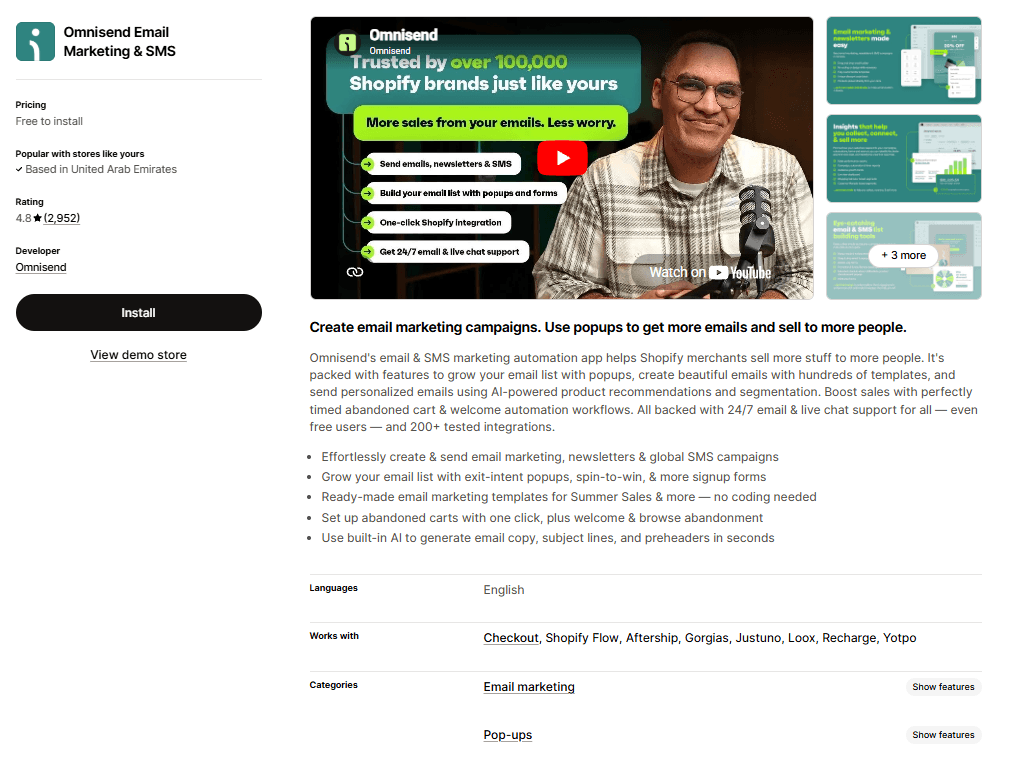
Best for: Growing Shopify stores that want omnichannel automation without a dedicated marketing ops person to run it.
Unlike general-purpose platforms that bolt on ecommerce features, Omnisend's entire product is designed around how online stores operate. You get email, SMS, and web push notifications in one workflow.
It also delivers tight Shopify integration and a customer lifecycle map that helps you identify which customers are at risk of churning. Or which are worth doubling down on.
Omnisend sits squarely in the middle of the market: better than entry-level tools like Seguno or Avada and more affordable and accessible than Klaviyo. For most growing Shopify stores, that's the sweet spot.
Pros:
Deep, seamless Shopify integration with product catalog sync, real-time behavior tracking, and abandoned cart triggers
One-click abandoned cart, welcome series, browse abandonment, and post-purchase workflows
Strong A/B testing, dark mode preview, and AI-generated copy tools
Cons:
Limited design flexibility; not ideal for brands that need highly customized, pixel-perfect templates
No native CRM functionality; not a fit for stores with B2B or sales pipeline needs
Pricing:
Free plan
Standard: $16/ month per user
Pro: $59/month per user
Klaviyo: Email Marketing & SMS
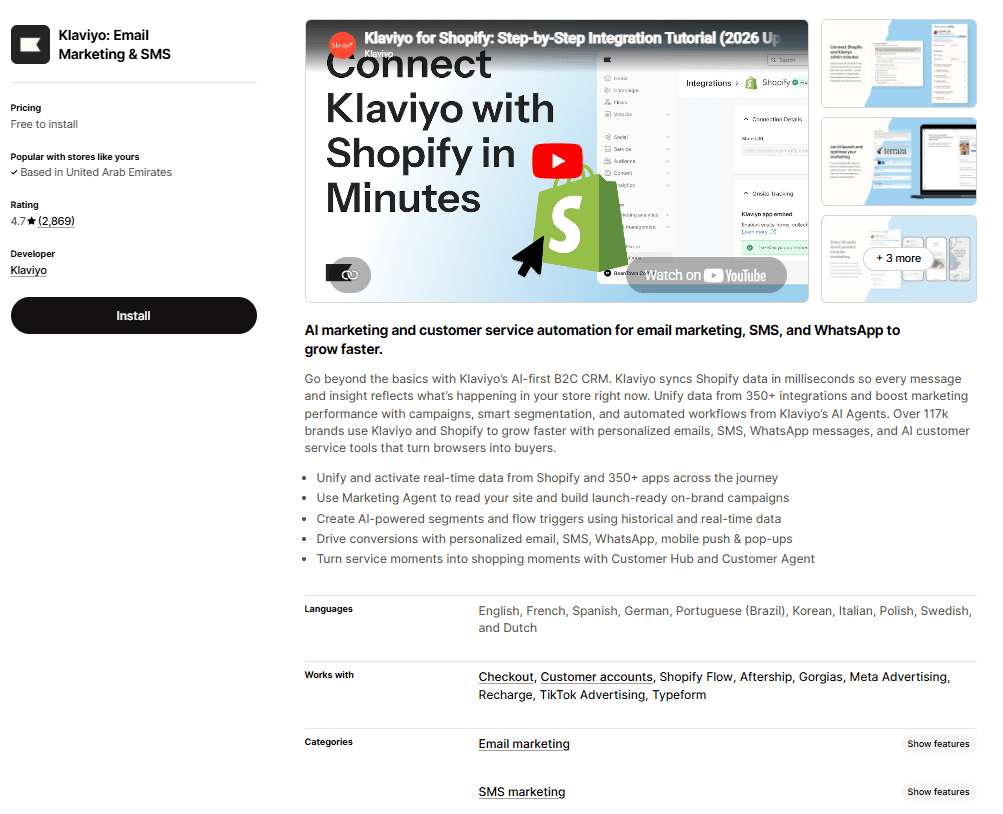
Best for: Established Shopify and DTC brands with a dedicated marketing function that want the deepest customer data and segmentation available.
Klaviyo turns your Shopify store data into customer intelligence that no other platform at this price point can match. The Shopify integration syncs customer profiles, order history, browsing behavior, and cart data in real time. And the segmentation engine lets you build audiences with specificity.
You can build a segment like ‘customers who bought from a specific collection, have a predicted lifetime value above a threshold, and haven't opened an email in 30 days’. Then, have it update dynamically.
Pros:
The Shopify integration includes real-time behavioral data, predictive analytics
Pre-built flows for abandoned cart, welcome, post-purchase, win-back, and browse abandonment are ready to deploy and built around ecommerce conversion patterns
The platform's AI layer surfaces meaningful insights that let you act on customer behavior before it's too late
Cons:
Pricing scales aggressively as your list grows
Live chat support is only available on paid plans, and the learning curve for building complex flows and segmentation logic can be frustrating
Pricing:
Free plan
SMS: $15/month
Email: $20/month
ActiveCampaign Marketing
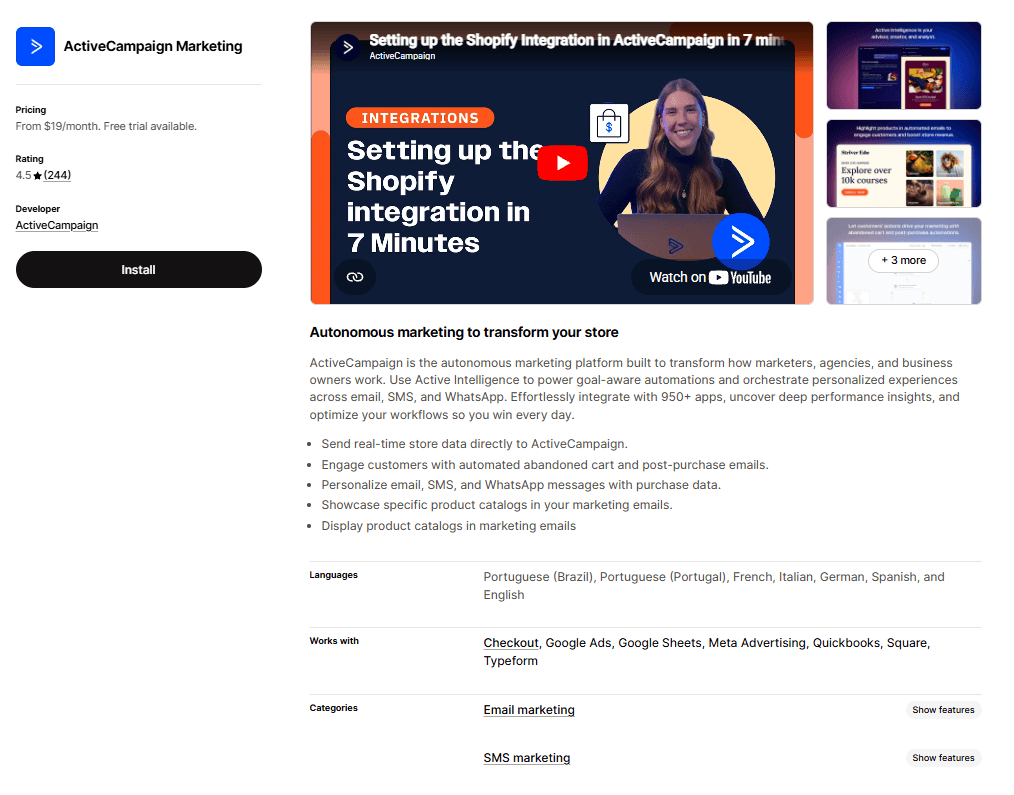
Best for: Shopify stores that operate a sales function alongside their ecommerce or any setup where a CRM and email automation need to live in the same place.
ActiveCampaign is what you reach for when email automation alone isn't enough. When you need a CRM to sit alongside your campaigns, tracking deals, scoring leads, and triggering sequences based on where someone sits in a sales pipeline.
For a Shopify store doing straightforward DTC email marketing, it's probably more than you need. But for stores that also manage wholesale accounts, B2B relationships, or a sales team alongside their ecommerce operation, nothing else on this list bridges those two worlds.
Pros:
Over 950 integrations, including Salesforce, Pipedrive, and all major ecommerce platforms
Excellent for multi-channel workflows: email, SMS, and WhatsApp are supported
Abandoned cart sequences and post-purchase automation are consistently praised by merchants
Cons:
Conditional branching isn't available on the Starter plan
Sales CRM automation is an add-on, not included in base marketing plans
Pricing:
Starter: $19/month
Plus: $59/month
Pro: $89/month
Enterprise: $159/month
Drip Email Automation & Popups
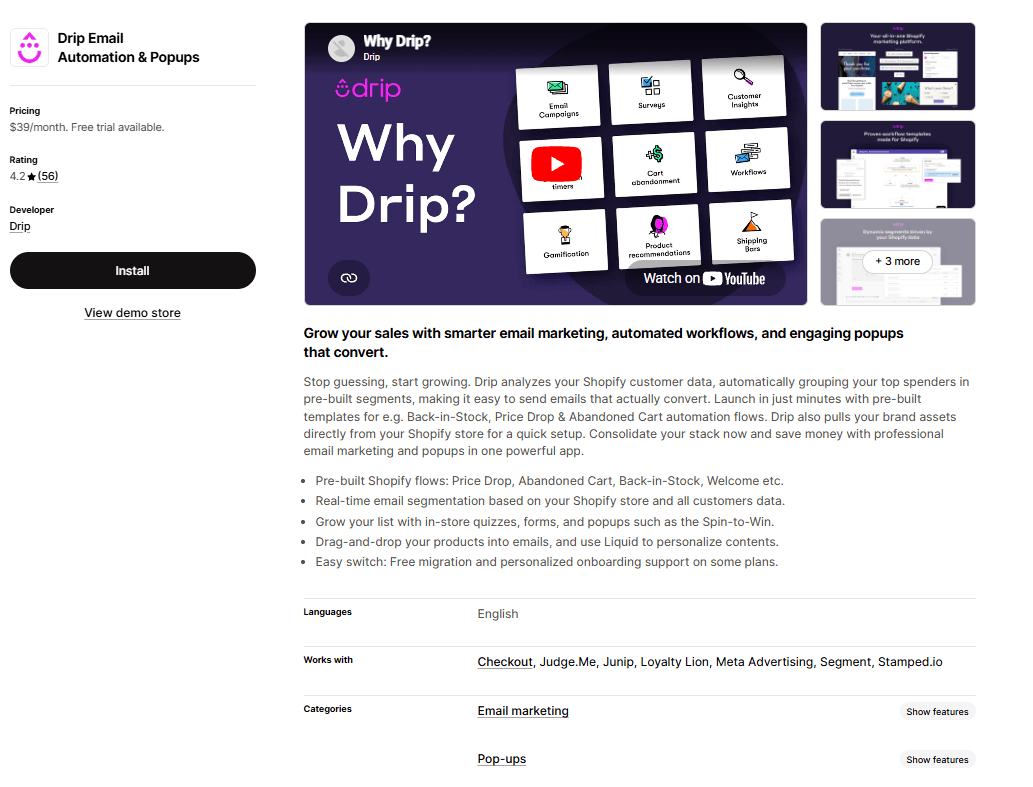
Best for: DTC and Shopify brands that have outgrown basic email tools and want clear revenue attribution.
Drip occupies a deliberate middle ground in the ecommerce email market. Its visual workflow runs the entire automation at a glance, lets you drag in conditions and branches, and shows how a customer moves through the flow.
Revenue attribution is also beneficial: Drip tells you which emails generated revenue, down to the workflow and campaign level. That changes how you make decisions. Pre-built playbooks for all core ecommerce scenarios (cart abandonment, welcome, post-purchase, browse abandonment, win-back) significantly reduce setup time.
Pros:
Native Shopify integration with product catalog drag-and-drop into emails
Real-time segmentation based on Shopify purchase and behavioral data
SMS available as a pay-as-you-go add-on
Cons:
Not well-suited for B2B, service businesses, or non-ecommerce use cases
The email template builder has some reported rendering quirks that require inbox testing
Pricing:
Starts at $39/month
Tidio ‑ Live Chat & AI Chatbot
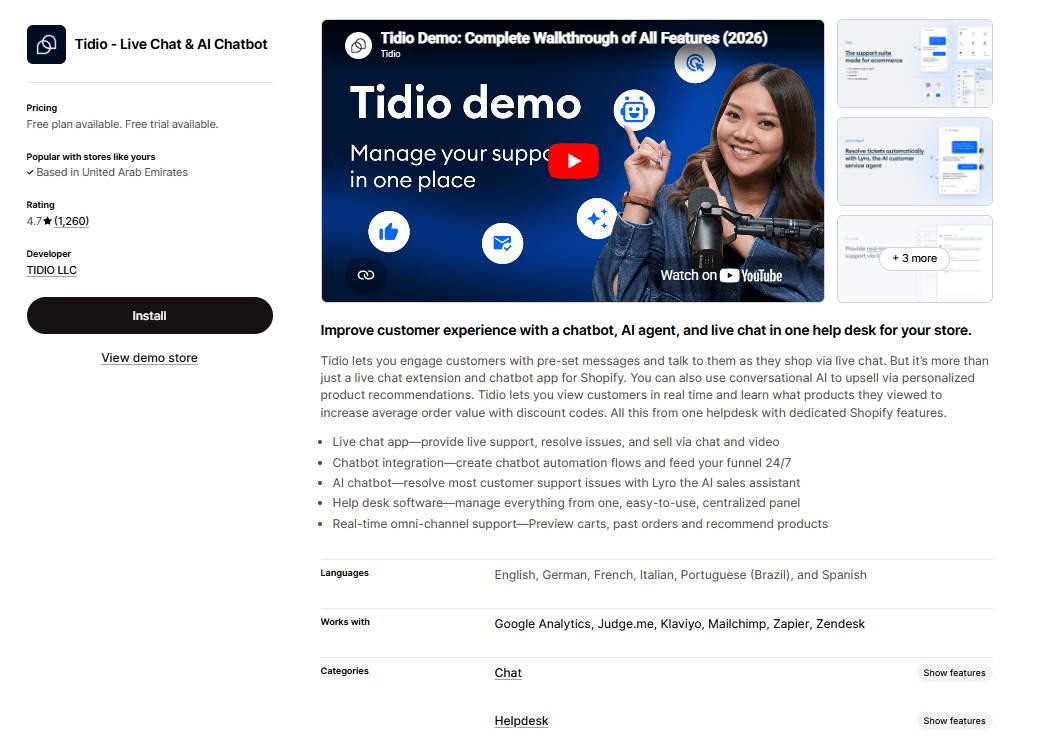
Best for: Shopify stores where on-site customer questions are a conversion bottleneck.
Tidio approaches the conversion problem from a different angle than the rest of this list. While every other tool here focuses on what happens after a customer leaves, Tidio works while they're still on your site.
The Lyro AI chatbot draws on your product catalog and store data to automatically answer questions, recommend products, and check order status. It handles repetitive, conversion-blocking queries that human agents shouldn't be spending time on.
The Shopify integration gives your support agents real-time visibility into a customer's cart and order history inside the chat panel. This makes every conversation contextual.
Pros:
Live chat agents can see a customer's cart contents and order history directly in the chat panel
The chat widget and basic automation flows can be live without a lengthy configuration process
Proactive chat triggers engage browsers before they leave, reducing bounce rates
Cons:
Lyro conversation limits can be depleted quickly by spam or high-traffic periods
Advanced reporting is limited compared to dedicated customer service platforms
Pricing:
Free plan available
Customer service: $29/month
Flows: $29/month
Lyro AI Chatbot: $39/month
AfterShip Email Marketing,SMS
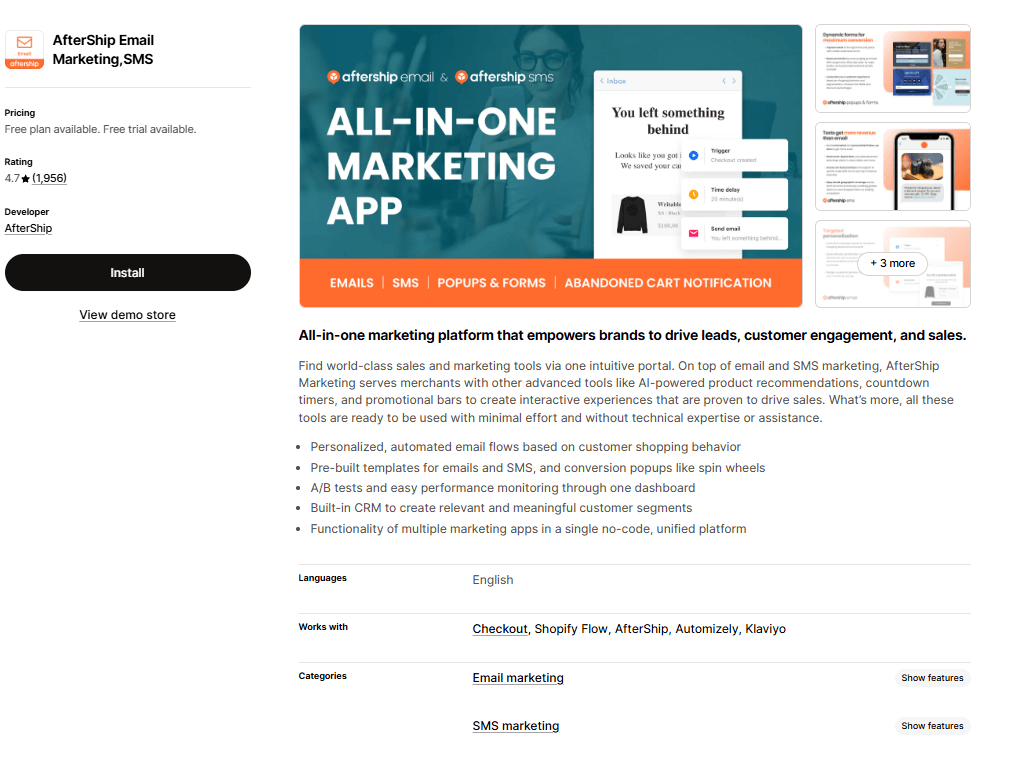
via AfterShip
Best for: Shopify stores that want to unify post-purchase communications and marketing automation in a single platform.
AfterShip closes the loop between shipping and marketing: two areas that most Shopify stores manage with separate, disconnected tools.
The order tracking product and the email and SMS marketing product sit under the same platform. So post-purchase notifications, shipping updates, and re-engagement campaigns all run from a single dashboard, with a consistent view of the customer.
The marketing side covers the full stack: personalized email flows, SMS automation, A/B testing, AI product recommendations, pop-up forms, countdown timers, and a built-in CRM for segmentation. All this with a no-code interface.
Pros:
Shipping notifications and marketing automation run from the same platform, so your post-purchase experience is consistent
The feature set covers email, SMS, pop-ups, product recommendations, and A/B testing in one place
Deep Shopify integration with customer behavior-triggered flows
Cons:
Discounts and promotional offers are automatically enabled when you install the app
Multiple merchants flag reliability issues during peak traffic periods
Pricing:
Free plan available
Essentials: $11/month
Pro: $119/month
Premium: $179/month
Avada Email Marketing
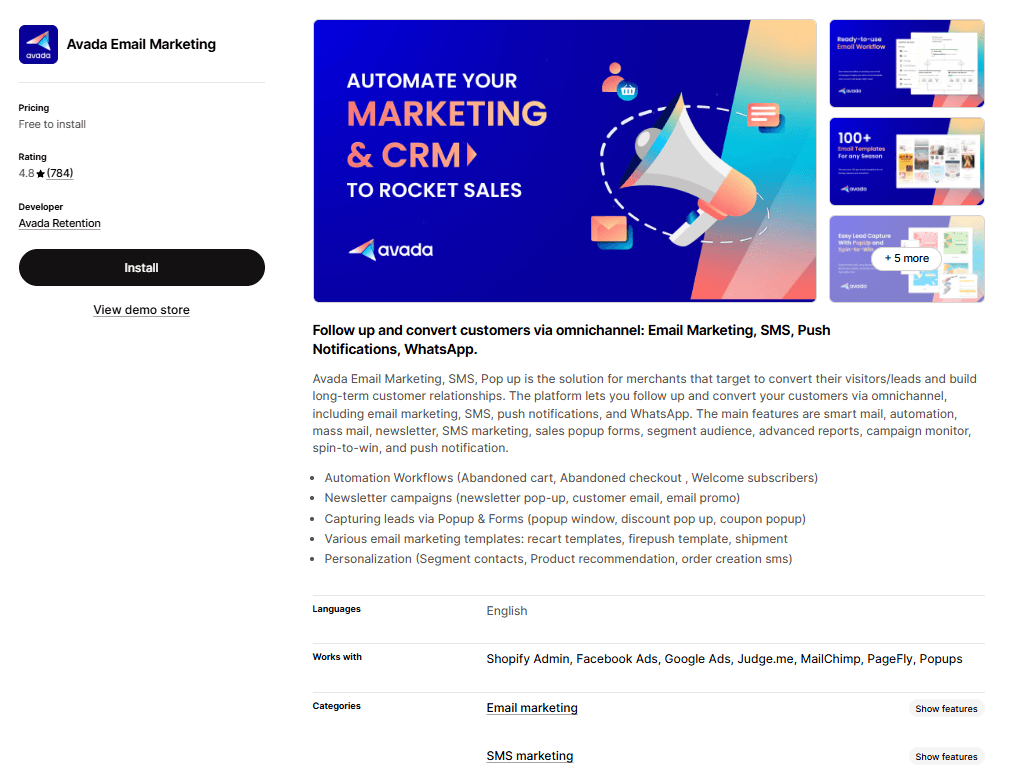
Best for: Small to mid-sized Shopify stores that want to run email, SMS, and push notification campaigns from one tool without deep automation logic.
Avada covers more communication channels than most tools at this price point: email, SMS, web push notifications, and WhatsApp. Which means you can run multi-channel campaigns without assembling a stack of separate apps.
Pre-built automation templates for abandoned cart, welcome, order confirmation, cross-sell, and win-back are included and connected to your Shopify data. The drag-and-drop email editor is accessible for teams without design resources. And the pop-up and exit-intent builder handles list growth without a separate tool.
Pros:
Covers email, SMS, push notifications, and WhatsApp in one platform
Beginner-friendly interface with drag-and-drop email editor
Includes a visual pop-up builder
Cons:
Less powerful automation logic compared to Omnisend, Drip, or ActiveCampaign
Segmentation capabilities are adequate but not deep
Pricing:
Free plan
Pro: $16/month
Advanced: $47/month
Seguno Email Marketing
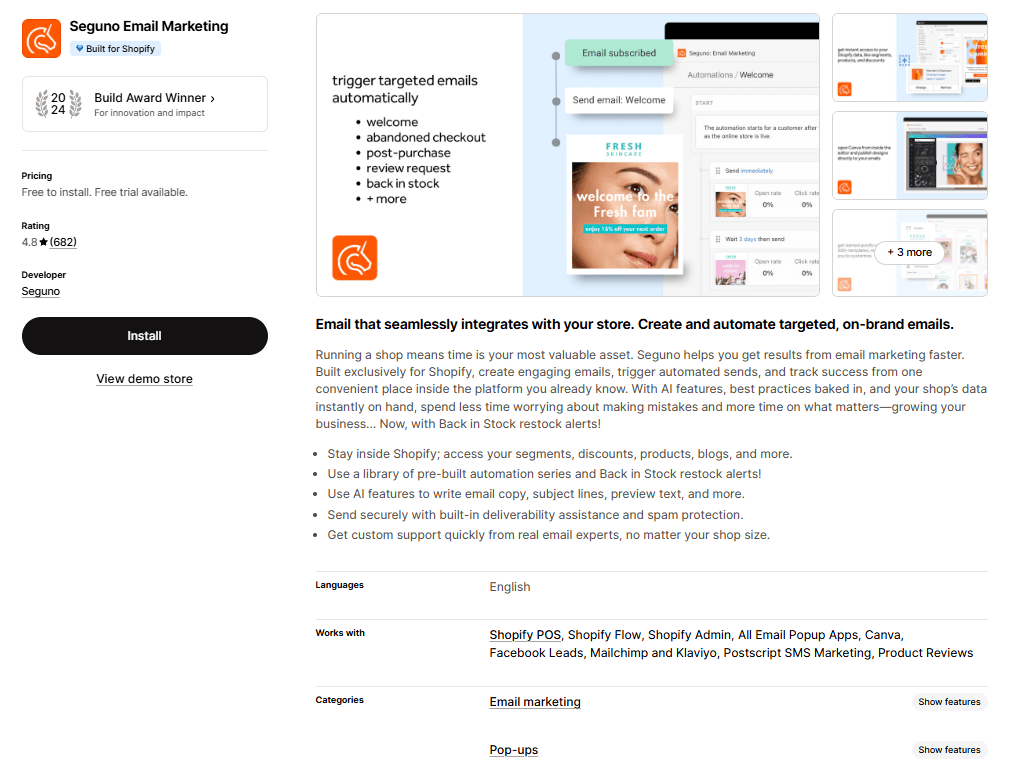
Best for: Small Shopify stores that want clean, simple email marketing that fits within their existing workflow.
Seguno does something none of the other tools on this list do: it runs entirely inside your Shopify admin. There's no separate login or syncing data between platforms. Your campaigns, automations, discount codes, and subscriber lists are all managed from the same dashboard you already use to run your store.
The Canva integration lets you design email visuals without leaving the workflow. Pre-built automations cover welcome, abandoned cart, back-in-stock, and post-purchase flows, and built-in deliverability monitoring actively helps you stay out of spam folders.
Pros:
Built-in deliverability monitoring and spam protection
Straightforward automation for all core Shopify scenarios
Handles Shopify-native discount code automation elegantly
Cons:
Shopify-only, not an option if you sell on multiple platforms
No SMS, push notifications, or multi-channel capability
Pricing:
Free plan available
Standard: $35/month
Professional: $215/month
Sendvio: Email & SMS Marketing
Best for: Shopify stores focused primarily on customer retention and repeat purchases.
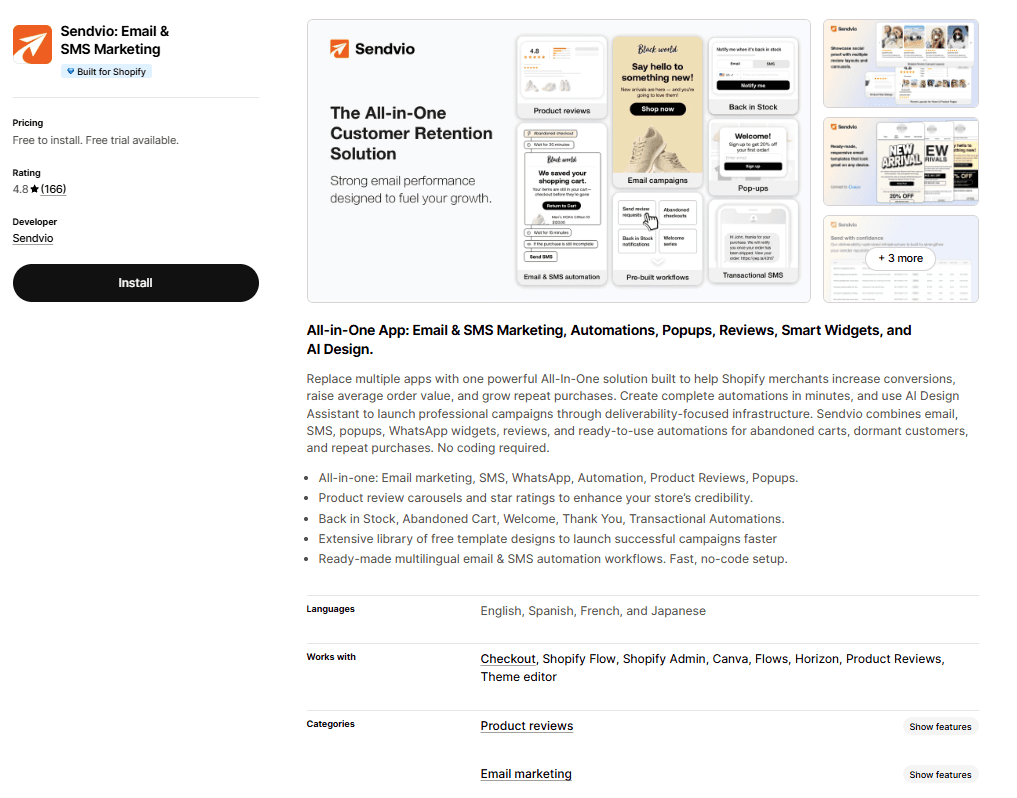
Sendvio is built for one job: turning Shopify's customer data into targeted, behavior-driven email and SMS campaigns that bring people back. It tracks browsing history, purchase patterns, and email engagement. Then uses that data to send messages that feel personal rather than broadcast.
The platform integrates directly with Shopify and is designed specifically around the re-engagement use case.
For stores where retention is the primary email goal rather than acquisition, Sendvio's focused approach often outperforms broader platforms that try to do everything.
Pros:
Behavior-driven workflows target customers based on real purchase and browsing patterns
Combines email and SMS in one platform
Easier to configure than enterprise platforms without sacrificing personalization depth
Cons:
Reporting and analytics are basic
Feature set isn't the widest: no pop-up builder, push notifications, or on-site tools
Pricing:
Free to install
Standard: $16/month
Pro: $39/month
How to Choose the Right Tool
With ten options on this list, the choice comes down to a few honest questions about where your store is and what you need.
Your situation | Recommended tool(s) |
Email only, simple setup, small Shopify store | Seguno or Sendvio |
Email + SMS together, scaling store | Omnisend, Drip, or AfterShip |
On-site live chat and real-time conversion optimization | Tidio |
Complex automation or need a CRM alongside email | ActiveCampaign |
DTC brand, want revenue attribution per flow, no CRM needed | Drip |
Best-in-class segmentation and predictive analytics, have a dedicated marketing function | Klaviyo |
Solo founder or small team, limited technical bandwidth | Omnisend or Avada |
List under 5,000 subscribers, cost is a priority | Seguno, Sendvio, or Avada |
List 5,000–50,000 subscribers, need predictable scaling costs | Omnisend or Drip |
Store above $5M revenue or running B2B alongside DTC | ActiveCampaign |
Setup and Implementation Tips
Getting a marketing automation tool installed is the easy part. Getting it to perform takes a specific sequence. Follow these steps in order:
Step | What to do | Why it matters |
1. Connect your store first | Complete the Shopify integration step before building any automations | Your workflows trigger off customer and order data without the connection; they fire blind or don't fire at all. |
2. Activate the four core automations | Launch abandoned cart, welcome series, post-purchase follow-up, and win-back before anything else | These four flows drive the majority of email-attributable revenue. |
3. Warm your sender domain | Start at 200–500 emails/day and scale up gradually over the first few weeks | Sending high volume from a new or switched domain immediately tanks your deliverability and can take months to recover. |
4. Segment before you scale | Set up at minimum: active buyers (last 90 days), engaged non-buyers, and lapsed customers (90+ days) | Sending the same message to your entire list hurts performance past 5,000 subscribers. Each segment needs different messaging. |
5. Test as a real customer | Place a test order, abandon a cart, sign up through your own form | Broken automations go unnoticed for weeks; a 15-minute walkthrough of your own customer journey catches most issues before they cost you. |
Common Mistakes to Avoid
These are the mistakes that erode deliverability, waste budget, and give you a false read on what's performing.
Choosing based on features you'll never use. A tool with 200 features you use three of isn't better than a tool with 40 features you use all of. Be honest about your actual level of complexity.
Neglecting deliverability. High open rates don't matter if your emails land in spam. Monitor bounce rates, maintain a clean list, and use a custom sending domain.
Over-automating too early. Ten half-built workflows with broken conditions are worse than three clean, well-tested ones. Build the core four automations first, get them performing well, then expand.
Ignoring unsubscribes and list hygiene. Sending to unengaged subscribers tanks your sender reputation. Scrub inactive subscribers quarterly.
Not tracking revenue attribution. If you don't know which automations are generating revenue, you can't improve them. Before you launch, make sure your analytics are set up to show attributed revenue per flow.
Setting automations and forgetting them. Automations are not a ‘set it and forget it’ channel. Check your flows monthly, update product recommendations, and refresh copy twice a year.
Compatibility with other Shopify Apps: Ensure that your marketing automation app blends with any other apps you are using for your Shopify Store for example, Free Gifting Campaigns, discounts upsells and Wishlists on Shopify.
Build the Stack for Your Shopify Store
Marketing automation only works when it matches the problem you're solving. If customers are leaving money on the table mid-session, fix that first. Monk handles upsells, cross-sells, and free gift offers at the point of purchase, which no email tool can replicate afterward.
Layer your email and SMS automation on top of that foundation, pick the tool that fits your list size and technical bandwidth, and resist the urge to over-stack. Start with the four core automations, measure what's generating revenue, and build from there.
FAQs
What is the easiest Shopify automation tool to use?
Seguno and Tidio are the most beginner-friendly tools on this list. Seguno runs entirely inside your Shopify admin, so there is no separate platform to learn. Tidio gets live chat and basic chatbot flows running with minimal configuration. For email and SMS combined, Omnisend is the most accessible full-featured option.
Do automation tools increase Shopify sales?
Yes, automation tools increase Shopify sales when set up correctly. If customers are leaving without buying more, Monk addresses that at the point of purchase through upsells, cross-sells, and free gift offers before anyone exits. Abandoned cart sequences recover revenue that would otherwise be lost. Welcome series drives immediate engagement from new subscribers. Post-purchase flows generate repeat purchases without any manual effort.
Can I automate Shopify discount campaigns?
Yes, you can automate Shopify discount campaigns using the tools on this list. Seguno connects directly to Shopify's discount engine, making it easy to insert unique auto-generated codes into emails. Omnisend and Drip both support dynamic discount codes inside automation workflows. Always use unique codes rather than a single shared code to track redemptions and prevent abuse.
Are Shopify automation tools beginner-friendly?
Yes, Shopify automation tools are beginner-friendly with varying degrees of hand-holding. Seguno and Monk have the lowest barrier to entry with template-driven setups and interfaces that stay close to Shopify. Omnisend is accessible to most users, though the onboarding curve is slightly steeper. ActiveCampaign and Drip require more time to set up well and suit marketers with some prior automation experience.
Do automation tools work with Shopify POS?
It depends on the tool whether it works with Shopify POS. Email automation tools sync with Shopify's customer database, which includes POS orders, so purchase-triggered flows will generally fire regardless of where the order originated. That said, not every tool explicitly supports POS events as triggers. Check the specific integration documentation before assuming full POS compatibility.
Can I automate abandoned cart reminders?
Yes, you can automate abandoned cart reminders. Monk works at the cart and checkout stage, surfacing upsells and incentives that give customers a reason to complete and expand their order. For customers who still leave, Omnisend, Drip, and AfterShip offer pre-built abandoned cart templates that are ready to activate.
Are free automation tools reliable?
Free plans are a reasonable starting point but come with limits. Omnisend's free plan includes all features but caps the number of sends. Seguno's free plan supports only a limited number of subscribers. They work well for testing your setup and validating workflows before scaling, but a paid plan is the practical choice once your store is doing meaningful volume.
Do automation tools require coding skills?
Automation tools don’t require coding skills. Drag-and-drop builders, pre-built templates, and visual workflow editors handle the setup without any code. Drip and ActiveCampaign both support Liquid templating for advanced personalization, if you want to go further, but coding is optional rather than required.
Can I automate customer follow-ups?
Yes, you can automate customer follow-ups. It is one of the highest-value use cases across these platforms. Post-purchase sequences covering review requests, cross-sell recommendations, and loyalty invitations are available across every tool here.
Do automation tools slow down my Shopify store?
No, automation tools will not slow down your Shopify store. Marketing automation tools run on the server and do not affect your storefront's page speed. The exception is on-site tools like Tidio's chat widget and Avada's pop-ups, which load JavaScript directly on your storefront. These should be implemented with deferred loading to avoid any impact on page load times.
9 Shopify Marketing Automation Tools Compared: Pricing, Features & Best Use Cases
Summary
Marketing automation in Shopify helps merchants increase conversions and average order value by triggering personalized offers based on customer behavior and purchase history. From real-time actions like product views and cart activity to past data like previous purchases and customer segments, automation enables targeted upsells, cross-sells, and retention campaigns. While Shopify offers limited native capabilities, apps provide advanced automation, segmentation, and execution. By combining behavior and history-based triggers, merchants can deliver relevant experiences that drive engagement, improve customer lifetime value, and scale revenue efficiently.
Running a Shopify store without marketing automation is like trying to fill a leaky bucket. You pour in effort, and it still drains faster than you can manage. Between abandoned carts, welcome sequences, free gift campaigns, post-purchase follow-ups, and re-engagement campaigns, there's simply too much to do manually at scale.
Which is why we’ve prepared a guide to Shopify marketing automation tools for you. They handle the repetitive, time-sensitive touchpoints in your customer journey so your team can focus on strategy, product, and growth.
What are Shopify Marketing Automation Tools?
Shopify marketing automation tools are apps and platforms that trigger personalized marketing actions like emails, SMS messages, chatbot conversations, and push notifications. They do it based on customer behavior in your store.
Instead of manually sending a follow-up email to every person who abandons their cart, you set up the workflow once, and it runs automatically whenever the trigger fires. These tools pull data directly from your Shopify store to send the right message at the right time.
Why Marketing Automation Matters for Shopify Stores
Automated emails generate significantly higher engagement than manual campaigns, abandoned cart sequences see open rates nearly 40% higher than standard broadcasts, and welcome series consistently outperform newsletters.
Shopify stores can lose the majority of their potential revenue to customers who almost bought but didn't return, or to loyal buyers who were never rewarded for their loyalty. Automation closes those gaps.
Welcome email series routinely outperform broadcast newsletters by a wide margin. And post-purchase flows often drive more repeat revenue than any paid channel.
Beyond revenue recovery, automation creates consistency. Every customer gets a professional, personalized experience regardless of whether your team is at their desk. That consistency is what separates stores that grow sustainably from ones that plateau.
For Shopify stores specifically, the advantage is even greater: most tools on this list integrate directly with Shopify's customer and order data, meaning your automations are powered by real purchase behavior.
Also read: How to increase the Average Order value of your Shopify store using Monk Free Gift BOGO & Upsell.
Features to Look for:
Before committing to any tool, look for these capabilities:
Shopify-native integration: The tool should sync seamlessly with your store. A clunky or incomplete integration results in broken triggers and missing data.
Pre-built automation workflows: You shouldn't have to build abandoned cart, welcome, and post-purchase flows from scratch. Look for tools with tested, ready-to-deploy templates.
Segmentation: Sending the same email to everyone is table stakes. Look for the ability to segment by purchase history, browsing behavior, lifecycle stage, and engagement level.
Multi-channel capability: Email is essential, but SMS, push notifications, and on-site chat all have their place. The best tools let you combine channels in a single workflow.
Revenue attribution: You should be able to see exactly which automations are generating revenue, not just opens and clicks.
Pricing that scales sensibly: Some tools are cheap to start but get expensive fast. Others charge based on contacts or sends. Know how the pricing model behaves as your list grows.
Deliverability and compliance: Good tools actively monitor your sender reputation, support double opt-in, and comply with GDPR and TCPA.
Best Shopify Marketing Automation Tools
Choose the tool that fits your needs:
Omnisend Email Marketing & SMS
Best for: Growing Shopify stores that want omnichannel automation without a dedicated marketing ops person to run it.
Unlike general-purpose platforms that bolt on ecommerce features, Omnisend's entire product is designed around how online stores operate. You get email, SMS, and web push notifications in one workflow.
It also delivers tight Shopify integration and a customer lifecycle map that helps you identify which customers are at risk of churning. Or which are worth doubling down on.
Omnisend sits squarely in the middle of the market: better than entry-level tools like Seguno or Avada and more affordable and accessible than Klaviyo. For most growing Shopify stores, that's the sweet spot.
Pros:
Deep, seamless Shopify integration with product catalog sync, real-time behavior tracking, and abandoned cart triggers
One-click abandoned cart, welcome series, browse abandonment, and post-purchase workflows
Strong A/B testing, dark mode preview, and AI-generated copy tools
Cons:
Limited design flexibility; not ideal for brands that need highly customized, pixel-perfect templates
No native CRM functionality; not a fit for stores with B2B or sales pipeline needs
Pricing:
Free plan
Standard: $16/ month per user
Pro: $59/month per user
Klaviyo: Email Marketing & SMS
Best for: Established Shopify and DTC brands with a dedicated marketing function that want the deepest customer data and segmentation available.
Klaviyo turns your Shopify store data into customer intelligence that no other platform at this price point can match. The Shopify integration syncs customer profiles, order history, browsing behavior, and cart data in real time. And the segmentation engine lets you build audiences with specificity.
You can build a segment like ‘customers who bought from a specific collection, have a predicted lifetime value above a threshold, and haven't opened an email in 30 days’. Then, have it update dynamically.
Pros:
The Shopify integration includes real-time behavioral data, predictive analytics
Pre-built flows for abandoned cart, welcome, post-purchase, win-back, and browse abandonment are ready to deploy and built around ecommerce conversion patterns
The platform's AI layer surfaces meaningful insights that let you act on customer behavior before it's too late
Cons:
Pricing scales aggressively as your list grows
Live chat support is only available on paid plans, and the learning curve for building complex flows and segmentation logic can be frustrating
Pricing:
Free plan
SMS: $15/month
Email: $20/month
ActiveCampaign Marketing
Best for: Shopify stores that operate a sales function alongside their ecommerce or any setup where a CRM and email automation need to live in the same place.
ActiveCampaign is what you reach for when email automation alone isn't enough. When you need a CRM to sit alongside your campaigns, tracking deals, scoring leads, and triggering sequences based on where someone sits in a sales pipeline.
For a Shopify store doing straightforward DTC email marketing, it's probably more than you need. But for stores that also manage wholesale accounts, B2B relationships, or a sales team alongside their ecommerce operation, nothing else on this list bridges those two worlds.
Pros:
Over 950 integrations, including Salesforce, Pipedrive, and all major ecommerce platforms
Excellent for multi-channel workflows: email, SMS, and WhatsApp are supported
Abandoned cart sequences and post-purchase automation are consistently praised by merchants
Cons:
Conditional branching isn't available on the Starter plan
Sales CRM automation is an add-on, not included in base marketing plans
Pricing:
Starter: $19/month
Plus: $59/month
Pro: $89/month
Enterprise: $159/month
Drip Email Automation & Popups
Best for: DTC and Shopify brands that have outgrown basic email tools and want clear revenue attribution.
Drip occupies a deliberate middle ground in the ecommerce email market. Its visual workflow runs the entire automation at a glance, lets you drag in conditions and branches, and shows how a customer moves through the flow.
Revenue attribution is also beneficial: Drip tells you which emails generated revenue, down to the workflow and campaign level. That changes how you make decisions. Pre-built playbooks for all core ecommerce scenarios (cart abandonment, welcome, post-purchase, browse abandonment, win-back) significantly reduce setup time.
Pros:
Native Shopify integration with product catalog drag-and-drop into emails
Real-time segmentation based on Shopify purchase and behavioral data
SMS available as a pay-as-you-go add-on
Cons:
Not well-suited for B2B, service businesses, or non-ecommerce use cases
The email template builder has some reported rendering quirks that require inbox testing
Pricing:
Starts at $39/month
Tidio ‑ Live Chat & AI Chatbot
Best for: Shopify stores where on-site customer questions are a conversion bottleneck.
Tidio approaches the conversion problem from a different angle than the rest of this list. While every other tool here focuses on what happens after a customer leaves, Tidio works while they're still on your site.
The Lyro AI chatbot draws on your product catalog and store data to automatically answer questions, recommend products, and check order status. It handles repetitive, conversion-blocking queries that human agents shouldn't be spending time on.
The Shopify integration gives your support agents real-time visibility into a customer's cart and order history inside the chat panel. This makes every conversation contextual.
Pros:
Live chat agents can see a customer's cart contents and order history directly in the chat panel
The chat widget and basic automation flows can be live without a lengthy configuration process
Proactive chat triggers engage browsers before they leave, reducing bounce rates
Cons:
Lyro conversation limits can be depleted quickly by spam or high-traffic periods
Advanced reporting is limited compared to dedicated customer service platforms
Pricing:
Free plan available
Customer service: $29/month
Flows: $29/month
Lyro AI Chatbot: $39/month
AfterShip Email Marketing,SMS
via AfterShip
Best for: Shopify stores that want to unify post-purchase communications and marketing automation in a single platform.
AfterShip closes the loop between shipping and marketing: two areas that most Shopify stores manage with separate, disconnected tools.
The order tracking product and the email and SMS marketing product sit under the same platform. So post-purchase notifications, shipping updates, and re-engagement campaigns all run from a single dashboard, with a consistent view of the customer.
The marketing side covers the full stack: personalized email flows, SMS automation, A/B testing, AI product recommendations, pop-up forms, countdown timers, and a built-in CRM for segmentation. All this with a no-code interface.
Pros:
Shipping notifications and marketing automation run from the same platform, so your post-purchase experience is consistent
The feature set covers email, SMS, pop-ups, product recommendations, and A/B testing in one place
Deep Shopify integration with customer behavior-triggered flows
Cons:
Discounts and promotional offers are automatically enabled when you install the app
Multiple merchants flag reliability issues during peak traffic periods
Pricing:
Free plan available
Essentials: $11/month
Pro: $119/month
Premium: $179/month
Avada Email Marketing
Best for: Small to mid-sized Shopify stores that want to run email, SMS, and push notification campaigns from one tool without deep automation logic.
Avada covers more communication channels than most tools at this price point: email, SMS, web push notifications, and WhatsApp. Which means you can run multi-channel campaigns without assembling a stack of separate apps.
Pre-built automation templates for abandoned cart, welcome, order confirmation, cross-sell, and win-back are included and connected to your Shopify data. The drag-and-drop email editor is accessible for teams without design resources. And the pop-up and exit-intent builder handles list growth without a separate tool.
Pros:
Covers email, SMS, push notifications, and WhatsApp in one platform
Beginner-friendly interface with drag-and-drop email editor
Includes a visual pop-up builder
Cons:
Less powerful automation logic compared to Omnisend, Drip, or ActiveCampaign
Segmentation capabilities are adequate but not deep
Pricing:
Free plan
Pro: $16/month
Advanced: $47/month
Seguno Email Marketing
Best for: Small Shopify stores that want clean, simple email marketing that fits within their existing workflow.
Seguno does something none of the other tools on this list do: it runs entirely inside your Shopify admin. There's no separate login or syncing data between platforms. Your campaigns, automations, discount codes, and subscriber lists are all managed from the same dashboard you already use to run your store.
The Canva integration lets you design email visuals without leaving the workflow. Pre-built automations cover welcome, abandoned cart, back-in-stock, and post-purchase flows, and built-in deliverability monitoring actively helps you stay out of spam folders.
Pros:
Built-in deliverability monitoring and spam protection
Straightforward automation for all core Shopify scenarios
Handles Shopify-native discount code automation elegantly
Cons:
Shopify-only, not an option if you sell on multiple platforms
No SMS, push notifications, or multi-channel capability
Pricing:
Free plan available
Standard: $35/month
Professional: $215/month
Sendvio: Email & SMS Marketing
Best for: Shopify stores focused primarily on customer retention and repeat purchases.
Sendvio is built for one job: turning Shopify's customer data into targeted, behavior-driven email and SMS campaigns that bring people back. It tracks browsing history, purchase patterns, and email engagement. Then uses that data to send messages that feel personal rather than broadcast.
The platform integrates directly with Shopify and is designed specifically around the re-engagement use case.
For stores where retention is the primary email goal rather than acquisition, Sendvio's focused approach often outperforms broader platforms that try to do everything.
Pros:
Behavior-driven workflows target customers based on real purchase and browsing patterns
Combines email and SMS in one platform
Easier to configure than enterprise platforms without sacrificing personalization depth
Cons:
Reporting and analytics are basic
Feature set isn't the widest: no pop-up builder, push notifications, or on-site tools
Pricing:
Free to install
Standard: $16/month
Pro: $39/month
How to Choose the Right Tool
With ten options on this list, the choice comes down to a few honest questions about where your store is and what you need.
Your situation | Recommended tool(s) |
Email only, simple setup, small Shopify store | Seguno or Sendvio |
Email + SMS together, scaling store | Omnisend, Drip, or AfterShip |
On-site live chat and real-time conversion optimization | Tidio |
Complex automation or need a CRM alongside email | ActiveCampaign |
DTC brand, want revenue attribution per flow, no CRM needed | Drip |
Best-in-class segmentation and predictive analytics, have a dedicated marketing function | Klaviyo |
Solo founder or small team, limited technical bandwidth | Omnisend or Avada |
List under 5,000 subscribers, cost is a priority | Seguno, Sendvio, or Avada |
List 5,000–50,000 subscribers, need predictable scaling costs | Omnisend or Drip |
Store above $5M revenue or running B2B alongside DTC | ActiveCampaign |
Setup and Implementation Tips
Getting a marketing automation tool installed is the easy part. Getting it to perform takes a specific sequence. Follow these steps in order:
Step | What to do | Why it matters |
1. Connect your store first | Complete the Shopify integration step before building any automations | Your workflows trigger off customer and order data without the connection; they fire blind or don't fire at all. |
2. Activate the four core automations | Launch abandoned cart, welcome series, post-purchase follow-up, and win-back before anything else | These four flows drive the majority of email-attributable revenue. |
3. Warm your sender domain | Start at 200–500 emails/day and scale up gradually over the first few weeks | Sending high volume from a new or switched domain immediately tanks your deliverability and can take months to recover. |
4. Segment before you scale | Set up at minimum: active buyers (last 90 days), engaged non-buyers, and lapsed customers (90+ days) | Sending the same message to your entire list hurts performance past 5,000 subscribers. Each segment needs different messaging. |
5. Test as a real customer | Place a test order, abandon a cart, sign up through your own form | Broken automations go unnoticed for weeks; a 15-minute walkthrough of your own customer journey catches most issues before they cost you. |
Common Mistakes to Avoid
These are the mistakes that erode deliverability, waste budget, and give you a false read on what's performing.
Choosing based on features you'll never use. A tool with 200 features you use three of isn't better than a tool with 40 features you use all of. Be honest about your actual level of complexity.
Neglecting deliverability. High open rates don't matter if your emails land in spam. Monitor bounce rates, maintain a clean list, and use a custom sending domain.
Over-automating too early. Ten half-built workflows with broken conditions are worse than three clean, well-tested ones. Build the core four automations first, get them performing well, then expand.
Ignoring unsubscribes and list hygiene. Sending to unengaged subscribers tanks your sender reputation. Scrub inactive subscribers quarterly.
Not tracking revenue attribution. If you don't know which automations are generating revenue, you can't improve them. Before you launch, make sure your analytics are set up to show attributed revenue per flow.
Setting automations and forgetting them. Automations are not a ‘set it and forget it’ channel. Check your flows monthly, update product recommendations, and refresh copy twice a year.
Compatibility with other Shopify Apps: Ensure that your marketing automation app blends with any other apps you are using for your Shopify Store for example, Free Gifting Campaigns, discounts upsells and Wishlists on Shopify.
Build the Stack for Your Shopify Store
Marketing automation only works when it matches the problem you're solving. If customers are leaving money on the table mid-session, fix that first. Monk handles upsells, cross-sells, and free gift offers at the point of purchase, which no email tool can replicate afterward.
Layer your email and SMS automation on top of that foundation, pick the tool that fits your list size and technical bandwidth, and resist the urge to over-stack. Start with the four core automations, measure what's generating revenue, and build from there.
FAQs
What is the easiest Shopify automation tool to use?
Seguno and Tidio are the most beginner-friendly tools on this list. Seguno runs entirely inside your Shopify admin, so there is no separate platform to learn. Tidio gets live chat and basic chatbot flows running with minimal configuration. For email and SMS combined, Omnisend is the most accessible full-featured option.
Do automation tools increase Shopify sales?
Yes, automation tools increase Shopify sales when set up correctly. If customers are leaving without buying more, Monk addresses that at the point of purchase through upsells, cross-sells, and free gift offers before anyone exits. Abandoned cart sequences recover revenue that would otherwise be lost. Welcome series drives immediate engagement from new subscribers. Post-purchase flows generate repeat purchases without any manual effort.
Can I automate Shopify discount campaigns?
Yes, you can automate Shopify discount campaigns using the tools on this list. Seguno connects directly to Shopify's discount engine, making it easy to insert unique auto-generated codes into emails. Omnisend and Drip both support dynamic discount codes inside automation workflows. Always use unique codes rather than a single shared code to track redemptions and prevent abuse.
Are Shopify automation tools beginner-friendly?
Yes, Shopify automation tools are beginner-friendly with varying degrees of hand-holding. Seguno and Monk have the lowest barrier to entry with template-driven setups and interfaces that stay close to Shopify. Omnisend is accessible to most users, though the onboarding curve is slightly steeper. ActiveCampaign and Drip require more time to set up well and suit marketers with some prior automation experience.
Do automation tools work with Shopify POS?
It depends on the tool whether it works with Shopify POS. Email automation tools sync with Shopify's customer database, which includes POS orders, so purchase-triggered flows will generally fire regardless of where the order originated. That said, not every tool explicitly supports POS events as triggers. Check the specific integration documentation before assuming full POS compatibility.
Can I automate abandoned cart reminders?
Yes, you can automate abandoned cart reminders. Monk works at the cart and checkout stage, surfacing upsells and incentives that give customers a reason to complete and expand their order. For customers who still leave, Omnisend, Drip, and AfterShip offer pre-built abandoned cart templates that are ready to activate.
Are free automation tools reliable?
Free plans are a reasonable starting point but come with limits. Omnisend's free plan includes all features but caps the number of sends. Seguno's free plan supports only a limited number of subscribers. They work well for testing your setup and validating workflows before scaling, but a paid plan is the practical choice once your store is doing meaningful volume.
Do automation tools require coding skills?
Automation tools don’t require coding skills. Drag-and-drop builders, pre-built templates, and visual workflow editors handle the setup without any code. Drip and ActiveCampaign both support Liquid templating for advanced personalization, if you want to go further, but coding is optional rather than required.
Can I automate customer follow-ups?
Yes, you can automate customer follow-ups. It is one of the highest-value use cases across these platforms. Post-purchase sequences covering review requests, cross-sell recommendations, and loyalty invitations are available across every tool here.
Do automation tools slow down my Shopify store?
No, automation tools will not slow down your Shopify store. Marketing automation tools run on the server and do not affect your storefront's page speed. The exception is on-site tools like Tidio's chat widget and Avada's pop-ups, which load JavaScript directly on your storefront. These should be implemented with deferred loading to avoid any impact on page load times.
Manya Jain
Guest Writer
A Shopify and ecommerce writer passionate about simplifying complex topics into actionable, data-backed content for merchants and online businesses.
Contents
Related Articles
7 Best Shopify BOGO Apps (2026): Features, Comparison & Reviews
10 Best Shopify Buy X Get Y Apps in 2026
10 Best Shopify Upsell Apps to Increase AOV in 2026 (Free & Paid)
Get Monk Free Gift app for just $1/month this Black Friday
First month: $1 after your 7-day free trial. All features included. Offer live!
Claim offer now

Get Monk Free Gift app for just $1/month this Black Friday
First month: $1 after your 7-day free trial. All features included. Offer live!
Claim offer now
Get Monk Free Gift app for just $1/month this Black Friday
First month: $1 after your 7-day free trial. All features included. Offer live!
Claim offer now