10 Best Shopify Upsell Apps to Increase AOV in 2026 (Free & Paid)
Summary
Shopify upsell apps increase average order value by encouraging customers to add more items through product recommendations, bundles, cart incentives, and post purchase offers. This guide compares the best Shopify upsell apps in 2026, covering tools for product page, cart, checkout, and post purchase stages. It explains key features, pricing models, and use cases, along with practical factors like performance, targeting, and ease of setup that influence conversions and revenue growth.

Key Takeaways
Shopify upsell apps increase average order value by encouraging customers to add more items through product recommendations, bundles, cart incentives, and post purchase offers. This guide compares the best Shopify upsell apps in 2026, covering tools for product page, cart, checkout, and post purchase stages. It explains key features, pricing models, and use cases, along with practical factors like performance, targeting, and ease of setup that influence conversions and revenue growth.
Upselling is a simple way to grow your Shopify store without spending more on ads. Instead of bringing in more visitors, you get each customer to spend a little more. This can be as simple as suggesting a related product, offering a small discount, or showing a deal after checkout. When done right, upselling on Shopify can increase your average order value (AOV) by 20 to 45%, directly boosting your store’s revenue.
The main challenge in upselling is choosing the right app. Some apps keep it simple, while others help you build complete Shopify upsell funnels across the customer journey. Tools like Monk combine different upsell strategies in one place, making it easier to test what works.
In this guide, we’ll go through the 10 best Shopify upsell and cross-sell apps to help you find the right fit for your store. We have included both paid and free Shopify upsell tools to help you get started without upfront cost.
What are Shopify Upsell Apps?
Shopify upsell apps help you increase your average order value (AOV) by encouraging customers to buy more during their purchase journey.
They work as Shopify product recommendation apps that show relevant offers at the right time, such as suggesting related products, offering bundles, or offering discounts. For example, a customer buying a laptop might see an offer for a mouse or a “buy 2, get 1 free” deal.
These apps can place offers across different stages on Shopify:
Product page (e.g., frequently bought together)
Cart (using Shopify cart upsell features like add-ons, discounts, or free gift thresholds)
Post-purchase (e.g., one-click upsells after checkout)
Why Upsell Apps Are Essential For Shopify Stores
Upsell apps are a key part of Shopify conversion optimization apps. Instead of spending more on ads, you make more from the customers you already have. They directly improve your average order value (AOV) by encouraging customers to add more items or choose better options. For example, a simple offer like “Add this for 20% off” or “Unlock a free gift above $200” can push customers to spend more.
They also improve the shopping experience when done right. Showing relevant products, like accessories or complementary items, helps customers find what they need faster instead of searching for it.
Another key benefit is automation. Upsell apps use rules or AI to show the right offer at the right time, whether it’s on the product page, cart, or after checkout.
10 Best Shopify Upsell Apps (2026)
Overview
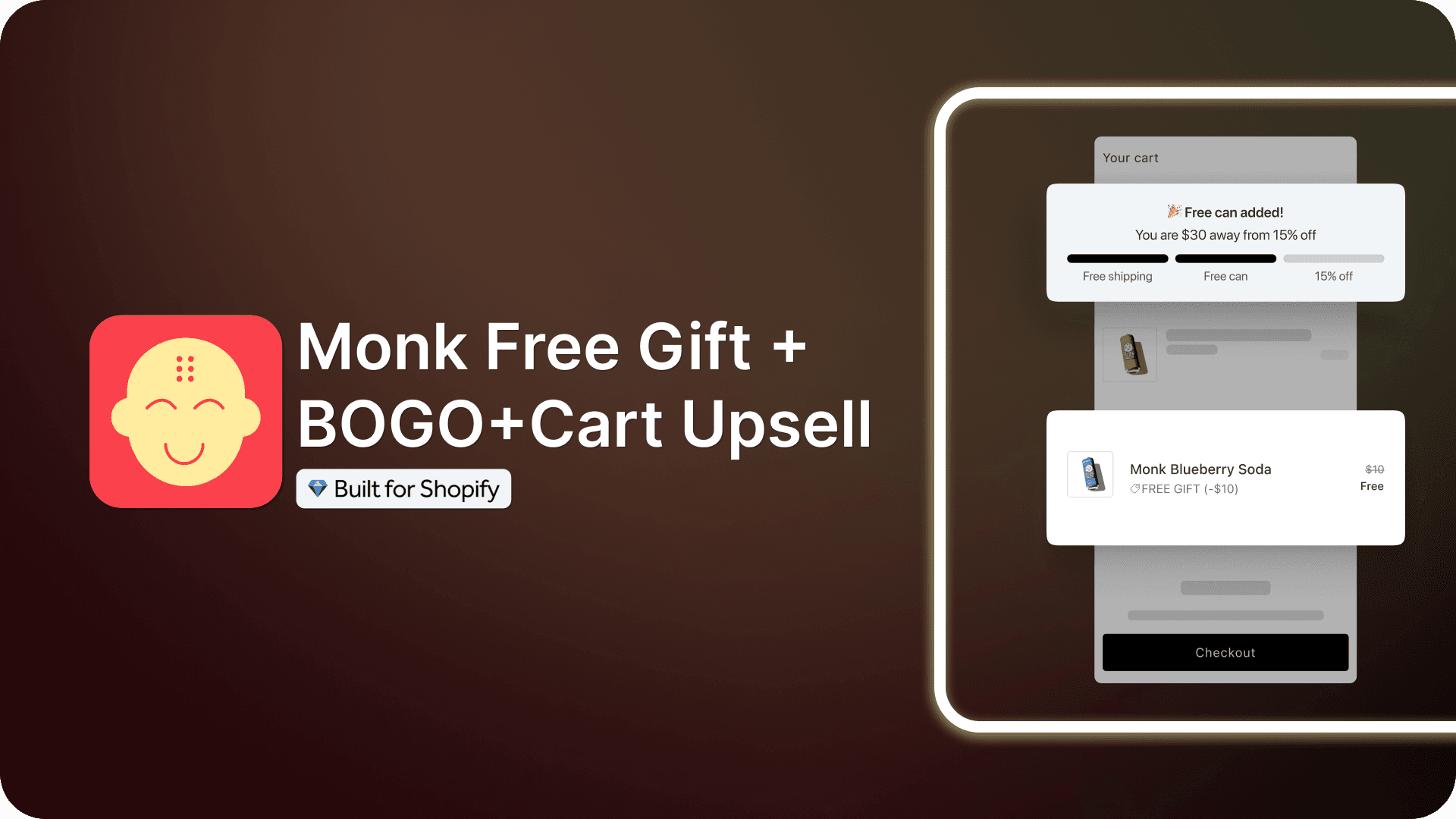
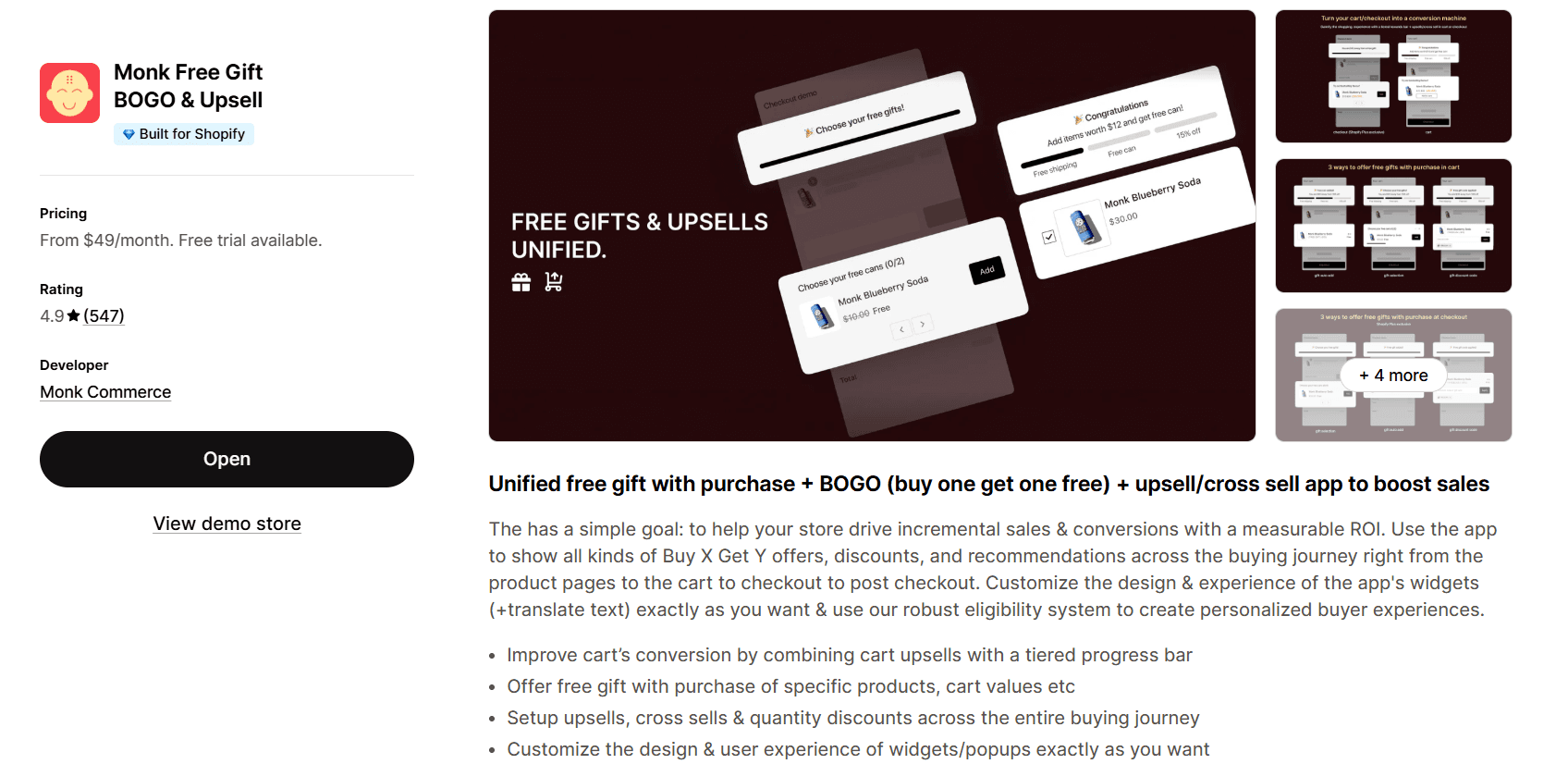
Monk Free Gift is an all-in-one upsell and promotion app designed to increase revenue across the entire customer journey. It combines upsells, cross-sells, free gifts, BOGO offers, and cart incentives into one system, with a strong focus on reward-based upselling and flexible targeting.
Rating
4.9⭐(547)
Key features
Cart upsells & product bundles to increase order value
Smart recommendations based on cart and customer data
Free gifts, BOGO, and tiered rewards (e.g., “Spend $50 more to unlock a gift”)
Flexible rules (cart value, products, customer tags, etc.)
Placement across all stages (product page, cart, checkout, post-purchase)
Easy integration with Shopify themes and full design customization
Built-in analytics to track performance and ROI
Pros
True all-in-one system (upsells, bundles, free gifts, rewards)
Strong reward-based incentives (progress bars, tiered offers)
Highly flexible targeting and personalization
Works across the full funnel
Customizable design that fits your store
Clear analytics and revenue tracking
Cons
Can feel complex if you only need basic upsells
Requires some initial setup and rule configuration
Monk Upsell is best for stores that want to manage upsells, cross-sells, free gifts, and cart incentives in one unified system.
Upsell.com ‑ ReConvert Upsell
Overview
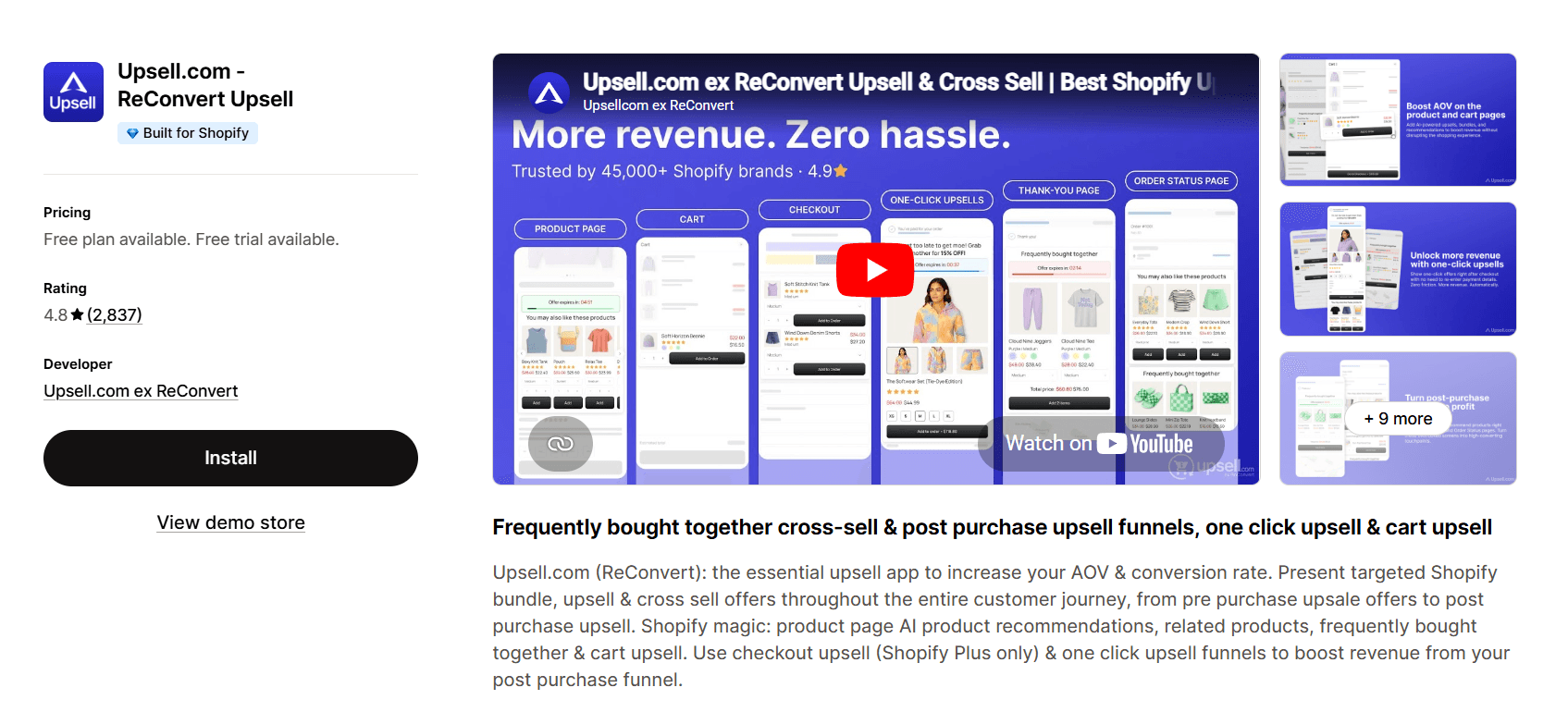
ReConvert focuses on post-purchase upsell Shopify strategies. The app lets customers add products after checkout without re-entering payment details. It’s ideal for increasing order value from existing buyers, with flexible customization.
Rating
4.8⭐ (2,837)
Pros
Strong post-purchase upsells without requiring payment re-entry
Works without Shopify Plus (advanced features accessible to all stores)
Specialized in thank-you page customization and upsell funnels
Combines upsells into a single order (clean backend handling)
Built-in analytics to track upsell performance clearly
Fast setup with reliable customer support
Cons
May display third-party/affiliate ads on thank-you page, hurting the brand trust
Charges based on total order volume, not actual upsell usage
Costs can exceed generated revenue if not monitored closely
Limited pricing transparency; users report unexpected charges
Major updates may require rebuilding upsell funnels from scratch
Upsell & Cross Sell — Selleasy
Overview
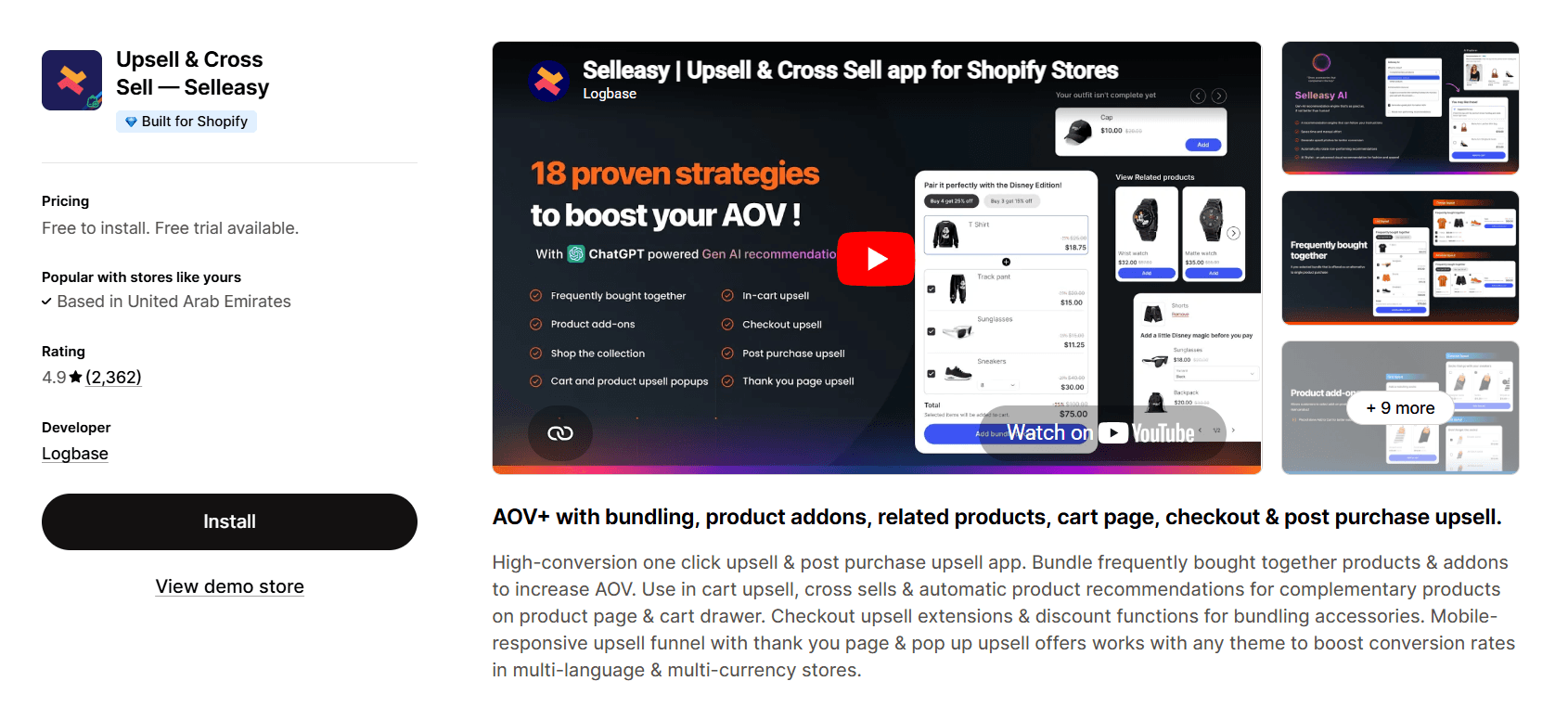
Selleasy is a low-cost upsell app focused on easy setup and Amazon-style bundling. It offers multiple widgets for different placements (product, cart, checkout, post-purchase), making it easy to add upsells across the funnel without slowing down your store. Best suited for stores that want simple, affordable upsells with minimal manual work.
Rating
4.9⭐ (2,362)
Pros
Affordable, scalable pricing (free tier for small stores)
Strong Amazon-style frequently bought together bundles
Uses real order data for automatic product recommendations (less manual setup)
Multiple widget placements across product, cart, and post-purchase
Lightweight app (minimal impact on store speed)
Simple interface with decent customization options
Generally helpful support, though not always consistent
Cons
Charges based on total orders, not upsell-generated revenue
Pop-up upsells may freeze or disrupt checkout (risk of lost sales)
Support quality can be inconsistent in some cases
Limited handling for pre-order product add-ons
Cannot reliably re-show skipped add-ons in cart
Not the most reliable option for high-volume stores
Aftersell Post Purchase Upsell
Overview
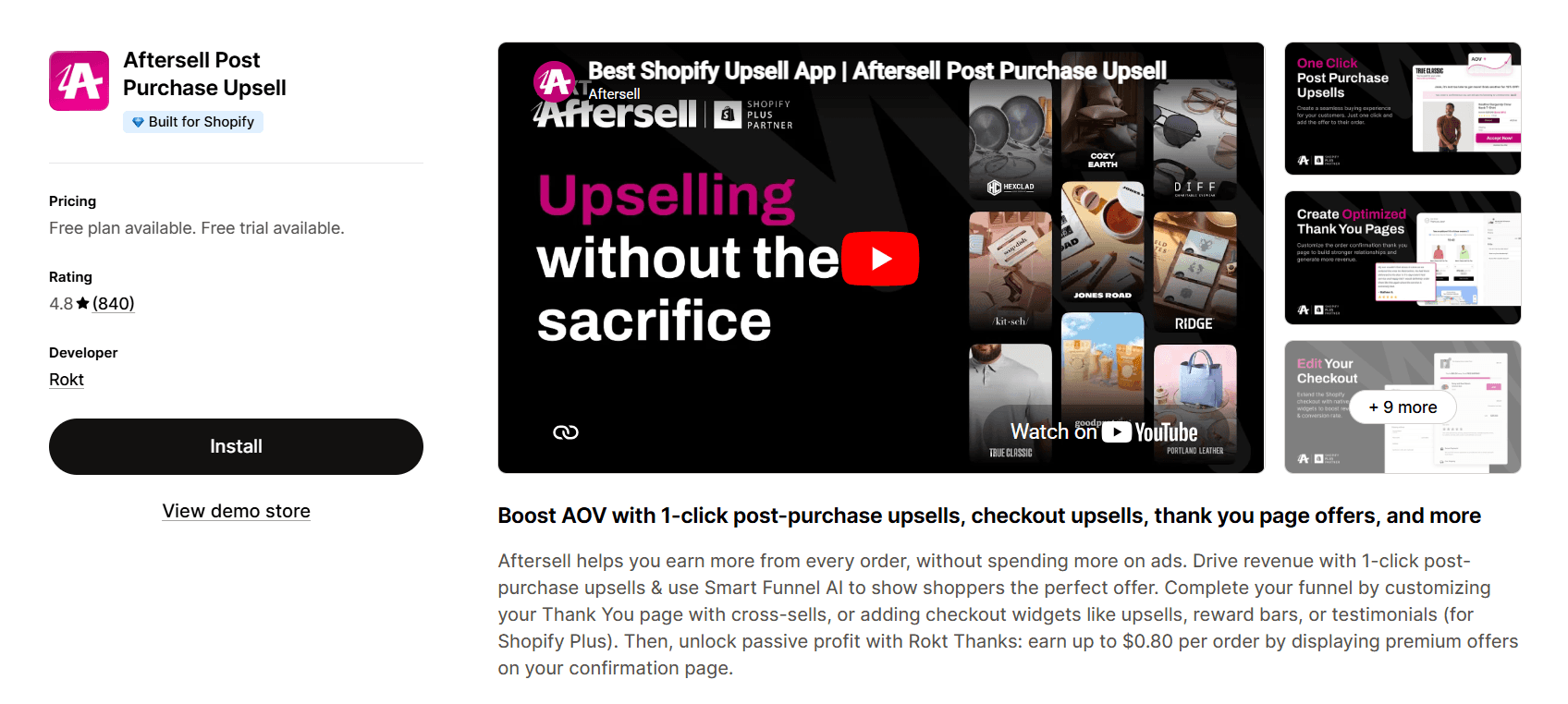
AfterSell is a high-end upsell app focused on post-purchase and checkout upsells (for Shopify Plus). It lets you show multiple one-click upsells in sequence after checkout, without customers re-entering payment details. You can also monetize the thank-you page with targeted offers and partner ads (via Rokt). Best suited for brands that want maximum revenue per order with deep control and customization.
Rating
4.8⭐ (840)
Pros
Supports multiple one-click upsells in sequence (higher revenue per order)
Strong post-purchase upsells without requiring payment re-entry
Checkout upsells and order bumps (Shopify Plus only)
Highly customizable thank-you page (offers, reviews, cross-sells)
Advanced targeting based on cart, customer data, UTM, etc.
Rokt integration to earn extra revenue via post-purchase partner offers
Clean UI with solid analytics and testing capabilities
Cons
Post-purchase upsells don’t work with Shop Pay, Apple Pay, or Google Pay (Shopify limitation)
Limited manual control for product page upsells (relies on auto recommendations)
Issues with multi-currency and multi-language support
Support can be slow or inconsistent in some cases
Variant limitations (issues with products having many variants)
Not ideal for stores needing broad payment compatibility or simple setup
One Click Upsell ‑ Zipify OCU
Overview
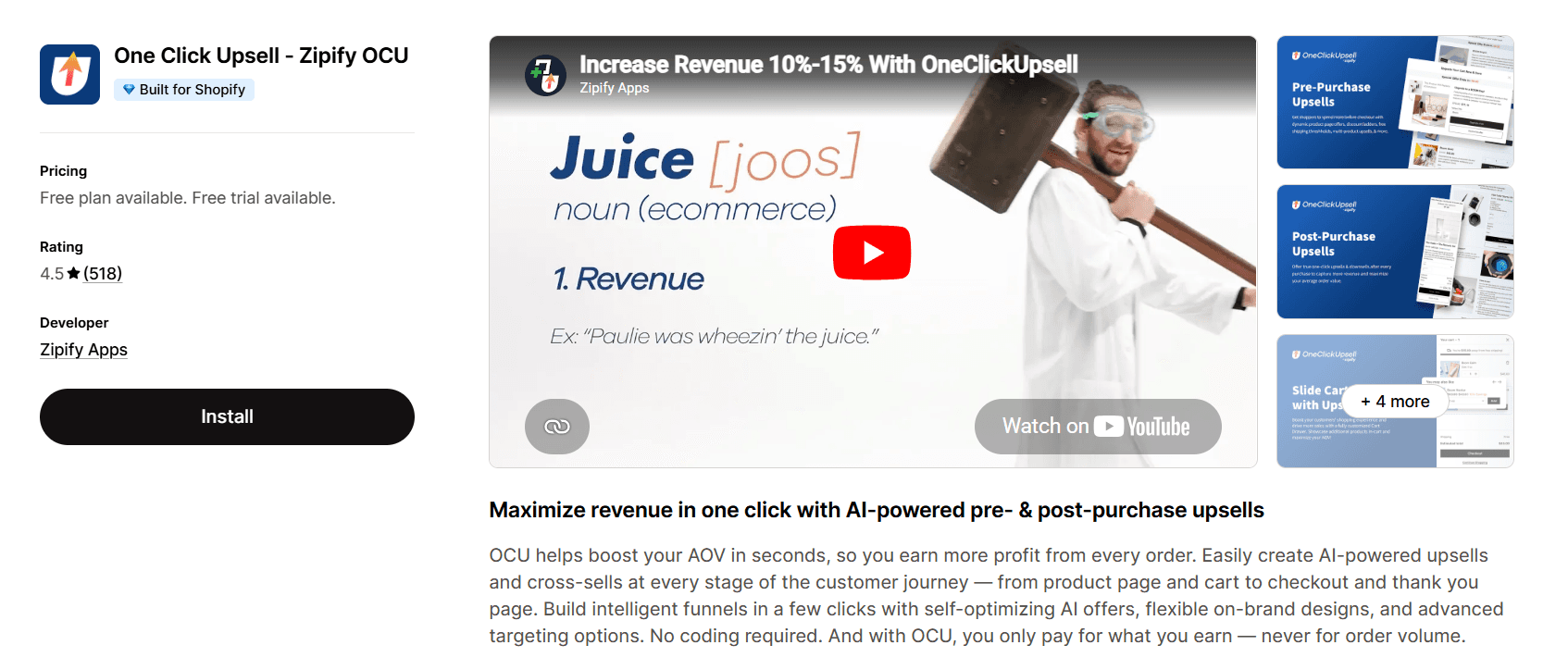
Zipify OCU is a performance-based upsell app that lets you build full-funnel upsells and pay only on the revenue it generates. It stands out with pre-built funnels and a strong template library, making it easy to launch upsells across product, cart, checkout, and post-purchase in minutes. Best for stores that want quick wins without upfront cost risk.
Rating
4.5⭐ (518)
Pros
Pay only for upsell revenue generated (no order-based pricing)
Pre-built funnels + template library (fast, no-code setup)
Covers entire funnel (product page to post-purchase)
Built-in cart drawer and upsell widgets
Easy to set up with customizable, on-brand designs
Cons
Risk of duplicate or incorrect orders (major UX and revenue impact)
Tracking inaccuracies (e.g., counting failed payments as conversions)
Limited or unreliable conversion pixel tracking integrations
AI recommendations can suggest irrelevant or duplicate products
Can become expensive at scale (commission-based pricing)
Candy Rack All‑in‑One Upsell
Overview
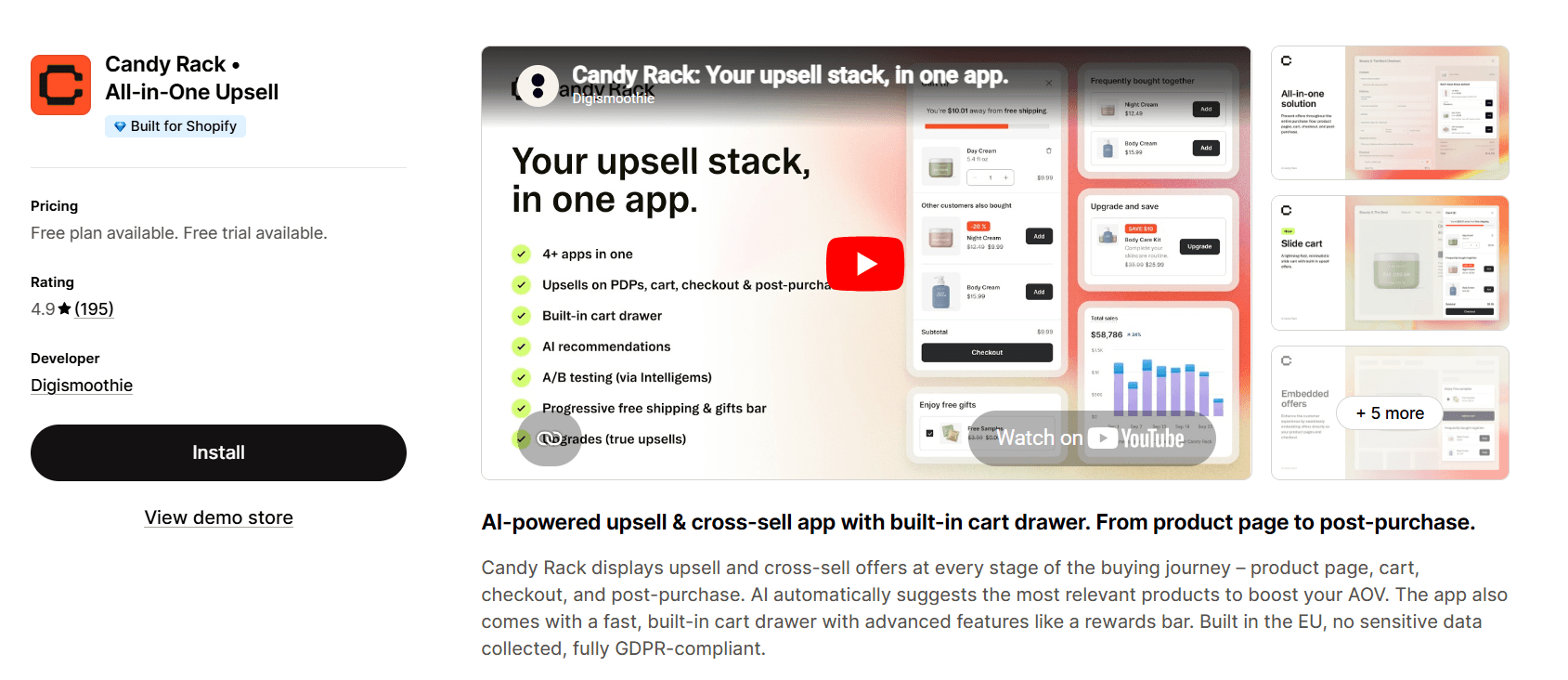
Candy Rack is a design-first upsell app that focuses on native-looking offers across the entire customer journey, from product page to post-purchase. It stands out for its clean UI, fast slide cart, and seamless theme integration, making it ideal for brands that care about visual consistency and performance.
Rating
4.9⭐ (195)
Pros
Covers full funnel (product, cart, checkout, post-purchase)
Design-focused widgets that blend naturally with your store
Fast slide cart with built-in upsells (no extra apps needed)
AI-powered product suggestions for quick setup
Flexible placement options across multiple touchpoints
Easy to use with minimal setup required
Strong performance with minimal impact on store speed
Supports multi-language stores
Cons
Multi-quantity discount issues may require manual adjustments after upsells
Pricing can be higher for growing stores (order-based tiers)
Frequently Bought Together CBB
Overview
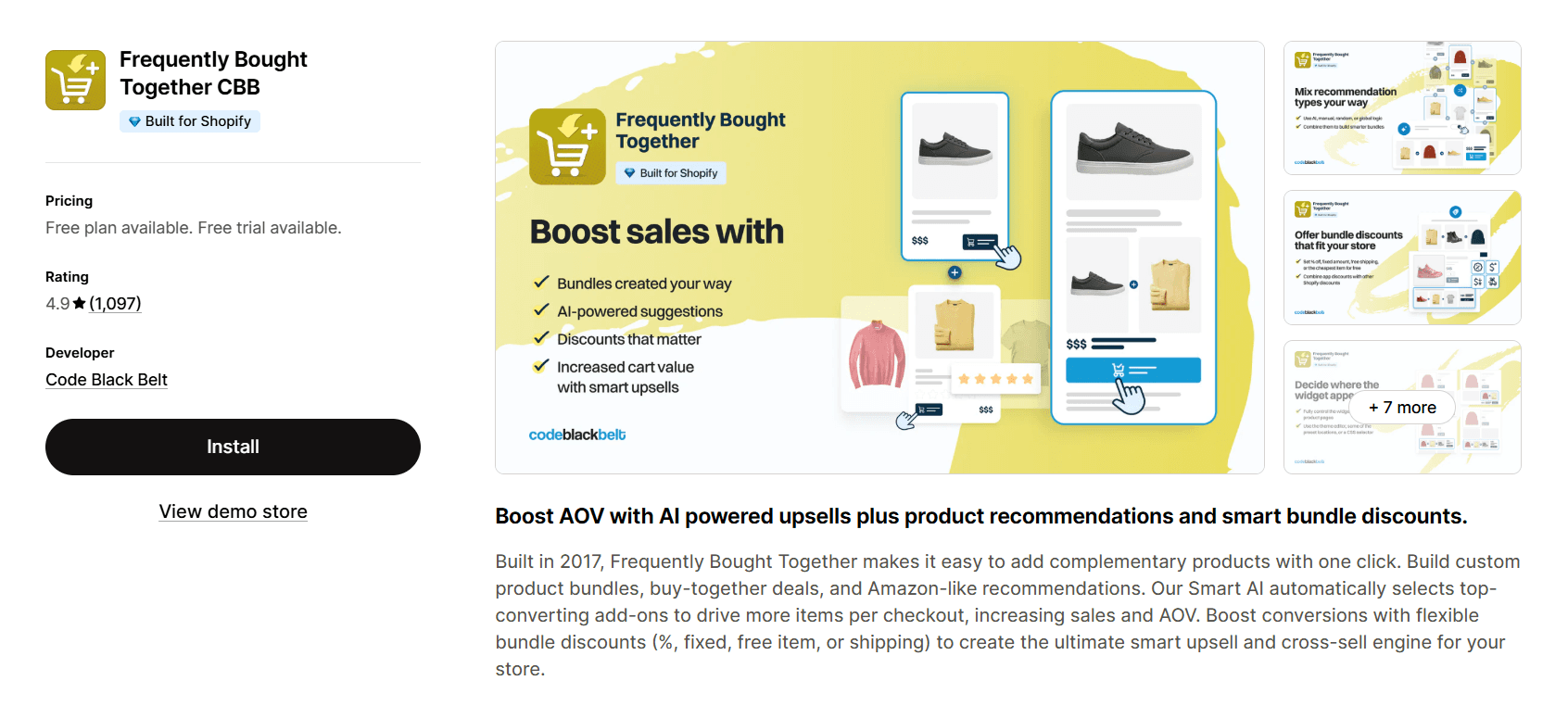
Frequently Bought Together is a bundle-first upsell app that focuses on increasing items per order through high-converting product bundles. It uses purchase history data to suggest products commonly bought together, allowing customers to add multiple items to their cart in one click. Best for stores that want simple, reliable bundling without building complex upsell funnels.
Rating
4.9⭐ (1,097)
Pros
Strong data-driven bundling based on real purchase behavior
Proven Amazon-style “frequently bought together” experience
Supports both AI-driven and manual bundle creation
One-click add-to-cart for multiple products (boosts order size)
Flexible bundle discounts (%, fixed, free item, free shipping)
Flat pricing (no revenue share, unlimited usage)
Runs largely on autopilot once set up (low maintenance)
Clean, customizable widget with solid performance
Cons
Works only on product pages (no cart, checkout, or post-purchase upsells)
Manual bundle setup can be confusing initially
Limited if you need full-funnel upsell strategies
Not suitable for stores focused on cart or post-purchase optimization
iCart Cart Drawer Cart Upsell
Overview
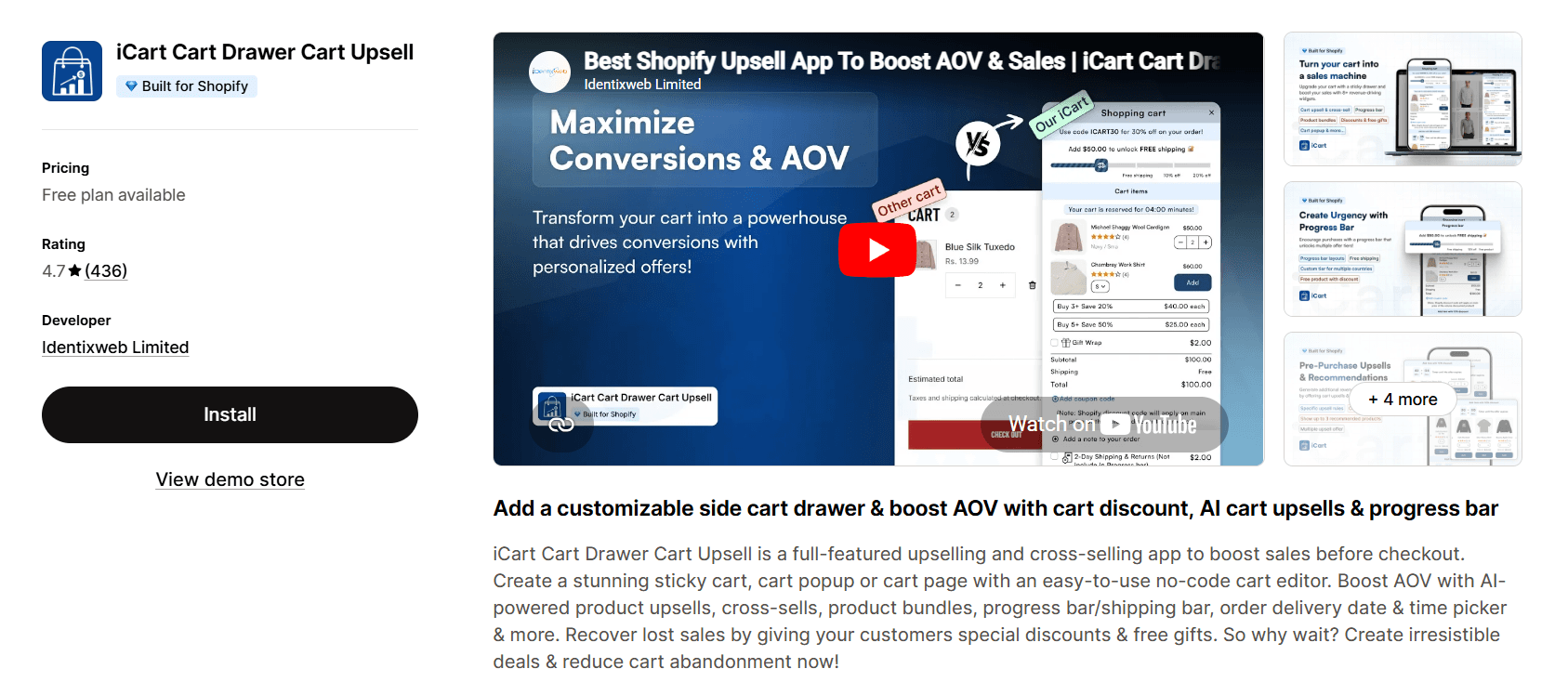
iCart is a cart conversion-focused upsell app that uses discount-driven incentives like progress bars, tiered offers, and urgency to increase cart value right before checkout. Instead of complex funnels, it focuses on motivating customers to spend more in the cart stage.
Rating
4.7⭐ (436)
Pros
Strong cart-level upsells and cross-sells (right before checkout)
Progress bar + tiered discounts (key driver for increasing AOV)
Supports cart discounts (BOGO, volume discounts, free gifts)
Customizable cart drawer, popup, and full cart page
Helps reduce cart abandonment with incentives and urgency
Easy to use with a no-code editor
Works well with Ajax carts and dynamic updates
Cons
Code may remain after uninstall, requiring manual cleanup
Risk of theme/code conflicts in some stores
Occasional bugs in discount logic (e.g., tiered discounts not applying correctly)
Limited support for custom product attributes/options
Works only at the cart stage (no product page or post-purchase upsells)
Not ideal for stores needing low-risk, highly stable setups
Honeycomb Upsell & Cross Sell
Overview
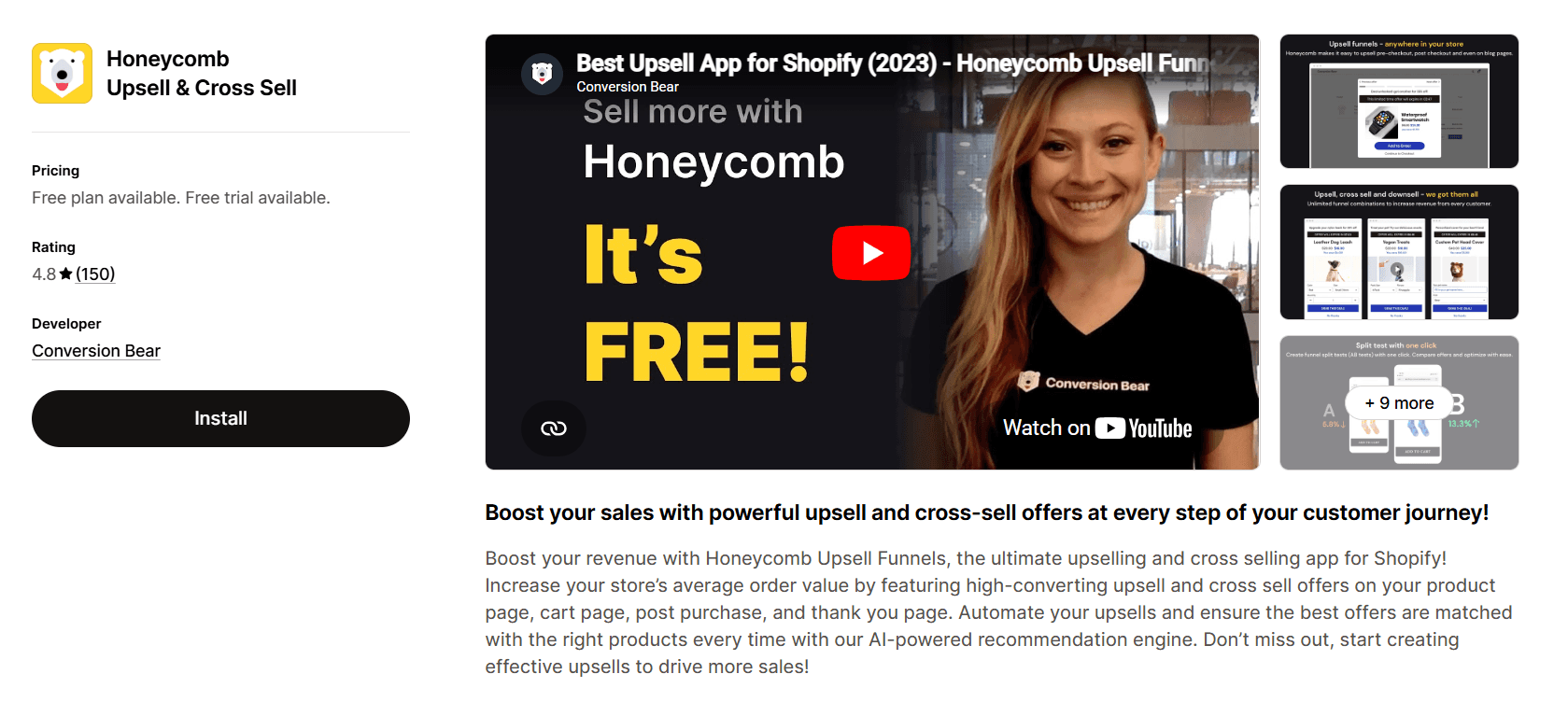
Honeycomb Upsell is a funnel-based upsell app designed for multi-step conversion flows across product page, cart, checkout (Shopify Plus), and post-purchase. It focuses on structured upsell journeys with built-in A/B testing and automation, making it ideal for stores that want more control over how offers are presented step-by-step.
Rating
4.8⭐ (150)
Pros
Multi-step funnel builder (not just single upsell widgets)
True one-click post-purchase upsells with automatic order merging
Built-in A/B testing (no external tools needed)
AI-powered product recommendations (Autopilot mode)
Supports discount stacking and flexible offer setups
Strong design customization for on-brand pop-ups
No theme code required + supports tracking integrations
Cons
Pricing is based on funnel views, which can increase with traffic
Free plan includes Honeycomb branding
Checkout upsells require Shopify Plus
Limited to English language support only
LimeSpot AI Bundles & Upsells
Overview
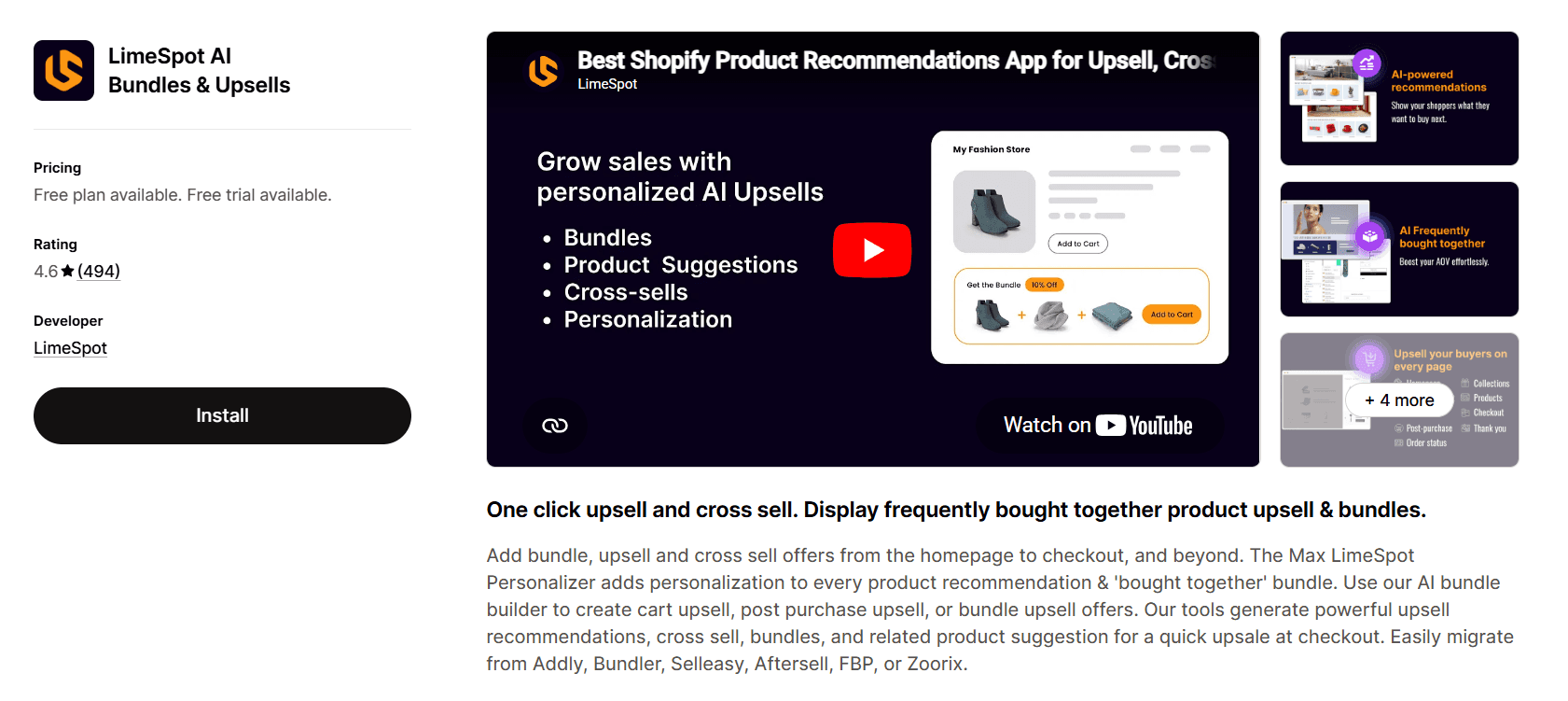
LimeSpot is a personalization engine first, upsell tool second, designed to show highly relevant product recommendations across the entire customer journey, from homepage to checkout and even beyond (email, ads). It focuses on increasing conversions through smarter product discovery, not just adding upsell widgets.
Rating
4.6 ⭐(494)
Pros
Advanced AI-driven personalization based on browsing and purchase behavior
Covers entire journey + cross-channel (web, mobile, email, ads)
Strong “frequently bought together” and related product recommendations
Helps improve engagement and product discovery, not just upsells
Flexible customization of placements, layouts, and content
Detailed analytics to track recommendation performance
Works well for data-driven, scaling stores
Cons
Can become very expensive at scale (pricing increases significantly)
Reports of slow load times, impacting UX and conversions
Setup can be complex, especially for custom/older themes
Support quality can be inconsistent in some cases
Not ideal for simple, quick upsell setups (more complex system)
Comparison Table of Best Shopify Upsell Apps
Table 1: Shopify upsell apps comparison table
App | Best for | Pricing | Key feature |
Monk Free Gift BOGO & Upsell | Stores that want one system to manage upsells, free gifts, and cart incentives across the full funnel |
| Reward-based upsells (progress bar, tiered offers) with flexible targeting |
Upsell.com ‑ ReConvert Upsell | Stores that want simple, high-converting post-purchase upsells without touching checkout |
| One-click post-purchase upsells with thank-you page customization |
Upsell & Cross Sell — Selleasy | Small to mid-size stores looking for affordable, easy-to-set-up upsells |
| Amazon-style bundles using real order data |
Aftersell Post Purchase Upsell | High-volume or Shopify Plus stores that want advanced post-purchase and checkout upsells |
| Multiple one-click upsells in sequence + checkout upsells (Plus) |
One Click Upsell ‑ Zipify OCU | Stores that want fast setup with pre-built funnels and performance-based pricing |
| Ready-made upsell funnels with pay-as-you-earn model |
Candy Rack • All‑in‑One Upsell | Brands that care about design and want upsells that blend perfectly with their store |
| Native-looking upsells with fast slide cart and AI suggestions |
Frequently Bought Together CBB | Stores focused only on increasing items per order through simple product bundles |
| Data-driven 'frequently bought together' bundles on product page |
iCart Cart Drawer Cart Upsell | Stores that want to push higher cart value using discounts and urgency before checkout |
| Progress bar with tiered discounts and cart-level incentives |
Honeycomb Upsell & Cross Sell | Stores that want structured, multi-step upsell funnels with testing and automation |
| Funnel builder with built-in A/B testing and one-click upsells |
LimeSpot AI Bundles & Upsells | Scaling stores that want deep personalization across multiple channels |
| AI-driven recommendations across site, email, and more |
How to Choose the Right Upsell App
Choosing the right upsell app depends on where you show offers, how they fit your products, and how they affect your conversions. Here’s a simple, practical way to decide.
1. Start with where you want to upsell
If you show upsells before purchase (product page or cart), it works best when products naturally go together.
For example, if you sell a phone, you can suggest a case or charger with a small discount. This increases order value, but too many offers can distract customers.
If you feel upsells might interrupt the buying decision, use post-purchase upsells instead.
For example, after someone buys shoes, you can offer socks at a discount with one click. Since the purchase is already complete, this approach is less intrusive and usually converts better. You can also use the thank you page for lighter offers like related products or future discounts without affecting the initial sale.
2. Choose simplicity or control
If you are just starting out, go for a simple setup that works quickly. As your store grows, you can move to advanced setups with A/B testing and targeting.
For example, you can test two different upsell offers and see which one drives more revenue. Begin with 1–2 basic offers like “Add this for 20% off.” Track results, then improve gradually based on what works.
3. Protect your main conversion
Avoid overwhelming customers before checkout. Too many upsells can reduce conversions. A better approach is to let the customer complete the purchase first, then show offers after.
4. Match upsell strategy to your products
Your upsell approach should depend on what you sell.
If you sell complementary products, use bundles or “frequently bought together”
If you sell low-cost add-ons, use cart upsells with small discounts
If you sell high-consideration products, keep upsells minimal and use post-purchase offers
There are many upsell strategies like bundles, tiered discounts, and free gifts, but you don’t need all of them. Using 2-3 well-placed upsell types across your store is usually enough.
5. Keep the experience natural
Upsells should feel like a helpful suggestion, not a forced promotion. Ensure:
The design matches your store
The offers feel relevant
The placement is not intrusive
If it looks out of place, customers are more likely to ignore it.
6. Check performance and speed
Some apps can slow down your store. Even small delays can reduce conversions, especially on mobile. Always test performance after installing an app.
7. Understand pricing
Apps may charge based on orders, usage, or revenue generated. Make sure the app is profitable for your store. Always ask yourself if it’s making more than it costs.
Why Choose Monk?
Monk Free Gift BOGO & Upsell App is ideal if you want to increase order value using offers and incentives, not just product suggestions. It stands out by combining upsells, free gifts, and discounts into one system that works across the entire buying journey.
For example, instead of just recommending another product, you can show a message like “Spend $50 more to unlock a free gift” using a progress bar. This kind of reward-based upsell is often more effective because it gives customers a clear reason to buy more.
You also get strong control over when offers appear, such as showing specific deals based on cart value or products. This makes it easier to create targeted promotions without adding complexity.
Conclusion
Upselling works best when it feels natural and doesn’t interrupt the buying process. In most cases, starting with simple post-purchase offers or one well-placed upsell is enough to see results. You don’t need a complex setup to increase AOV.
The right app depends on your goal. If you want quick wins, start with simple product or cart upsells. If you want to maximize revenue, focus on post-purchase offers. As your store grows, you can move into testing and more advanced strategies.
If you prefer an all-in-one approach, Monk Free Gift BOGO & Upsell App stands out by combining upsells, free gifts, and cart incentives in one system. This makes it easier to test different strategies without adding multiple apps.
FAQs
What is the best Shopify upsell app in 2026?
There is no single “best” upsell app in Shopify; it depends on your strategy. If you want a flexible, all-in-one solution, Monk Free Gift BOGO & Upsell App is a strong choice, as it supports upsells, bundles, free gifts, and cart incentives across the entire funnel.
How do upsell apps increase AOV?
Upsell apps increase AOV by encouraging customers to add more items or upgrade their purchase through relevant offers.
Which upsell app is best for beginners?
Beginners should choose upsell apps that are easy to set up and manage. Monk works well because it offers pre-built offer templates (bundles, BOGO, free gifts) without requiring complex configuration.
Do upsell apps slow down Shopify stores?
Yes, some upsell apps can add scripts and affect performance. However, well-optimized apps are designed to minimize impact, but you should always test your store speed after installation.
Can I use multiple upsell apps together?
It’s not recommended to use multiple upsell apps at once. Multiple apps can conflict, slow down your store, and create a cluttered experience. Using one well-built, all-in-one app like Monk to manage all upsells is more efficient.
Which upsell app is best for Shopify Plus?
For Shopify Plus, choose upsell apps that support checkout upsells and advanced customization. Monk supports checkout-stage offers (Plus) along with full-funnel upsells.
How do I add upsells to my Shopify store?
You can add an upsell to your Shopify store by installing an upsell app, creating an offer (e.g., bundle, discount, or free gift), and choosing where to display it (product page, cart, or post-purchase).
10 Best Shopify Upsell Apps to Increase AOV in 2026 (Free & Paid)
Summary
Shopify upsell apps increase average order value by encouraging customers to add more items through product recommendations, bundles, cart incentives, and post purchase offers. This guide compares the best Shopify upsell apps in 2026, covering tools for product page, cart, checkout, and post purchase stages. It explains key features, pricing models, and use cases, along with practical factors like performance, targeting, and ease of setup that influence conversions and revenue growth.
Upselling is a simple way to grow your Shopify store without spending more on ads. Instead of bringing in more visitors, you get each customer to spend a little more. This can be as simple as suggesting a related product, offering a small discount, or showing a deal after checkout. When done right, upselling on Shopify can increase your average order value (AOV) by 20 to 45%, directly boosting your store’s revenue.
The main challenge in upselling is choosing the right app. Some apps keep it simple, while others help you build complete Shopify upsell funnels across the customer journey. Tools like Monk combine different upsell strategies in one place, making it easier to test what works.
In this guide, we’ll go through the 10 best Shopify upsell and cross-sell apps to help you find the right fit for your store. We have included both paid and free Shopify upsell tools to help you get started without upfront cost.
What are Shopify Upsell Apps?
Shopify upsell apps help you increase your average order value (AOV) by encouraging customers to buy more during their purchase journey.
They work as Shopify product recommendation apps that show relevant offers at the right time, such as suggesting related products, offering bundles, or offering discounts. For example, a customer buying a laptop might see an offer for a mouse or a “buy 2, get 1 free” deal.
These apps can place offers across different stages on Shopify:
Product page (e.g., frequently bought together)
Cart (using Shopify cart upsell features like add-ons, discounts, or free gift thresholds)
Post-purchase (e.g., one-click upsells after checkout)
Why Upsell Apps Are Essential For Shopify Stores
Upsell apps are a key part of Shopify conversion optimization apps. Instead of spending more on ads, you make more from the customers you already have. They directly improve your average order value (AOV) by encouraging customers to add more items or choose better options. For example, a simple offer like “Add this for 20% off” or “Unlock a free gift above $200” can push customers to spend more.
They also improve the shopping experience when done right. Showing relevant products, like accessories or complementary items, helps customers find what they need faster instead of searching for it.
Another key benefit is automation. Upsell apps use rules or AI to show the right offer at the right time, whether it’s on the product page, cart, or after checkout.
10 Best Shopify Upsell Apps (2026)
Overview
Monk Free Gift is an all-in-one upsell and promotion app designed to increase revenue across the entire customer journey. It combines upsells, cross-sells, free gifts, BOGO offers, and cart incentives into one system, with a strong focus on reward-based upselling and flexible targeting.
Rating
4.9⭐(547)
Key features
Cart upsells & product bundles to increase order value
Smart recommendations based on cart and customer data
Free gifts, BOGO, and tiered rewards (e.g., “Spend $50 more to unlock a gift”)
Flexible rules (cart value, products, customer tags, etc.)
Placement across all stages (product page, cart, checkout, post-purchase)
Easy integration with Shopify themes and full design customization
Built-in analytics to track performance and ROI
Pros
True all-in-one system (upsells, bundles, free gifts, rewards)
Strong reward-based incentives (progress bars, tiered offers)
Highly flexible targeting and personalization
Works across the full funnel
Customizable design that fits your store
Clear analytics and revenue tracking
Cons
Can feel complex if you only need basic upsells
Requires some initial setup and rule configuration
Monk Upsell is best for stores that want to manage upsells, cross-sells, free gifts, and cart incentives in one unified system.
Upsell.com ‑ ReConvert Upsell
Overview
ReConvert focuses on post-purchase upsell Shopify strategies. The app lets customers add products after checkout without re-entering payment details. It’s ideal for increasing order value from existing buyers, with flexible customization.
Rating
4.8⭐ (2,837)
Pros
Strong post-purchase upsells without requiring payment re-entry
Works without Shopify Plus (advanced features accessible to all stores)
Specialized in thank-you page customization and upsell funnels
Combines upsells into a single order (clean backend handling)
Built-in analytics to track upsell performance clearly
Fast setup with reliable customer support
Cons
May display third-party/affiliate ads on thank-you page, hurting the brand trust
Charges based on total order volume, not actual upsell usage
Costs can exceed generated revenue if not monitored closely
Limited pricing transparency; users report unexpected charges
Major updates may require rebuilding upsell funnels from scratch
Upsell & Cross Sell — Selleasy
Overview
Selleasy is a low-cost upsell app focused on easy setup and Amazon-style bundling. It offers multiple widgets for different placements (product, cart, checkout, post-purchase), making it easy to add upsells across the funnel without slowing down your store. Best suited for stores that want simple, affordable upsells with minimal manual work.
Rating
4.9⭐ (2,362)
Pros
Affordable, scalable pricing (free tier for small stores)
Strong Amazon-style frequently bought together bundles
Uses real order data for automatic product recommendations (less manual setup)
Multiple widget placements across product, cart, and post-purchase
Lightweight app (minimal impact on store speed)
Simple interface with decent customization options
Generally helpful support, though not always consistent
Cons
Charges based on total orders, not upsell-generated revenue
Pop-up upsells may freeze or disrupt checkout (risk of lost sales)
Support quality can be inconsistent in some cases
Limited handling for pre-order product add-ons
Cannot reliably re-show skipped add-ons in cart
Not the most reliable option for high-volume stores
Aftersell Post Purchase Upsell
Overview
AfterSell is a high-end upsell app focused on post-purchase and checkout upsells (for Shopify Plus). It lets you show multiple one-click upsells in sequence after checkout, without customers re-entering payment details. You can also monetize the thank-you page with targeted offers and partner ads (via Rokt). Best suited for brands that want maximum revenue per order with deep control and customization.
Rating
4.8⭐ (840)
Pros
Supports multiple one-click upsells in sequence (higher revenue per order)
Strong post-purchase upsells without requiring payment re-entry
Checkout upsells and order bumps (Shopify Plus only)
Highly customizable thank-you page (offers, reviews, cross-sells)
Advanced targeting based on cart, customer data, UTM, etc.
Rokt integration to earn extra revenue via post-purchase partner offers
Clean UI with solid analytics and testing capabilities
Cons
Post-purchase upsells don’t work with Shop Pay, Apple Pay, or Google Pay (Shopify limitation)
Limited manual control for product page upsells (relies on auto recommendations)
Issues with multi-currency and multi-language support
Support can be slow or inconsistent in some cases
Variant limitations (issues with products having many variants)
Not ideal for stores needing broad payment compatibility or simple setup
One Click Upsell ‑ Zipify OCU
Overview
Zipify OCU is a performance-based upsell app that lets you build full-funnel upsells and pay only on the revenue it generates. It stands out with pre-built funnels and a strong template library, making it easy to launch upsells across product, cart, checkout, and post-purchase in minutes. Best for stores that want quick wins without upfront cost risk.
Rating
4.5⭐ (518)
Pros
Pay only for upsell revenue generated (no order-based pricing)
Pre-built funnels + template library (fast, no-code setup)
Covers entire funnel (product page to post-purchase)
Built-in cart drawer and upsell widgets
Easy to set up with customizable, on-brand designs
Cons
Risk of duplicate or incorrect orders (major UX and revenue impact)
Tracking inaccuracies (e.g., counting failed payments as conversions)
Limited or unreliable conversion pixel tracking integrations
AI recommendations can suggest irrelevant or duplicate products
Can become expensive at scale (commission-based pricing)
Candy Rack All‑in‑One Upsell
Overview
Candy Rack is a design-first upsell app that focuses on native-looking offers across the entire customer journey, from product page to post-purchase. It stands out for its clean UI, fast slide cart, and seamless theme integration, making it ideal for brands that care about visual consistency and performance.
Rating
4.9⭐ (195)
Pros
Covers full funnel (product, cart, checkout, post-purchase)
Design-focused widgets that blend naturally with your store
Fast slide cart with built-in upsells (no extra apps needed)
AI-powered product suggestions for quick setup
Flexible placement options across multiple touchpoints
Easy to use with minimal setup required
Strong performance with minimal impact on store speed
Supports multi-language stores
Cons
Multi-quantity discount issues may require manual adjustments after upsells
Pricing can be higher for growing stores (order-based tiers)
Frequently Bought Together CBB
Overview
Frequently Bought Together is a bundle-first upsell app that focuses on increasing items per order through high-converting product bundles. It uses purchase history data to suggest products commonly bought together, allowing customers to add multiple items to their cart in one click. Best for stores that want simple, reliable bundling without building complex upsell funnels.
Rating
4.9⭐ (1,097)
Pros
Strong data-driven bundling based on real purchase behavior
Proven Amazon-style “frequently bought together” experience
Supports both AI-driven and manual bundle creation
One-click add-to-cart for multiple products (boosts order size)
Flexible bundle discounts (%, fixed, free item, free shipping)
Flat pricing (no revenue share, unlimited usage)
Runs largely on autopilot once set up (low maintenance)
Clean, customizable widget with solid performance
Cons
Works only on product pages (no cart, checkout, or post-purchase upsells)
Manual bundle setup can be confusing initially
Limited if you need full-funnel upsell strategies
Not suitable for stores focused on cart or post-purchase optimization
iCart Cart Drawer Cart Upsell
Overview
iCart is a cart conversion-focused upsell app that uses discount-driven incentives like progress bars, tiered offers, and urgency to increase cart value right before checkout. Instead of complex funnels, it focuses on motivating customers to spend more in the cart stage.
Rating
4.7⭐ (436)
Pros
Strong cart-level upsells and cross-sells (right before checkout)
Progress bar + tiered discounts (key driver for increasing AOV)
Supports cart discounts (BOGO, volume discounts, free gifts)
Customizable cart drawer, popup, and full cart page
Helps reduce cart abandonment with incentives and urgency
Easy to use with a no-code editor
Works well with Ajax carts and dynamic updates
Cons
Code may remain after uninstall, requiring manual cleanup
Risk of theme/code conflicts in some stores
Occasional bugs in discount logic (e.g., tiered discounts not applying correctly)
Limited support for custom product attributes/options
Works only at the cart stage (no product page or post-purchase upsells)
Not ideal for stores needing low-risk, highly stable setups
Honeycomb Upsell & Cross Sell
Overview
Honeycomb Upsell is a funnel-based upsell app designed for multi-step conversion flows across product page, cart, checkout (Shopify Plus), and post-purchase. It focuses on structured upsell journeys with built-in A/B testing and automation, making it ideal for stores that want more control over how offers are presented step-by-step.
Rating
4.8⭐ (150)
Pros
Multi-step funnel builder (not just single upsell widgets)
True one-click post-purchase upsells with automatic order merging
Built-in A/B testing (no external tools needed)
AI-powered product recommendations (Autopilot mode)
Supports discount stacking and flexible offer setups
Strong design customization for on-brand pop-ups
No theme code required + supports tracking integrations
Cons
Pricing is based on funnel views, which can increase with traffic
Free plan includes Honeycomb branding
Checkout upsells require Shopify Plus
Limited to English language support only
LimeSpot AI Bundles & Upsells
Overview
LimeSpot is a personalization engine first, upsell tool second, designed to show highly relevant product recommendations across the entire customer journey, from homepage to checkout and even beyond (email, ads). It focuses on increasing conversions through smarter product discovery, not just adding upsell widgets.
Rating
4.6 ⭐(494)
Pros
Advanced AI-driven personalization based on browsing and purchase behavior
Covers entire journey + cross-channel (web, mobile, email, ads)
Strong “frequently bought together” and related product recommendations
Helps improve engagement and product discovery, not just upsells
Flexible customization of placements, layouts, and content
Detailed analytics to track recommendation performance
Works well for data-driven, scaling stores
Cons
Can become very expensive at scale (pricing increases significantly)
Reports of slow load times, impacting UX and conversions
Setup can be complex, especially for custom/older themes
Support quality can be inconsistent in some cases
Not ideal for simple, quick upsell setups (more complex system)
Comparison Table of Best Shopify Upsell Apps
Table 1: Shopify upsell apps comparison table
App | Best for | Pricing | Key feature |
Monk Free Gift BOGO & Upsell | Stores that want one system to manage upsells, free gifts, and cart incentives across the full funnel |
| Reward-based upsells (progress bar, tiered offers) with flexible targeting |
Upsell.com ‑ ReConvert Upsell | Stores that want simple, high-converting post-purchase upsells without touching checkout |
| One-click post-purchase upsells with thank-you page customization |
Upsell & Cross Sell — Selleasy | Small to mid-size stores looking for affordable, easy-to-set-up upsells |
| Amazon-style bundles using real order data |
Aftersell Post Purchase Upsell | High-volume or Shopify Plus stores that want advanced post-purchase and checkout upsells |
| Multiple one-click upsells in sequence + checkout upsells (Plus) |
One Click Upsell ‑ Zipify OCU | Stores that want fast setup with pre-built funnels and performance-based pricing |
| Ready-made upsell funnels with pay-as-you-earn model |
Candy Rack • All‑in‑One Upsell | Brands that care about design and want upsells that blend perfectly with their store |
| Native-looking upsells with fast slide cart and AI suggestions |
Frequently Bought Together CBB | Stores focused only on increasing items per order through simple product bundles |
| Data-driven 'frequently bought together' bundles on product page |
iCart Cart Drawer Cart Upsell | Stores that want to push higher cart value using discounts and urgency before checkout |
| Progress bar with tiered discounts and cart-level incentives |
Honeycomb Upsell & Cross Sell | Stores that want structured, multi-step upsell funnels with testing and automation |
| Funnel builder with built-in A/B testing and one-click upsells |
LimeSpot AI Bundles & Upsells | Scaling stores that want deep personalization across multiple channels |
| AI-driven recommendations across site, email, and more |
How to Choose the Right Upsell App
Choosing the right upsell app depends on where you show offers, how they fit your products, and how they affect your conversions. Here’s a simple, practical way to decide.
1. Start with where you want to upsell
If you show upsells before purchase (product page or cart), it works best when products naturally go together.
For example, if you sell a phone, you can suggest a case or charger with a small discount. This increases order value, but too many offers can distract customers.
If you feel upsells might interrupt the buying decision, use post-purchase upsells instead.
For example, after someone buys shoes, you can offer socks at a discount with one click. Since the purchase is already complete, this approach is less intrusive and usually converts better. You can also use the thank you page for lighter offers like related products or future discounts without affecting the initial sale.
2. Choose simplicity or control
If you are just starting out, go for a simple setup that works quickly. As your store grows, you can move to advanced setups with A/B testing and targeting.
For example, you can test two different upsell offers and see which one drives more revenue. Begin with 1–2 basic offers like “Add this for 20% off.” Track results, then improve gradually based on what works.
3. Protect your main conversion
Avoid overwhelming customers before checkout. Too many upsells can reduce conversions. A better approach is to let the customer complete the purchase first, then show offers after.
4. Match upsell strategy to your products
Your upsell approach should depend on what you sell.
If you sell complementary products, use bundles or “frequently bought together”
If you sell low-cost add-ons, use cart upsells with small discounts
If you sell high-consideration products, keep upsells minimal and use post-purchase offers
There are many upsell strategies like bundles, tiered discounts, and free gifts, but you don’t need all of them. Using 2-3 well-placed upsell types across your store is usually enough.
5. Keep the experience natural
Upsells should feel like a helpful suggestion, not a forced promotion. Ensure:
The design matches your store
The offers feel relevant
The placement is not intrusive
If it looks out of place, customers are more likely to ignore it.
6. Check performance and speed
Some apps can slow down your store. Even small delays can reduce conversions, especially on mobile. Always test performance after installing an app.
7. Understand pricing
Apps may charge based on orders, usage, or revenue generated. Make sure the app is profitable for your store. Always ask yourself if it’s making more than it costs.
Why Choose Monk?
Monk Free Gift BOGO & Upsell App is ideal if you want to increase order value using offers and incentives, not just product suggestions. It stands out by combining upsells, free gifts, and discounts into one system that works across the entire buying journey.
For example, instead of just recommending another product, you can show a message like “Spend $50 more to unlock a free gift” using a progress bar. This kind of reward-based upsell is often more effective because it gives customers a clear reason to buy more.
You also get strong control over when offers appear, such as showing specific deals based on cart value or products. This makes it easier to create targeted promotions without adding complexity.
Conclusion
Upselling works best when it feels natural and doesn’t interrupt the buying process. In most cases, starting with simple post-purchase offers or one well-placed upsell is enough to see results. You don’t need a complex setup to increase AOV.
The right app depends on your goal. If you want quick wins, start with simple product or cart upsells. If you want to maximize revenue, focus on post-purchase offers. As your store grows, you can move into testing and more advanced strategies.
If you prefer an all-in-one approach, Monk Free Gift BOGO & Upsell App stands out by combining upsells, free gifts, and cart incentives in one system. This makes it easier to test different strategies without adding multiple apps.
FAQs
What is the best Shopify upsell app in 2026?
There is no single “best” upsell app in Shopify; it depends on your strategy. If you want a flexible, all-in-one solution, Monk Free Gift BOGO & Upsell App is a strong choice, as it supports upsells, bundles, free gifts, and cart incentives across the entire funnel.
How do upsell apps increase AOV?
Upsell apps increase AOV by encouraging customers to add more items or upgrade their purchase through relevant offers.
Which upsell app is best for beginners?
Beginners should choose upsell apps that are easy to set up and manage. Monk works well because it offers pre-built offer templates (bundles, BOGO, free gifts) without requiring complex configuration.
Do upsell apps slow down Shopify stores?
Yes, some upsell apps can add scripts and affect performance. However, well-optimized apps are designed to minimize impact, but you should always test your store speed after installation.
Can I use multiple upsell apps together?
It’s not recommended to use multiple upsell apps at once. Multiple apps can conflict, slow down your store, and create a cluttered experience. Using one well-built, all-in-one app like Monk to manage all upsells is more efficient.
Which upsell app is best for Shopify Plus?
For Shopify Plus, choose upsell apps that support checkout upsells and advanced customization. Monk supports checkout-stage offers (Plus) along with full-funnel upsells.
How do I add upsells to my Shopify store?
You can add an upsell to your Shopify store by installing an upsell app, creating an offer (e.g., bundle, discount, or free gift), and choosing where to display it (product page, cart, or post-purchase).
Contents
Related Articles
Upsell vs Cross-Sell in Shopify: Key Differences, Examples & Strategies
7 Post Purchase Upsell Strategies Shopify Stores Use to Increase AOV
Shopify Upselling Guide for Beginners
Get Monk Free Gift app for just $1/month this Black Friday
First month: $1 after your 7-day free trial. All features included. Offer live!
Claim offer now

Get Monk Free Gift app for just $1/month this Black Friday
First month: $1 after your 7-day free trial. All features included. Offer live!
Claim offer now
Get Monk Free Gift app for just $1/month this Black Friday
First month: $1 after your 7-day free trial. All features included. Offer live!
Claim offer now