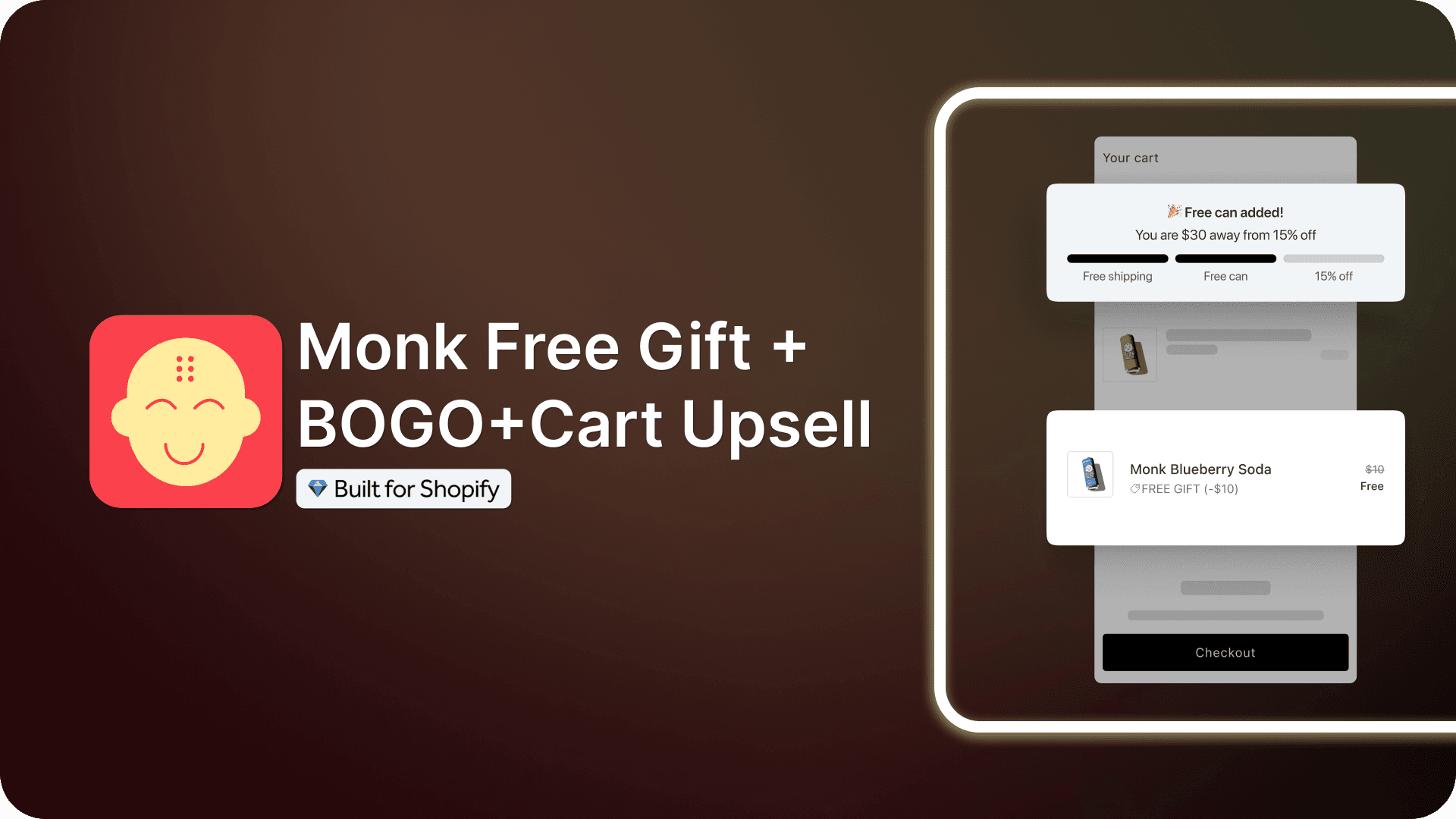
Monk Free Gift BOGO & Cart Upsell: The Ultimate Free Gift App for Shopify
Summary
A free gift with purchase gives customers an extra product when they meet your condition. That condition is usually a cart total or a specific product in the cart. Buyers add more items to reach the reward, raising your average order value.
Shopify's native Buy X Get Y discount can make an item free at a spend threshold. However, it cannot auto-add that item to the cart. This means a customer must find the gift and add it themselves. If they skip that step, the order goes through without the gift.
This is the gap a free gift app for Shopify fills. Monk Free Gift BOGO & Cart Upsell adds the gift as soon as the shopper qualifies. It can also auto-remove the gift when the cart falls below your threshold. The app also adds a progress bar to show shoppers how close they are to each reward.
This guide covers what you can build with Monk and how it works. It also covers Monk's pricing and how it compares with other apps.

Key Takeaways
A free gift with purchase gives customers an extra product when they meet your condition. That condition is usually a cart total or a specific product in the cart. Buyers add more items to reach the reward, raising your average order value.
Shopify's native Buy X Get Y discount can make an item free at a spend threshold. However, it cannot auto-add that item to the cart. This means a customer must find the gift and add it themselves. If they skip that step, the order goes through without the gift.
This is the gap a free gift app for Shopify fills. Monk Free Gift BOGO & Cart Upsell adds the gift as soon as the shopper qualifies. It can also auto-remove the gift when the cart falls below your threshold. The app also adds a progress bar to show shoppers how close they are to each reward.
This guide covers what you can build with Monk and how it works. It also covers Monk's pricing and how it compares with other apps.
A free gift with purchase gives customers an extra product when they meet your condition. That condition is usually a cart total or a specific product in the cart. Buyers add more items to reach the reward, raising your average order value.
Shopify's native Buy X Get Y discount can make an item free at a spend threshold. However, it cannot auto-add that item to the cart. This means a customer must find the gift and add it themselves. If they skip that step, the order goes through without the gift.
This is the gap a free gift app for Shopify fills. Monk Free Gift BOGO & Cart Upsell adds the gift as soon as the shopper qualifies. It can also auto-remove the gift when the cart falls below your threshold. The app also adds a progress bar to show shoppers how close they are to each reward.
This guide covers what you can build with Monk and how it works. It also covers Monk's pricing and how it compares with other apps.
What Is Monk Free Gift BOGO & Cart Upsell?
Monk Free Gift BOGO & Cart Upsell is a Shopify app for gift-with-purchase and cart upsell offers. You use it to raise average order value with rewards shoppers can see in the cart. One app covers free gifts, BOGO deals, tiered rewards, bundles, and product recommendations.
The app runs offers at each stage of the buying journey. Product pages show bundle and volume offers before customers add to cart. The cart shows gift pickers, progress bars, and upsell widgets. Shopify Plus stores can extend gift offers and upsells into checkout. Every store can show one-click upsells on the order confirmation page.

Monk works inside the cart your theme already has. It supports cart drawers, cart pop-ups, and full cart pages without replacing them. The app leaves your theme code untouched. You can sync widget fonts with your theme in one click. You also control widget text, colors, and layout from the offer editor.
It applies its discounts through Shopify Functions, Shopify's framework for custom discount logic. Gift discounts appear at checkout like any other Shopify discount. They also combine with your discount codes when you allow product discount combinations.
Each offer runs on rules you set. You can trigger offers on cart value, item count, products, or collections. You can target offers by customer tag, order history, country, or language. You can run several offers at once and choose which one takes priority.
Pricing scales with your monthly orders, and every plan includes every feature.
Black Friday 2026 offer: Your first month of Monk for $1 Start Monk's 7-day free trial, then pay $1 for your first full month. The offer applies to both pricing plans and includes every feature. Monk takes no commission on your sales and locks no features. You can run gift tiers and BOGO deals through your busiest sales weekend. After that month, Monk costs $49 per month for up to 1,000 orders. The offer ends November 30, 2026. |
What Can You Build With Monk?
You can build seven types of offers with Monk, from simple gifts to full gift ladders. Each one below explains the customer experience.
Auto-Add Free Gifts on Cart Value

An auto-add gift lands in the cart as soon as a buyer meets your condition. You can trigger it on cart value or on specific products in the cart. A discount code you share by email or SMS can also unlock the gift. Use auto-add when one gift suits every buyer.
Customer-Choice Free Gift Selection

A gift picker lets shoppers choose their reward from products you select. Shoppers can also pick the variant, such as size or color. The picker appears inside the cart or as a pop-up. Offer at least three gift options so most customers find one they want. Use gift selection when your catalog serves different types of buyers.
BOGO and Buy X Get Y Offers

Monk builds BOGO and Buy X Get Y deals on its auto-add and gift picker offers. You can run Buy 2, Get the Cheapest Free offers on mixed carts. You can also scale rewards, so buying 2X earns 2Y and buying 3X earns 3Y. Scaled rewards suit consumables that shoppers already buy in multiples.
Multi-Tiered Gift with Cart progress Bar

A tiered gift offer raises the reward as the cart grows. You set milestones by cart value or item count. Each milestone can hold up to six rewards. Rewards include discounts, auto-add gifts, gift pickers, free shipping, or a custom message. Set your first tier at 1.2 to 1.5 times your current AOV.
Cart Upsells and Cross-Sells

Cart upsells suggest a related product while the customer is still building the order. A cross-sell pairs the cart item with a complementary product, such as a case with a phone. An upsell offers a higher-value version of the item already in the cart. Monk runs both on product pages, in the cart, and in pop-ups.
Volume and Bundle Discounts

Volume discounts lower the per-unit price as shoppers buy more of one item. Bundle offers discount a set of products bought together. You can target either offer by product, product tag, collection, or vendor. You can also attach a free gift to a bundle for a buy-more-save-more offer.
Why Shopify's Native Discounts Aren't Enough
Shopify's native discounts can make a gift free once the cart passes a set value. Everything after that depends on the customer. A native Buy X Get Y discount leaves these gaps in a gift offer:
No auto-add: Shopify never places the gift in the cart, so shoppers must find it and add it.
No auto-remove: If the cart drops below the threshold, the gift stays in the cart at full price.
No gift picker: Customers cannot choose between gift options or variants inside the cart.
No progress bar: Buyers get no prompt showing how close they are to a reward.
Capability | Shopify native discounts | Monk |
Free gift above a cart value | Yes, with a Buy X Get Y minimum purchase amount | Yes, with cart value or item count rules |
Gift added to cart automatically | No, the shopper adds it manually | Yes, as soon as the cart qualifies |
Gift removed below the threshold | No, the item stays at full price | Yes, with Auto Remove turned on |
Shopper chooses the gift | No | Yes, including size and color variants |
Progress bar toward rewards | No | Yes, with up to 6 rewards per milestone |
Key Features of Monk's Free Gift App for Shopify
Monk's key features control which shoppers see which offer and how gifts behave in the cart.
Eligibility Rules (Tags, Collections, Markets)
Eligibility rules decide which customers and carts trigger each Monk offer.
Cart rules check products, product tags, collections, vendors, and cart value.
Customer rules check customer tags and past order count for logged-in shoppers.
AND/OR logic joins any rules, such as a VIP tag plus a $100 cart.

Multi-Currency and Multi-Market Support
Monk adapts each offer to the buyer's country and currency.
Currency conversion turns your base-currency milestones into each shopper's local currency.
Country rules let you run a separate offer for each market.
IP detection automatically identifies each shopper's country.
Auto-Add and Auto-Remove Logic
Four settings control how gifts behave once they reach the cart.
Auto-Remove takes the gift out when the cart no longer qualifies.
Gift Opt Out lets shoppers remove a gift they don't want.
Combine Offers applies several auto-add gift offers to the same cart.
Gift caps limit free items per order, such as five gifts for six qualifying items.
Tier Progress Bar and Threshold Messaging
The tier progress bar shows shoppers each milestone and its attached reward.
Display options cover milestone amounts, reward labels, and a banner above the bar.
Confetti animation plays for each reward a shopper unlocks.
Most Recent Milestone grants only the highest reward a customer reaches.
One bar per session keeps a single progress bar on screen for each shopper.
One gift type per milestone means a milestone holds an auto-add gift or a gift picker.

Checkout Extensibility and Shopify Plus Support
Monk extends gift offers into checkout for Shopify Plus stores. Shopify lets apps change checkout products only on the Plus plan.
Plus checkout shows gift offers, progress bars, and upsells inside checkout.
Other Shopify plans run the same offers in the cart before checkout.
Analytics and Offer Performance Tracking
Monk tracks which orders its offers influence.
Monk order IDs tag every influenced order so that you can trace revenue to each offer.
In-app analytics show offer performance inside the Monk dashboard.
Extensive Customization
Monk's design controls go beyond widget text and fonts.
Translation lets you edit widget text for each language from the offer editor.
Mobile layout sets a separate widget design for mobile shoppers.
Custom CSS gives you full styling control over any Monk widget.
How to Get Started With Monk (Step-by-Step)
You can set up Monk and publish your first free gift offer in five steps.
Step 1: Install Monk from the Shopify App Store
Installing Monk starts your 7-day free trial.
Open the Monk listing on the Shopify App Store.
Preview the demo store linked on the listing if you want to see Monk first.
Click Install and approve the app permissions in Shopify admin.
Step 2: Enable the Theme App Embed
Monk's widgets appear in your store only after you turn on its app embed.
In Shopify admin, go to Online Store, then Themes.
Click Customize on your live theme and open App Embeds.
Toggle Monk on and click Save.
Your Monk dashboard now shows the app as enabled.
Step 3: Create Your First Offer
An auto-add gift offer is the simplest first offer to launch.
Open Manage Offers in Monk and click Create Offer.

Choose Gifts, Shipping and Cart Goals, or start from a template.

Decide where the offer should appear and how the banner should be positioned. You can check the details in the Offer Overview tab on the right side.

Once the display is all set, configure the eligibility rules for the gift.

Then, choose which free gift should show up as an offer.

Finally, configure other critical offer settings like cart behavior, time-zone-related information, etc.

As soon as the offer is in place, you can design the content and display to match your brand’s identity and test the offer before running it on the store.

Who Monk Is Built For
Monk suits Shopify stores that want gift and upsell offers inside their current cart. More than 3,000 brands on Shopify and Shopify Plus use the app. It fits four store types best:
Stores whose shoppers usually buy one item can use gift tiers to encourage a second.
Multi-country brands can run country-specific offers in each shopper's local currency.
Shopify Plus stores can carry gift offers and progress bars into checkout.
Stores with VIP or loyalty tags can show offers only to tagged customers.
Don’t take our word for it. Hear it from our customer: Have tried SO many promo apps over 11 years on the Shopify platform but have settled on Monk for the huge variety of promo types and easy setup - they also don't take a percentage of your sales (unlike others). And a shout-out to the support and dev teams for a quick turnaround on issues. Thanks guys! Cheers, Ben By The Hotel Sheet, New Zealand |
Monk Pricing and Plans
Monk charges a flat monthly fee based on your store's order volume. Every plan includes every feature, and Monk takes no commission on your sales.
Monthly orders | Price |
0–1,000 | $49 per month |
1,000+ | $149 per month |
Your plan adjusts on its own as your monthly orders change. Both tiers start with a 7-day free trial. Development and sandbox stores use Monk for free. Until November 30, 2026, your first paid month costs $1.
Monk vs. Other Free Gift Apps
Monk leads on gift rule depth, while rivals compete on entry price or cart drawer design. Ratings and prices below come from each app's Shopify App Store listing on October 5, 2026.
App | Rating (reviews) | Pricing | Core gift / BOGO capability |
Monk Free Gift with Purchase | 4.9 | $49 (0–1,000 orders) or $149 (1,000+) per month; $1 first month until Nov 30 | Auto-add gifts, gift picker, BOGO, tiered progress bar, Plus checkout gifts |
BOGOS: Free Gift Bundle Upsell | 5.0 | Free (30 lifetime orders); $29.99, $49.99, or $109.99 per month | BOGO, Buy X Get Y, and gift with purchase through auto-add or pop-up |
Upcart Cart Drawer Cart Upsell | 4.7 | $29.99 to $54.99 per month, by order volume up to 1,000 | In-cart discounts and free gifts inside a custom cart drawer |
Kaching Bundles App & Upsells | 5.0 | $14.99, $29.99, or $59.99 per month, by app-driven revenue | Bundles and volume discounts, with BOGO and free gift options |
Kaching CartDrawer Cart Upsell | 5.0 | $9.99 to $24.99 per month, by order volume up to 499 | Free shipping and free gift bar inside a custom cart drawer |
Monk Support and Setup Help
Monk offers live chat and email support, plus hands-on help with setup.
Onboarding and Live Chat
Live chat connects you with the Monk team from inside the app.
The support form on Monk's website takes your issue and email, and the team follows up.
Email reaches the team directly at support@monkcommerce.com.
The team also handles hands-on setup work:
Cart listener install updates your cart without a page refresh when a gift lands.
Store audits review your last 60 days of orders to find cross-sell pairings. Ask support for a cross-sell recommendations sheet to get your results.
David Dundas, COO of You Go Natural, said this about Monk’s support:
We’ve increased our conversion by 25% in just one day. I had a little trouble getting the app set up correctly, but customer support was very helpful in getting it straight and working exactly as we intended. Highly recommend.
Documentation and Help Center
The Monk help center at help.monkcommerce.com has a setup guide for every offer type. Guides cover free gifts, tiered rewards, checkout offers, bundles, and analytics. Dedicated troubleshooting guides help you fix common issues on your own. When you get stuck, the support team points you to the right guide.
Is Monk the Right Free Gift App for Your Shopify Store?
Monk fits Shopify stores that want free gift offers inside their existing cart. It adds gifts to the cart automatically and shows shoppers their progress toward each reward. Shopify's native discounts handle neither step. If you want a fully redesigned cart drawer, a cart drawer app suits you better.
Start with one offer and measure the results. Set a single gift tier at 1.2 to 1.5 times your current AOV. Test it on a duplicate theme, then publish once the cart works as expected. Add more tiers or a gift picker once you see how shoppers respond.
With Black Friday and Cyber Monday, this is the perfect time to test Monk. Start your 7-day free trial before November 30, 2026, to pay $1 for your first month. You can decide without breaking your budget.
FAQs
Is Monk free to use?
Monk is free only on Shopify development and sandbox stores. Live stores get a 7-day free trial before paid billing starts. Paid plans cost $49 or $149 per month, based on order volume.
Does Monk work with my theme?
Yes, Monk works seamlessly with all native Shopify themes and most well-built themes available on Shopify. Monk works with cart drawers, cart pop-ups, and full cart pages on Shopify themes. It reads your theme's layout to place widgets and leaves your theme code unchanged. Some themes lack a cart listener, so the page refreshes when a gift lands. The Monk team can add that listener to your theme for you.
Can I offer more than one gift at a time?
Yes, you can offer more than one gift at a time using Monk free Gift. Monk lets you give several gifts in one order. You can add multiple products to one auto-add offer, set a total gift count in a gift picker offer, and combine several auto-add offers, so they apply to the same cart.
Do gifts get removed if the cart drops below the threshold?
Yes, Monk has an auto-remove feature. Monk removes the gift when you turn on its Auto Remove setting. With Auto Remove off, the shopper keeps the item and pays full price.
Does Monk work with discount codes?
Yes, Monk works with Shopify discount codes. Each code must allow combination with product discounts in Shopify admin. You can also set a Monk gift to unlock when a shopper enters a specific code.
Does it support Shopify Plus checkout?
Yes, Monk supports Shopify Plus checkout. Monk runs gift offers, progress bars, and upsells inside Shopify Plus checkout. Shopify allows apps to change checkout products only on the Plus plan. Stores on other plans run the same Monk offers in the cart.
Will it slow down my store?
No, Monk does not slow down your Shopify store. Monk holds the Built for Shopify badge, which sets a strict speed limit. Badge apps cannot lower a store's Lighthouse score by more than 10 points. Monk also leaves your theme code unchanged.
Can I run offers for specific customer segments?
Yes, using Monk you can target customer segments with customer tags and past order count. These rules apply only to logged-in shoppers. You can also target by country, language, or cart contents. AND or OR logic lets you combine rules into tighter segments.
Monk Free Gift BOGO & Cart Upsell: The Ultimate Free Gift App for Shopify
Summary
A free gift with purchase gives customers an extra product when they meet your condition. That condition is usually a cart total or a specific product in the cart. Buyers add more items to reach the reward, raising your average order value.
Shopify's native Buy X Get Y discount can make an item free at a spend threshold. However, it cannot auto-add that item to the cart. This means a customer must find the gift and add it themselves. If they skip that step, the order goes through without the gift.
This is the gap a free gift app for Shopify fills. Monk Free Gift BOGO & Cart Upsell adds the gift as soon as the shopper qualifies. It can also auto-remove the gift when the cart falls below your threshold. The app also adds a progress bar to show shoppers how close they are to each reward.
This guide covers what you can build with Monk and how it works. It also covers Monk's pricing and how it compares with other apps.
A free gift with purchase gives customers an extra product when they meet your condition. That condition is usually a cart total or a specific product in the cart. Buyers add more items to reach the reward, raising your average order value.
Shopify's native Buy X Get Y discount can make an item free at a spend threshold. However, it cannot auto-add that item to the cart. This means a customer must find the gift and add it themselves. If they skip that step, the order goes through without the gift.
This is the gap a free gift app for Shopify fills. Monk Free Gift BOGO & Cart Upsell adds the gift as soon as the shopper qualifies. It can also auto-remove the gift when the cart falls below your threshold. The app also adds a progress bar to show shoppers how close they are to each reward.
This guide covers what you can build with Monk and how it works. It also covers Monk's pricing and how it compares with other apps.
What Is Monk Free Gift BOGO & Cart Upsell?
Monk Free Gift BOGO & Cart Upsell is a Shopify app for gift-with-purchase and cart upsell offers. You use it to raise average order value with rewards shoppers can see in the cart. One app covers free gifts, BOGO deals, tiered rewards, bundles, and product recommendations.
The app runs offers at each stage of the buying journey. Product pages show bundle and volume offers before customers add to cart. The cart shows gift pickers, progress bars, and upsell widgets. Shopify Plus stores can extend gift offers and upsells into checkout. Every store can show one-click upsells on the order confirmation page.
Monk works inside the cart your theme already has. It supports cart drawers, cart pop-ups, and full cart pages without replacing them. The app leaves your theme code untouched. You can sync widget fonts with your theme in one click. You also control widget text, colors, and layout from the offer editor.
It applies its discounts through Shopify Functions, Shopify's framework for custom discount logic. Gift discounts appear at checkout like any other Shopify discount. They also combine with your discount codes when you allow product discount combinations.
Each offer runs on rules you set. You can trigger offers on cart value, item count, products, or collections. You can target offers by customer tag, order history, country, or language. You can run several offers at once and choose which one takes priority.
Pricing scales with your monthly orders, and every plan includes every feature.
Black Friday 2026 offer: Your first month of Monk for $1 Start Monk's 7-day free trial, then pay $1 for your first full month. The offer applies to both pricing plans and includes every feature. Monk takes no commission on your sales and locks no features. You can run gift tiers and BOGO deals through your busiest sales weekend. After that month, Monk costs $49 per month for up to 1,000 orders. The offer ends November 30, 2026. |
What Can You Build With Monk?
You can build seven types of offers with Monk, from simple gifts to full gift ladders. Each one below explains the customer experience.
Auto-Add Free Gifts on Cart Value
An auto-add gift lands in the cart as soon as a buyer meets your condition. You can trigger it on cart value or on specific products in the cart. A discount code you share by email or SMS can also unlock the gift. Use auto-add when one gift suits every buyer.
Customer-Choice Free Gift Selection
A gift picker lets shoppers choose their reward from products you select. Shoppers can also pick the variant, such as size or color. The picker appears inside the cart or as a pop-up. Offer at least three gift options so most customers find one they want. Use gift selection when your catalog serves different types of buyers.
BOGO and Buy X Get Y Offers
Monk builds BOGO and Buy X Get Y deals on its auto-add and gift picker offers. You can run Buy 2, Get the Cheapest Free offers on mixed carts. You can also scale rewards, so buying 2X earns 2Y and buying 3X earns 3Y. Scaled rewards suit consumables that shoppers already buy in multiples.
Multi-Tiered Gift with Cart progress Bar
A tiered gift offer raises the reward as the cart grows. You set milestones by cart value or item count. Each milestone can hold up to six rewards. Rewards include discounts, auto-add gifts, gift pickers, free shipping, or a custom message. Set your first tier at 1.2 to 1.5 times your current AOV.
Cart Upsells and Cross-Sells
Cart upsells suggest a related product while the customer is still building the order. A cross-sell pairs the cart item with a complementary product, such as a case with a phone. An upsell offers a higher-value version of the item already in the cart. Monk runs both on product pages, in the cart, and in pop-ups.
Volume and Bundle Discounts
Volume discounts lower the per-unit price as shoppers buy more of one item. Bundle offers discount a set of products bought together. You can target either offer by product, product tag, collection, or vendor. You can also attach a free gift to a bundle for a buy-more-save-more offer.
Why Shopify's Native Discounts Aren't Enough
Shopify's native discounts can make a gift free once the cart passes a set value. Everything after that depends on the customer. A native Buy X Get Y discount leaves these gaps in a gift offer:
No auto-add: Shopify never places the gift in the cart, so shoppers must find it and add it.
No auto-remove: If the cart drops below the threshold, the gift stays in the cart at full price.
No gift picker: Customers cannot choose between gift options or variants inside the cart.
No progress bar: Buyers get no prompt showing how close they are to a reward.
Capability | Shopify native discounts | Monk |
Free gift above a cart value | Yes, with a Buy X Get Y minimum purchase amount | Yes, with cart value or item count rules |
Gift added to cart automatically | No, the shopper adds it manually | Yes, as soon as the cart qualifies |
Gift removed below the threshold | No, the item stays at full price | Yes, with Auto Remove turned on |
Shopper chooses the gift | No | Yes, including size and color variants |
Progress bar toward rewards | No | Yes, with up to 6 rewards per milestone |
Key Features of Monk's Free Gift App for Shopify
Monk's key features control which shoppers see which offer and how gifts behave in the cart.
Eligibility Rules (Tags, Collections, Markets)
Eligibility rules decide which customers and carts trigger each Monk offer.
Cart rules check products, product tags, collections, vendors, and cart value.
Customer rules check customer tags and past order count for logged-in shoppers.
AND/OR logic joins any rules, such as a VIP tag plus a $100 cart.
Multi-Currency and Multi-Market Support
Monk adapts each offer to the buyer's country and currency.
Currency conversion turns your base-currency milestones into each shopper's local currency.
Country rules let you run a separate offer for each market.
IP detection automatically identifies each shopper's country.
Auto-Add and Auto-Remove Logic
Four settings control how gifts behave once they reach the cart.
Auto-Remove takes the gift out when the cart no longer qualifies.
Gift Opt Out lets shoppers remove a gift they don't want.
Combine Offers applies several auto-add gift offers to the same cart.
Gift caps limit free items per order, such as five gifts for six qualifying items.
Tier Progress Bar and Threshold Messaging
The tier progress bar shows shoppers each milestone and its attached reward.
Display options cover milestone amounts, reward labels, and a banner above the bar.
Confetti animation plays for each reward a shopper unlocks.
Most Recent Milestone grants only the highest reward a customer reaches.
One bar per session keeps a single progress bar on screen for each shopper.
One gift type per milestone means a milestone holds an auto-add gift or a gift picker.
Checkout Extensibility and Shopify Plus Support
Monk extends gift offers into checkout for Shopify Plus stores. Shopify lets apps change checkout products only on the Plus plan.
Plus checkout shows gift offers, progress bars, and upsells inside checkout.
Other Shopify plans run the same offers in the cart before checkout.
Analytics and Offer Performance Tracking
Monk tracks which orders its offers influence.
Monk order IDs tag every influenced order so that you can trace revenue to each offer.
In-app analytics show offer performance inside the Monk dashboard.
Extensive Customization
Monk's design controls go beyond widget text and fonts.
Translation lets you edit widget text for each language from the offer editor.
Mobile layout sets a separate widget design for mobile shoppers.
Custom CSS gives you full styling control over any Monk widget.
How to Get Started With Monk (Step-by-Step)
You can set up Monk and publish your first free gift offer in five steps.
Step 1: Install Monk from the Shopify App Store
Installing Monk starts your 7-day free trial.
Open the Monk listing on the Shopify App Store.
Preview the demo store linked on the listing if you want to see Monk first.
Click Install and approve the app permissions in Shopify admin.
Step 2: Enable the Theme App Embed
Monk's widgets appear in your store only after you turn on its app embed.
In Shopify admin, go to Online Store, then Themes.
Click Customize on your live theme and open App Embeds.
Toggle Monk on and click Save.
Your Monk dashboard now shows the app as enabled.
Step 3: Create Your First Offer
An auto-add gift offer is the simplest first offer to launch.
Open Manage Offers in Monk and click Create Offer.
Choose Gifts, Shipping and Cart Goals, or start from a template.
Decide where the offer should appear and how the banner should be positioned. You can check the details in the Offer Overview tab on the right side.
Once the display is all set, configure the eligibility rules for the gift.
Then, choose which free gift should show up as an offer.
Finally, configure other critical offer settings like cart behavior, time-zone-related information, etc.
As soon as the offer is in place, you can design the content and display to match your brand’s identity and test the offer before running it on the store.
Who Monk Is Built For
Monk suits Shopify stores that want gift and upsell offers inside their current cart. More than 3,000 brands on Shopify and Shopify Plus use the app. It fits four store types best:
Stores whose shoppers usually buy one item can use gift tiers to encourage a second.
Multi-country brands can run country-specific offers in each shopper's local currency.
Shopify Plus stores can carry gift offers and progress bars into checkout.
Stores with VIP or loyalty tags can show offers only to tagged customers.
Don’t take our word for it. Hear it from our customer: Have tried SO many promo apps over 11 years on the Shopify platform but have settled on Monk for the huge variety of promo types and easy setup - they also don't take a percentage of your sales (unlike others). And a shout-out to the support and dev teams for a quick turnaround on issues. Thanks guys! Cheers, Ben By The Hotel Sheet, New Zealand |
Monk Pricing and Plans
Monk charges a flat monthly fee based on your store's order volume. Every plan includes every feature, and Monk takes no commission on your sales.
Monthly orders | Price |
0–1,000 | $49 per month |
1,000+ | $149 per month |
Your plan adjusts on its own as your monthly orders change. Both tiers start with a 7-day free trial. Development and sandbox stores use Monk for free. Until November 30, 2026, your first paid month costs $1.
Monk vs. Other Free Gift Apps
Monk leads on gift rule depth, while rivals compete on entry price or cart drawer design. Ratings and prices below come from each app's Shopify App Store listing on October 5, 2026.
App | Rating (reviews) | Pricing | Core gift / BOGO capability |
Monk Free Gift with Purchase | 4.9 | $49 (0–1,000 orders) or $149 (1,000+) per month; $1 first month until Nov 30 | Auto-add gifts, gift picker, BOGO, tiered progress bar, Plus checkout gifts |
BOGOS: Free Gift Bundle Upsell | 5.0 | Free (30 lifetime orders); $29.99, $49.99, or $109.99 per month | BOGO, Buy X Get Y, and gift with purchase through auto-add or pop-up |
Upcart Cart Drawer Cart Upsell | 4.7 | $29.99 to $54.99 per month, by order volume up to 1,000 | In-cart discounts and free gifts inside a custom cart drawer |
Kaching Bundles App & Upsells | 5.0 | $14.99, $29.99, or $59.99 per month, by app-driven revenue | Bundles and volume discounts, with BOGO and free gift options |
Kaching CartDrawer Cart Upsell | 5.0 | $9.99 to $24.99 per month, by order volume up to 499 | Free shipping and free gift bar inside a custom cart drawer |
Monk Support and Setup Help
Monk offers live chat and email support, plus hands-on help with setup.
Onboarding and Live Chat
Live chat connects you with the Monk team from inside the app.
The support form on Monk's website takes your issue and email, and the team follows up.
Email reaches the team directly at support@monkcommerce.com.
The team also handles hands-on setup work:
Cart listener install updates your cart without a page refresh when a gift lands.
Store audits review your last 60 days of orders to find cross-sell pairings. Ask support for a cross-sell recommendations sheet to get your results.
David Dundas, COO of You Go Natural, said this about Monk’s support:
We’ve increased our conversion by 25% in just one day. I had a little trouble getting the app set up correctly, but customer support was very helpful in getting it straight and working exactly as we intended. Highly recommend.
Documentation and Help Center
The Monk help center at help.monkcommerce.com has a setup guide for every offer type. Guides cover free gifts, tiered rewards, checkout offers, bundles, and analytics. Dedicated troubleshooting guides help you fix common issues on your own. When you get stuck, the support team points you to the right guide.
Is Monk the Right Free Gift App for Your Shopify Store?
Monk fits Shopify stores that want free gift offers inside their existing cart. It adds gifts to the cart automatically and shows shoppers their progress toward each reward. Shopify's native discounts handle neither step. If you want a fully redesigned cart drawer, a cart drawer app suits you better.
Start with one offer and measure the results. Set a single gift tier at 1.2 to 1.5 times your current AOV. Test it on a duplicate theme, then publish once the cart works as expected. Add more tiers or a gift picker once you see how shoppers respond.
With Black Friday and Cyber Monday, this is the perfect time to test Monk. Start your 7-day free trial before November 30, 2026, to pay $1 for your first month. You can decide without breaking your budget.
FAQs
Is Monk free to use?
Monk is free only on Shopify development and sandbox stores. Live stores get a 7-day free trial before paid billing starts. Paid plans cost $49 or $149 per month, based on order volume.
Does Monk work with my theme?
Yes, Monk works seamlessly with all native Shopify themes and most well-built themes available on Shopify. Monk works with cart drawers, cart pop-ups, and full cart pages on Shopify themes. It reads your theme's layout to place widgets and leaves your theme code unchanged. Some themes lack a cart listener, so the page refreshes when a gift lands. The Monk team can add that listener to your theme for you.
Can I offer more than one gift at a time?
Yes, you can offer more than one gift at a time using Monk free Gift. Monk lets you give several gifts in one order. You can add multiple products to one auto-add offer, set a total gift count in a gift picker offer, and combine several auto-add offers, so they apply to the same cart.
Do gifts get removed if the cart drops below the threshold?
Yes, Monk has an auto-remove feature. Monk removes the gift when you turn on its Auto Remove setting. With Auto Remove off, the shopper keeps the item and pays full price.
Does Monk work with discount codes?
Yes, Monk works with Shopify discount codes. Each code must allow combination with product discounts in Shopify admin. You can also set a Monk gift to unlock when a shopper enters a specific code.
Does it support Shopify Plus checkout?
Yes, Monk supports Shopify Plus checkout. Monk runs gift offers, progress bars, and upsells inside Shopify Plus checkout. Shopify allows apps to change checkout products only on the Plus plan. Stores on other plans run the same Monk offers in the cart.
Will it slow down my store?
No, Monk does not slow down your Shopify store. Monk holds the Built for Shopify badge, which sets a strict speed limit. Badge apps cannot lower a store's Lighthouse score by more than 10 points. Monk also leaves your theme code unchanged.
Can I run offers for specific customer segments?
Yes, using Monk you can target customer segments with customer tags and past order count. These rules apply only to logged-in shoppers. You can also target by country, language, or cart contents. AND or OR logic lets you combine rules into tighter segments.
Contents
Related Articles
20+ Best Free Gift Ideas for Shopify Stores That Drive More Sales
Free Gift With Purchase Shopify Setup in 5 Minutes
How to Offer a Free Gift at Shopify Checkout (Step-by-Step Guide)
Get Monk Free Gift app for just $1/month this Black Friday
First month: $1 after your 7-day free trial. All features included. Offer live!
Claim offer now

Get Monk Free Gift app for just $1/month this Black Friday
First month: $1 after your 7-day free trial. All features included. Offer live!
Claim offer now
Get Monk Free Gift app for just $1/month this Black Friday
First month: $1 after your 7-day free trial. All features included. Offer live!
Claim offer now