How to Trigger a Free Gift Based on a Specific Product or Collection on Shopify
Summary
Shopify’s native Buy X Get Y discount can reward a specific product or collection, but it can’t add the gift to the cart. This guide explains when to use a product trigger versus a collection trigger and compares native Shopify with Monk Free Gift. It then walks through setting up an automatic gift offer step by step, from eligibility rules to repeating gifts and gift limits.

Senior Content Writer
Key Takeaways
Shopify’s native Buy X Get Y discount can reward a specific product or collection, but it can’t add the gift to the cart. This guide explains when to use a product trigger versus a collection trigger and compares native Shopify with Monk Free Gift. It then walks through setting up an automatic gift offer step by step, from eligibility rules to repeating gifts and gift limits.
A storewide discount cuts your margin on every product, including the ones that already sell. When only certain products or categories need a push, a free gift tied to those items is the more targeted option.
Product- and collection-based gifts let you promote new arrivals, move slow-selling stock, or reward purchases in a specific category, without discounting anything else.
This guide explains how to trigger a free gift when a customer buys a specific product or any item from a chosen collection. It compares Shopify’s native Buy X Get Y discount with Monk Free Gift, then walks through setup step by step.
What Is a Free Gift with Purchase?
A free gift with purchase on Shopify, often shortened to GWP, is a promotion where a customer receives an additional product at no cost after meeting a defined condition. That condition can be a minimum cart value, a specific quantity of an item, or, in the case of this guide, the purchase of a particular product or anything from a chosen collection.
Unlike a percentage discount, a free gift with purchase doesn’t reduce the price of the item the customer is already buying. Instead, it adds a second product to the order at a 100% discount once the eligibility rule is met. Buy One Get One (BOGO) offer is one specific form of this strategy, where the free item is the same product the customer already bought rather than a separate gift product.
Product vs. Collection Triggers: Which to Use
Specific product trigger | Collection trigger | |
|---|---|---|
Best for | Launches, hero products, cross-selling a complementary item | Category promotions, seasonal lines, moving a group of slow sellers |
Example | Buy the new blender, get a free recipe book | Any item from the Summer collection unlocks a free tote |
Customer flexibility | Low (one path to the gift) | High (any item in the collection qualifies) |
Watch out for | Offer goes dead if the trigger product sells out | Low-priced items in the collection can qualify, which may make the gift unprofitable |
Why Free Gifts Work on Shopify
Free gifts work differently from price cuts in six ways:
They increase perceived value: Customers feel they’re getting more for their money.
They protect profit margins: Giving away a lower-cost item alongside a full-price purchase is usually less costly than discounting the main product.
They drive purchases of specific products: Tying the gift to one item or one collection directs customer attention toward the products you want to sell.
They introduce customers to new items: A free sample or a smaller version of another product can lead to a future full-price purchase of that item.
They reduce decision fatigue: With automatic gift offers, customers don’t have to search for a deal or apply a code, because the reward appears once they qualify.
They support seasonal and launch campaigns: A gift tied to a specific collection is an effective way to promote a new product line or a limited-time category.
Ways to Set Up Free Gifts on Shopify
There are two main ways to run a free gift or BOGO promotion on Shopify: Shopify’s own discount engine, or a dedicated third-party app.
Using Shopify’s Native Buy X Get Y Discounts
Shopify includes a native Buy X Get Y discount type in its Discounts section. You set a purchase requirement, such as a specific product or collection, and define what the customer receives in return, either discounted or free.
See Shopify’s Buy X Get Y documentation
The key limitation is that native Buy X Get Y doesn’t add the gift to the cart. The customer has to find the gift product and add it themselves before the discount applies. It also offers no cart banner or progress bar to tell shoppers about the offer, and multiple gift tiers require separate discounts that you have to manage against each other. It works for simple, single-tier offers where customers already know about the gift.
Using a Third-Party App Like Monk Free Gift
Monk Free Gift is a Built for Shopify certified app built specifically for gift-with-purchase and BOGO automation. As of Nov 2026, it holds a 4.9-star rating from more than 600 reviews on the Shopify App Store.
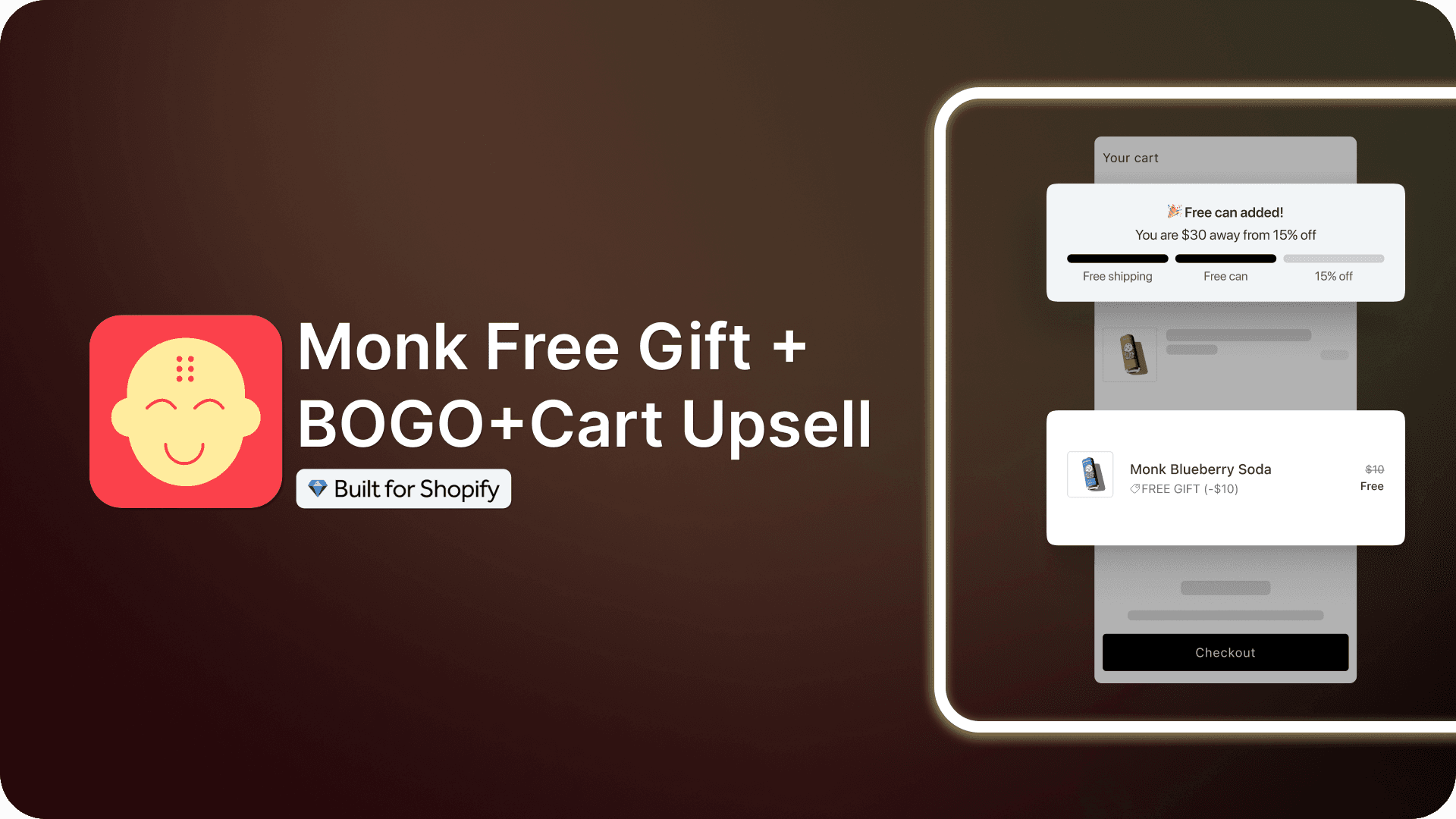
It triggers gifts by specific products, collections, cart value, quantity, or customer tags, or a combination of these using match-any or match-all logic. Offers can display as a cart banner, a product page banner, or a progress bar, and the design can be fully customized for desktop and mobile.
Black Friday 2026: Try Monk Free Gift for $1
For Black Friday, Monk Free Gift is available for $1 for your first month. Start with a 7-day free trial, then pay $1 for the next month. Regular pricing applies after that.
It’s a low-cost way to set up and test product- or collection-based gift offers before your holiday traffic peaks.
Offer ends November 30, 2026.
Capability | Native Shopify (Buy X Get Y) | Monk Free Gift |
|---|---|---|
Trigger on a specific product | Yes | Yes |
Trigger on a collection | Yes | Yes |
Adds the gift to the cart automatically | No, the customer must add it | Yes (Auto Add) |
Removes the gift when the trigger product is removed | Not applicable | Yes (Auto Remove) |
Match-any / match-all logic across products and collections | No | Yes |
Combine with cart value, quantity, or customer tags | Limited | Yes |
Cart / product page banner | No | Yes |
Progress bar | No | Yes |
Repeating gifts (Buy 2 Get 2) with a cap | Limited | Yes, with a max gift limit |
Multiple gift tiers in one offer | No, separate discounts needed | Yes |
Design customization | Yes | Fonts, colors, spacing, translations |
Not applicable | Shopify Plus only |
How to Create a Free Gift Based on a Specific Product or Collection Using Monk Free Gift

Step 1: Install Monk Free Gift from the Shopify App Store
Click Install and approve the requested permissions so the app connects to your store’s admin. Begin the free trial to access the full feature set before choosing a paid plan.
Step 2: Select the Offer Type and Create the Offer
Open the Monk dashboard from your Shopify store admin. Go to Manage Offers-> Offer Library -> Offer types and Click on Free Gift. Monk has various free gift offer templates that can be used to instantly create an offer on your Shopify store.
Look for the Free gift with a specific product (Auto-add) or the Free gift on selected collection items (Auto-add) template to create offers based on specific products or collections.

Step 3: Set the Eligibility Rule to a Specific Product or Collection
Choose where you want the offer to be applied; the cart or the checkout(Shopify Plus only), and the offer banners to appear; the product page and/or the cart of your Shopify store.
Open the eligibility rules section; Choose “Specific Products” or “Specific Collections” as the rule type. This decides whether the offer triggers on one or more individual products, or on any item in a chosen collection.
Select the qualifying products or collection that will trigger the free gift.
Step 4: Select the Gift Product
Pick the product that will be added to the cart automatically once the eligibility rule is met.
Add more gift products if the offer includes multiple gifts.
Step 5: Configure Offer Settings
Enable Auto Refresh if needed: This updates the cart display automatically when your theme doesn’t already include a cart listener.
Decide on Auto Remove: With this enabled, the gift is removed automatically if the trigger product is taken out of the cart, and customers who don’t meet the rule can’t buy the gift product at full price.
Set gift opt-out permissions: Choose whether customers can manually remove the gift from their cart, or whether it’s re-added automatically if they try.
Enable increased gifts with more purchases for repeat structures: This lets the offer repeat as the customer buys more of the trigger product, supporting Buy X Get Y and BOGO structures such as Buy 2 Get 2.
Set a maximum gift limit if using repeating offers: This caps the total number of free items a single order can receive.
Schedule the offer if it’s time-limited: Add a start and end date in the setup so the promotion activates and deactivates automatically.
Step 6: Customize the Offer Design and Publish
Edit the banner text and translations: Update the wording so the offer clearly tells customers which product or collection qualifies.
Adjust the visual design: Change fonts, colors, and spacing for both desktop and mobile to match your store’s branding.
Save and activate the offer: Once every setting has been reviewed, save the changes and publish the offer so it goes live.
Conclusion
Product- and collection-based gifts let you promote exactly what needs a push without discounting your catalog. Native Buy X Get Y works for simple offers. For automatic cart adds, collection logic, and on-site banners, Monk Free Gift handles it without code.
FAQs
Can I offer a free gift when customers buy a specific product on Shopify?
Yes. You can use Shopify’s native Buy X Get Y discount for basic cases, where the customer adds the gift themselves, or an app such as Monk Free Gift to add the gift to the cart automatically.
Does Shopify support product-based free gift promotions natively?
Partly. Shopify’s native Buy X Get Y discount can trigger a reward based on a specific product or collection, but it doesn’t add the gift to the cart. The customer has to add the gift product manually, and there are no cart banners, tiered structures, or design options. You can automatically add the gift to your customers' cart by using a third party free gifting app like Monk Free Gift
Can customers choose their own free gift?
Yes, but that’s a different setup from Auto Add. Instead of adding a fixed gift automatically, a choose-your-gift offer lets customers pick from a list of eligible gift products. You can create a Free gift selection offer in Shopify using Monk Free Gift
Will the free gift be removed if the qualifying product is removed from the cart?
Yes. With Auto Remove enabled inside Monk Free Gift, the gift is taken out of the cart automatically if the customer removes the qualifying product and no longer meets the eligibility rule.
Can I limit how many free gifts a customer receives?
Yes. A maximum gift limit inside Monk Free Gift offer set up caps the total number of free items a single order can receive, even if the customer buys enough of the trigger product to qualify for more.
What’s the best way to set up product- or collection-based free gift promotions on Shopify?
For simple offers, native Buy X Get Y works if customers know to add the gift themselves. For automatic cart adds across products and collections, and visible on-site messaging or banner, a dedicated app such as Monk Free Gift, which is Built for Shopify certified, is the most reliable option.
How to Trigger a Free Gift Based on a Specific Product or Collection on Shopify
Summary
Shopify’s native Buy X Get Y discount can reward a specific product or collection, but it can’t add the gift to the cart. This guide explains when to use a product trigger versus a collection trigger and compares native Shopify with Monk Free Gift. It then walks through setting up an automatic gift offer step by step, from eligibility rules to repeating gifts and gift limits.
A storewide discount cuts your margin on every product, including the ones that already sell. When only certain products or categories need a push, a free gift tied to those items is the more targeted option.
Product- and collection-based gifts let you promote new arrivals, move slow-selling stock, or reward purchases in a specific category, without discounting anything else.
This guide explains how to trigger a free gift when a customer buys a specific product or any item from a chosen collection. It compares Shopify’s native Buy X Get Y discount with Monk Free Gift, then walks through setup step by step.
What Is a Free Gift with Purchase?
A free gift with purchase on Shopify, often shortened to GWP, is a promotion where a customer receives an additional product at no cost after meeting a defined condition. That condition can be a minimum cart value, a specific quantity of an item, or, in the case of this guide, the purchase of a particular product or anything from a chosen collection.
Unlike a percentage discount, a free gift with purchase doesn’t reduce the price of the item the customer is already buying. Instead, it adds a second product to the order at a 100% discount once the eligibility rule is met. Buy One Get One (BOGO) offer is one specific form of this strategy, where the free item is the same product the customer already bought rather than a separate gift product.
Product vs. Collection Triggers: Which to Use
Specific product trigger | Collection trigger | |
|---|---|---|
Best for | Launches, hero products, cross-selling a complementary item | Category promotions, seasonal lines, moving a group of slow sellers |
Example | Buy the new blender, get a free recipe book | Any item from the Summer collection unlocks a free tote |
Customer flexibility | Low (one path to the gift) | High (any item in the collection qualifies) |
Watch out for | Offer goes dead if the trigger product sells out | Low-priced items in the collection can qualify, which may make the gift unprofitable |
Why Free Gifts Work on Shopify
Free gifts work differently from price cuts in six ways:
They increase perceived value: Customers feel they’re getting more for their money.
They protect profit margins: Giving away a lower-cost item alongside a full-price purchase is usually less costly than discounting the main product.
They drive purchases of specific products: Tying the gift to one item or one collection directs customer attention toward the products you want to sell.
They introduce customers to new items: A free sample or a smaller version of another product can lead to a future full-price purchase of that item.
They reduce decision fatigue: With automatic gift offers, customers don’t have to search for a deal or apply a code, because the reward appears once they qualify.
They support seasonal and launch campaigns: A gift tied to a specific collection is an effective way to promote a new product line or a limited-time category.
Ways to Set Up Free Gifts on Shopify
There are two main ways to run a free gift or BOGO promotion on Shopify: Shopify’s own discount engine, or a dedicated third-party app.
Using Shopify’s Native Buy X Get Y Discounts
Shopify includes a native Buy X Get Y discount type in its Discounts section. You set a purchase requirement, such as a specific product or collection, and define what the customer receives in return, either discounted or free.
See Shopify’s Buy X Get Y documentation
The key limitation is that native Buy X Get Y doesn’t add the gift to the cart. The customer has to find the gift product and add it themselves before the discount applies. It also offers no cart banner or progress bar to tell shoppers about the offer, and multiple gift tiers require separate discounts that you have to manage against each other. It works for simple, single-tier offers where customers already know about the gift.
Using a Third-Party App Like Monk Free Gift
Monk Free Gift is a Built for Shopify certified app built specifically for gift-with-purchase and BOGO automation. As of Nov 2026, it holds a 4.9-star rating from more than 600 reviews on the Shopify App Store.
It triggers gifts by specific products, collections, cart value, quantity, or customer tags, or a combination of these using match-any or match-all logic. Offers can display as a cart banner, a product page banner, or a progress bar, and the design can be fully customized for desktop and mobile.
Black Friday 2026: Try Monk Free Gift for $1
For Black Friday, Monk Free Gift is available for $1 for your first month. Start with a 7-day free trial, then pay $1 for the next month. Regular pricing applies after that.
It’s a low-cost way to set up and test product- or collection-based gift offers before your holiday traffic peaks.
Offer ends November 30, 2026.
Capability | Native Shopify (Buy X Get Y) | Monk Free Gift |
|---|---|---|
Trigger on a specific product | Yes | Yes |
Trigger on a collection | Yes | Yes |
Adds the gift to the cart automatically | No, the customer must add it | Yes (Auto Add) |
Removes the gift when the trigger product is removed | Not applicable | Yes (Auto Remove) |
Match-any / match-all logic across products and collections | No | Yes |
Combine with cart value, quantity, or customer tags | Limited | Yes |
Cart / product page banner | No | Yes |
Progress bar | No | Yes |
Repeating gifts (Buy 2 Get 2) with a cap | Limited | Yes, with a max gift limit |
Multiple gift tiers in one offer | No, separate discounts needed | Yes |
Design customization | Yes | Fonts, colors, spacing, translations |
Not applicable | Shopify Plus only |
How to Create a Free Gift Based on a Specific Product or Collection Using Monk Free Gift
Step 1: Install Monk Free Gift from the Shopify App Store
Click Install and approve the requested permissions so the app connects to your store’s admin. Begin the free trial to access the full feature set before choosing a paid plan.
Step 2: Select the Offer Type and Create the Offer
Open the Monk dashboard from your Shopify store admin. Go to Manage Offers-> Offer Library -> Offer types and Click on Free Gift. Monk has various free gift offer templates that can be used to instantly create an offer on your Shopify store.
Look for the Free gift with a specific product (Auto-add) or the Free gift on selected collection items (Auto-add) template to create offers based on specific products or collections.
Step 3: Set the Eligibility Rule to a Specific Product or Collection
Choose where you want the offer to be applied; the cart or the checkout(Shopify Plus only), and the offer banners to appear; the product page and/or the cart of your Shopify store.
Open the eligibility rules section; Choose “Specific Products” or “Specific Collections” as the rule type. This decides whether the offer triggers on one or more individual products, or on any item in a chosen collection.
Select the qualifying products or collection that will trigger the free gift.
Step 4: Select the Gift Product
Pick the product that will be added to the cart automatically once the eligibility rule is met.
Add more gift products if the offer includes multiple gifts.
Step 5: Configure Offer Settings
Enable Auto Refresh if needed: This updates the cart display automatically when your theme doesn’t already include a cart listener.
Decide on Auto Remove: With this enabled, the gift is removed automatically if the trigger product is taken out of the cart, and customers who don’t meet the rule can’t buy the gift product at full price.
Set gift opt-out permissions: Choose whether customers can manually remove the gift from their cart, or whether it’s re-added automatically if they try.
Enable increased gifts with more purchases for repeat structures: This lets the offer repeat as the customer buys more of the trigger product, supporting Buy X Get Y and BOGO structures such as Buy 2 Get 2.
Set a maximum gift limit if using repeating offers: This caps the total number of free items a single order can receive.
Schedule the offer if it’s time-limited: Add a start and end date in the setup so the promotion activates and deactivates automatically.
Step 6: Customize the Offer Design and Publish
Edit the banner text and translations: Update the wording so the offer clearly tells customers which product or collection qualifies.
Adjust the visual design: Change fonts, colors, and spacing for both desktop and mobile to match your store’s branding.
Save and activate the offer: Once every setting has been reviewed, save the changes and publish the offer so it goes live.
Conclusion
Product- and collection-based gifts let you promote exactly what needs a push without discounting your catalog. Native Buy X Get Y works for simple offers. For automatic cart adds, collection logic, and on-site banners, Monk Free Gift handles it without code.
FAQs
Can I offer a free gift when customers buy a specific product on Shopify?
Yes. You can use Shopify’s native Buy X Get Y discount for basic cases, where the customer adds the gift themselves, or an app such as Monk Free Gift to add the gift to the cart automatically.
Does Shopify support product-based free gift promotions natively?
Partly. Shopify’s native Buy X Get Y discount can trigger a reward based on a specific product or collection, but it doesn’t add the gift to the cart. The customer has to add the gift product manually, and there are no cart banners, tiered structures, or design options. You can automatically add the gift to your customers' cart by using a third party free gifting app like Monk Free Gift
Can customers choose their own free gift?
Yes, but that’s a different setup from Auto Add. Instead of adding a fixed gift automatically, a choose-your-gift offer lets customers pick from a list of eligible gift products. You can create a Free gift selection offer in Shopify using Monk Free Gift
Will the free gift be removed if the qualifying product is removed from the cart?
Yes. With Auto Remove enabled inside Monk Free Gift, the gift is taken out of the cart automatically if the customer removes the qualifying product and no longer meets the eligibility rule.
Can I limit how many free gifts a customer receives?
Yes. A maximum gift limit inside Monk Free Gift offer set up caps the total number of free items a single order can receive, even if the customer buys enough of the trigger product to qualify for more.
What’s the best way to set up product- or collection-based free gift promotions on Shopify?
For simple offers, native Buy X Get Y works if customers know to add the gift themselves. For automatic cart adds across products and collections, and visible on-site messaging or banner, a dedicated app such as Monk Free Gift, which is Built for Shopify certified, is the most reliable option.
Contents
Related Articles
How to Automatically Add a Free Gift to Cart When a Spending Threshold Is Met
How to Enable Free Gift Selection on Shopify
Shopify Buy 2 Get 1 Free: Free Setup Guide for Higher Sales
Get Monk Free Gift app for just $1/month this Black Friday
First month: $1 after your 7-day free trial. All features included. Offer live!
Claim offer now

Get Monk Free Gift app for just $1/month this Black Friday
First month: $1 after your 7-day free trial. All features included. Offer live!
Claim offer now
Get Monk Free Gift app for just $1/month this Black Friday
First month: $1 after your 7-day free trial. All features included. Offer live!
Claim offer now