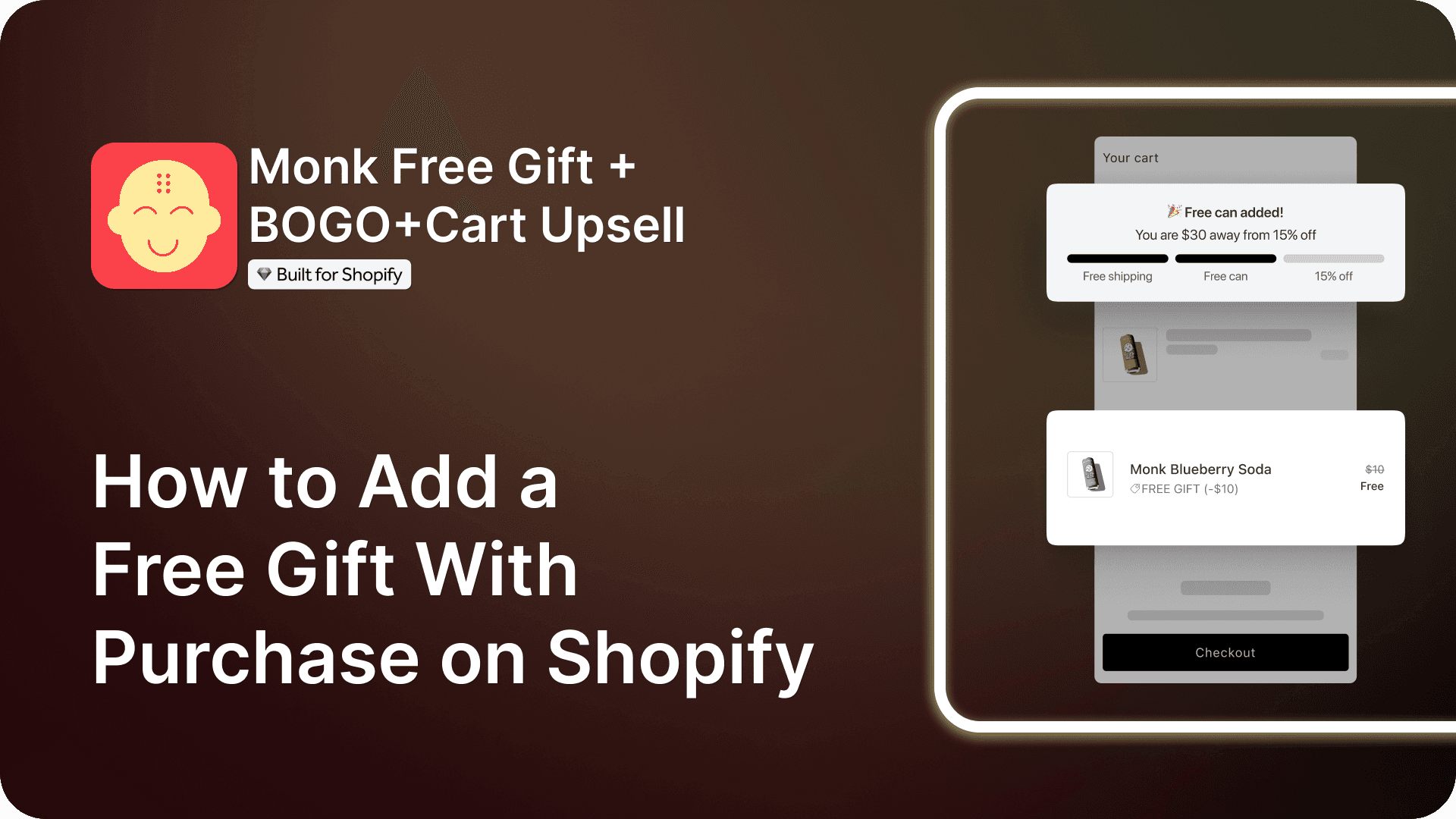
How to Add a Free Gift With Purchase on Shopify
Summary
Free Gift With Purchase (FGWP) offers customers a free product when they meet conditions like minimum spend, product quantity, or specific items. It increases conversions, average order value, and customer satisfaction by encouraging higher spending and improving perceived value. Shopify merchants can set it up using native Buy X Get Y discounts, though these often require manual gift addition. Third-party apps like Monk automate gift placement, support eligibility rules, and enable features like tiered rewards, progress tracking, and personalized triggers across product, cart, checkout, and post-purchase pages. Success depends on relevant gifts, clear thresholds, proper placement, testing, and ongoing optimization to improve engagement and retention.

Ravish (RV)
Senior Content Writer
Ravish is an ecommerce and SaaS marketing expert with 6+ years of experience in Shopify and ecommerce and 10+ years of experience in marketing, and growth strategy. He has worked closely with Shopify merchants to solve real ecommerce challenges and shares practical, research-backed insights, industry best practices, and emerging trends.
Key Takeaways
Free Gift With Purchase (FGWP) offers customers a free product when they meet conditions like minimum spend, product quantity, or specific items. It increases conversions, average order value, and customer satisfaction by encouraging higher spending and improving perceived value. Shopify merchants can set it up using native Buy X Get Y discounts, though these often require manual gift addition. Third-party apps like Monk automate gift placement, support eligibility rules, and enable features like tiered rewards, progress tracking, and personalized triggers across product, cart, checkout, and post-purchase pages. Success depends on relevant gifts, clear thresholds, proper placement, testing, and ongoing optimization to improve engagement and retention.
Free gifts are used by many online stores to drive conversions and AOV. Although setting up these promotional offers can be challenging for many store owners and eCommerce managers.
Free Gift With Purchase (FGWP) promotions are among the most reliable and powerful methods to boost conversion rates, increase the average value of orders, and make shopping an unforgettable experience for the shoppers. Customers love to be rewarded. A carefully crafted complementary offer can bring joy to the customers, along with guiding them towards their desired buying behaviors. Shopify provides merchants with many ways to build a free gift offer, from simple discounts to more advanced solutions through Shopify Scripts.
In this guide, we’ll walk through everything you need to know about running a successful FGWP promotion on Shopify.
What Is a Free Gift With Purchase on Shopify?
FGWP is among the most effective promotional strategies used by sellers on online stores. In this, customers receive a product at no extra cost when they make a purchase, meeting certain conditions like:
Minimum spending amount
Minimum number of products
Specific collection
A certain customer journey
A Free Gift with Purchase is a way of incentivizing and complementing the customer’s purchase, providing them with some value, like a full-sized product, a sample, or a set of testers.
Here are some examples of common Free Gifts with Purchase (FGWP) offered by brands:
Buy 3 shirts and get a belt free.
Buy products worth $100, and get a free lotion.
Buy a 6-pack of soft drinks, and get a sparkling water free.
Why Offer a Free Gift With Purchase on Shopify?
It is becoming very challenging in today’s competitive marketing to stand out as a brand. In this competitive market, FGWP remains the most effective way to create a unique and memorable shopping experience. It easily captures the attention of customers and drives more conversions. Brands can easily differentiate themselves from their competitors by adding an unexpected bonus to the customer’s shopping journey.
FGWP encourages customers to spend more than what they’ve originally planned so that they can qualify for the reward, along with elevating the perceived value of the transaction. This helps directly boost the average order value of your Shopify store. It also helps strengthen the lifetime value (LTV) of the customer. This happens as FGWP creates a sense of appreciation and delight in the minds of customers, which in turn encourages repeat purchases and long-term loyalty.
FGWP is a low-risk way of introducing your customers to a new product that will lead to potential sales in the future.
You can also reduce the abandonment of the cart by offering a complementary gift to the customers, tempting them to follow through with their purchases rather than leaving the site.
2 Ways to Add a Free Gift on Shopify
Using Shopify Discount Rules
Shopify’s native discount feature offers merchants a simple, quick, and cost-free solution to boost their sales. FGWP using Shopify’s native feature can be easily set up without any coding or technical expertise. It is ideal for beginners or small businesses.
There are some basic conditions, like a minimum spend or purchase of specific products. If there is a promotion like Buy X Get Y, this promotion can assign a free product without relying on any third-party apps.
Suppose you want to set up a free gift with purchase by using the built-in discount features on Shopify. In that case, you have to navigate to Discounts, then choose Create Discount, then choose Buy X Get Y offer, and eventually set it as an Automatic discount. Configure your criteria under “Customer buys,” for example, a minimum spend or specific product requirement, and then assign the free gift under “Customer gets.”
Note:
There’s a limitation on native Shopify’s discounts. To activate the promotion, customers have to manually add the gift item to their cart.
Why you should choose this:
Beginner-friendly
Easy to set up
Using Shopify Apps
In Shopify’s built-in Buy X Get Y discount, customers have to manually add the gift to their cart. In this scenario, customers may forget to remove the gift from their cart before completing their purchase. Shopify third-party apps help automatically detect when the qualifying conditions are met and add the gift in real time. They offer flexibility, supporting tiered gifts, product- or collection-specific promotions, dynamic progress bars, upsells, cross-sells, and Buy One Get One Shopify offers.
This helps:
Reduce confusion at checkout
Improve average order value
Boost conversions
Improve shopping experience
Third-party Shopify Free Gift apps like Monk Free Gift, provide detailed reporting and analytics. This helps track redemption and campaign performance. These apps also offer features that are lacking in Shopify’s native discounts. This makes them a preferred solution for brands that want to maximize the impact of their FGWP promotions. These apps are far more effective than Shopify’s native discount. This is because these apps provide a seamless, automatic, and conversion-friendly experience.
Why you should choose the Monk Free Gift App:
Beginner-friendly
Easy to set up
Highly customizable
No coding expertise required
Allows custom fixes
How to Add a Free Gift With a Specific Product Purchase
A targeted promotional strategy offers customers free gifts with the purchase of a specific product or upon spending a minimum amount. In this strategy, brands not only give their customers incentives but also highlight their specific products. Businesses can influence the purchasing behavior of customers by directly linking a gift to a product. They also introduce customers to complementary or new products, increasing the perceived value of the transaction.
Install and Enable the Monk app.
Install Monk from the Shopify App Store.
Ensure the Monk widget is active.

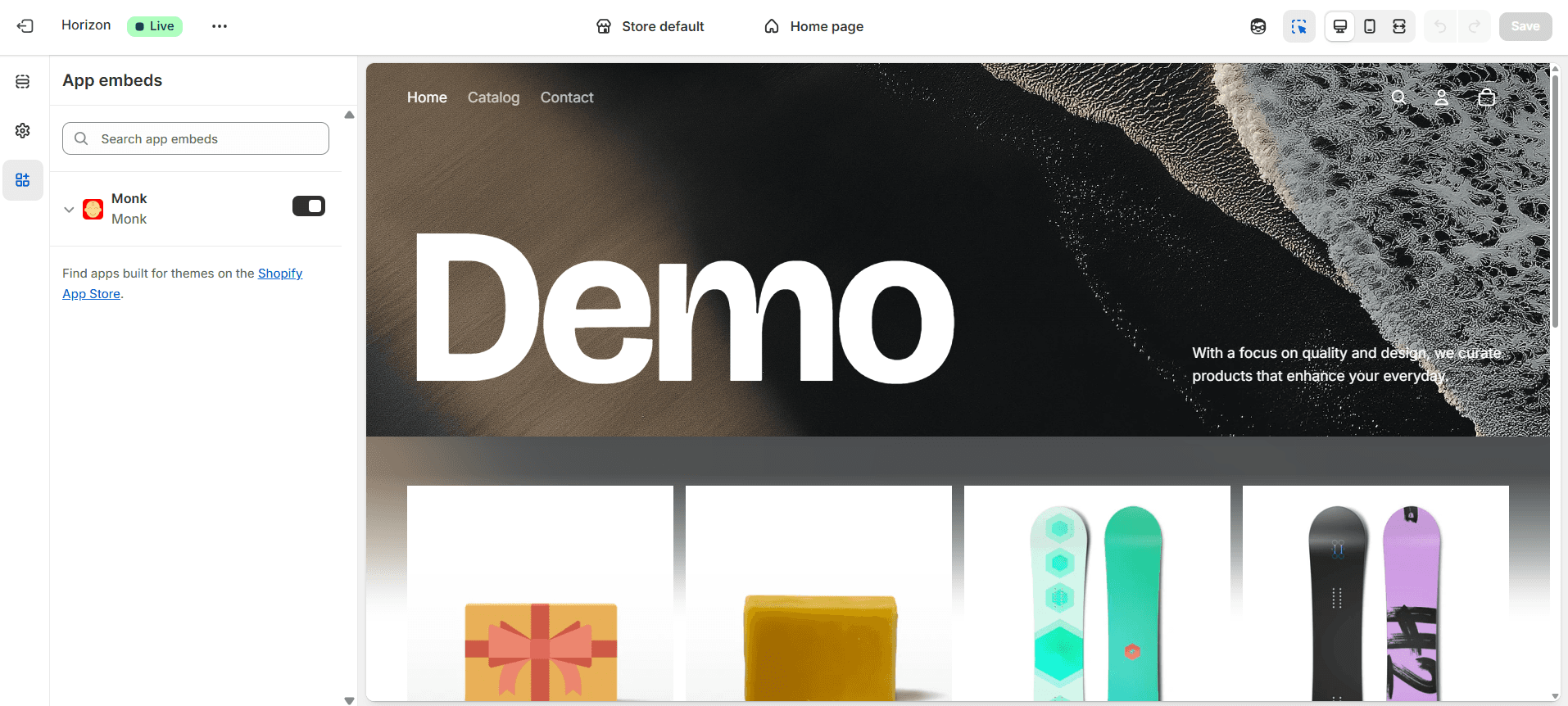
To activate the Monk widget on your store:
Under Shopify admin, go to Online Store > Themes > Customize.
On the left sidebar, click App embeds.
Locate the Monk widget and enable it. This ensures the widget functions correctly across your store.
Create a New Offer in Monk
Go to the Monk Dashboard.
Click on 'Create a New Offer.'
You can either browse pre-made offer templates or make your own.
Under the Free Gift tab, select “Get a gift when a specific item is purchased.

Choose How the Gift is Added
With Monk, you can choose how to add the gift to the basket.
Auto-Add: Ideal for gifts without variations, automatically adds the gift when the conditions are met.
Manual Select: Ideal for gifts that have size and color options, i.e., variants; a selection widget lets buyers select the gift.

The auto-add option automatically adds the free gift to your basket. You can also add the manual selection widget to the cart, checkout (Shopify Plus), the product page, or even as a pop-up. The manual selection widget is fully customizable and integrates seamlessly with the store’s theme.
Setting up the Free Gift with Purchase Offer
The name of your offer is important because it makes it easy to identify and appears as a discount when applied.
After setting up the name, there are 2 parts to creating an offer inside Monk:
Part- 1: Rules and Placement

Choose where the offer appears: the cart or the checkout.
With Monk, you can choose whether to show the offer details in a banner on the product page, the cart, or the checkout (Shopify Plus).
Under the rule section, 'show offer if' -> 'specific product' -> 'contains any' -> click on the search bar saying 'select product' to select the product that will trigger the gift when added to the cart, or your primary product.
Given Monk's powerful eligibility engine, you can combine more conditions into a single offer to make the offer more precise; for example, get a free conditioner with shampoo above $20, a specific product, and a cart value range.
Learn how to add a free gift with multiple purchase criteria using Monk Free Gift.Under 'Gift products,' choose the product you want to give as a gift and select the desired quantity. You can also combine it with other active free gift offers on your store.
Part-2: Text & Customization
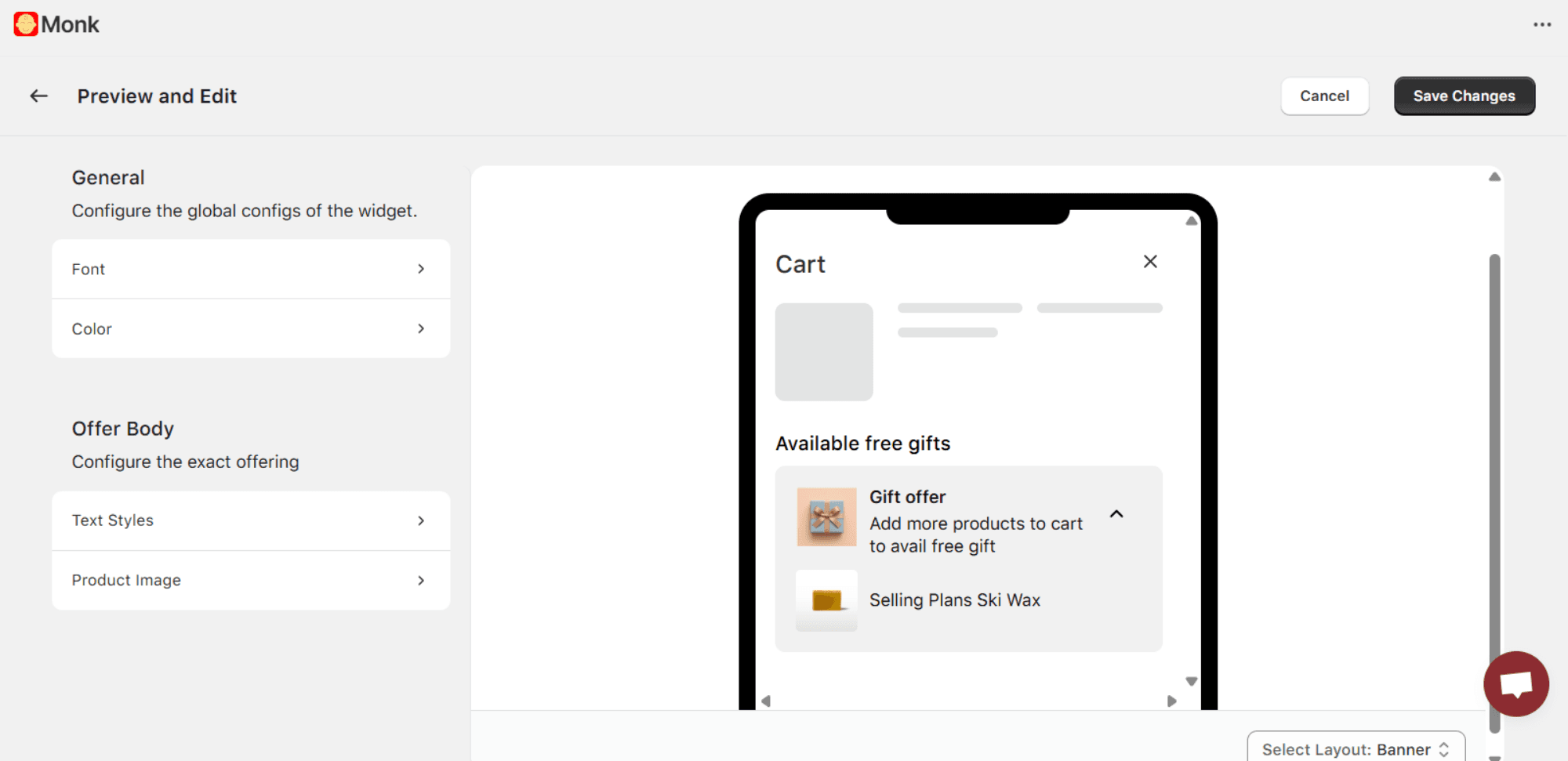
Monk is a highly customizable third-party app that helps cater to your store requirements, brand guidelines, and any ongoing campaigns. It also allows customization of the text content, font, size, style, color, and media. It also offers whether or not to show the price of the free product.
Monk supports customization for different layouts, such as desktop and mobile. This makes the purchase flow more personal, relevant, and frictionless for buyers. This eventually leads to higher trust and better conversion rates.
Best Free Gift Apps on Shopify
Monk Free Gift+BOGO+CartUpsell
Monk stands out as a reliable all-in-one tool for running Free Gift promotions on Shopify. It’s designed to make gifting feel effortless, both for merchants and for the customers, while enhancing the shopping experience and pushing AOV.
What makes Monk great for Free Gift With Purchase:
You can set up both auto-added gifts and “choose your gift” experiences depending on what feels right for your store.
Due to Monk’s powerful eligibility engine, free gifts can be triggered by cart value, specific items, collections, customer tags, location, and even language, giving you a lot of control over
Using Monk, you can construct tiered gifting to gamify your cart, so customers can unlock better gifts as they spend more.
Monk lets you display gift prompts across all the crucial and decision-making points of the store, product pages, cart, cart drawer, checkout (Shopify Plus), and even via pop-ups.
You can customize all the gifting widgets and banners using Monk, from colors to copy, so they blend naturally with the rest of your store.
Monk gives you the choice to keep the cart clean by removing the gift if the shopper no longer qualifies and letting the customer remove the gift if they wish to.
Requires no prior coding knowledge, with 24/5 support available with custom fixes if required.
Monk seamlessly integrates with Shopify’s native themes, providing a clean buying experience for the customers.
Learn how to make most of the Monk Free Gift app
EG Auto Add to Cart Free Gift
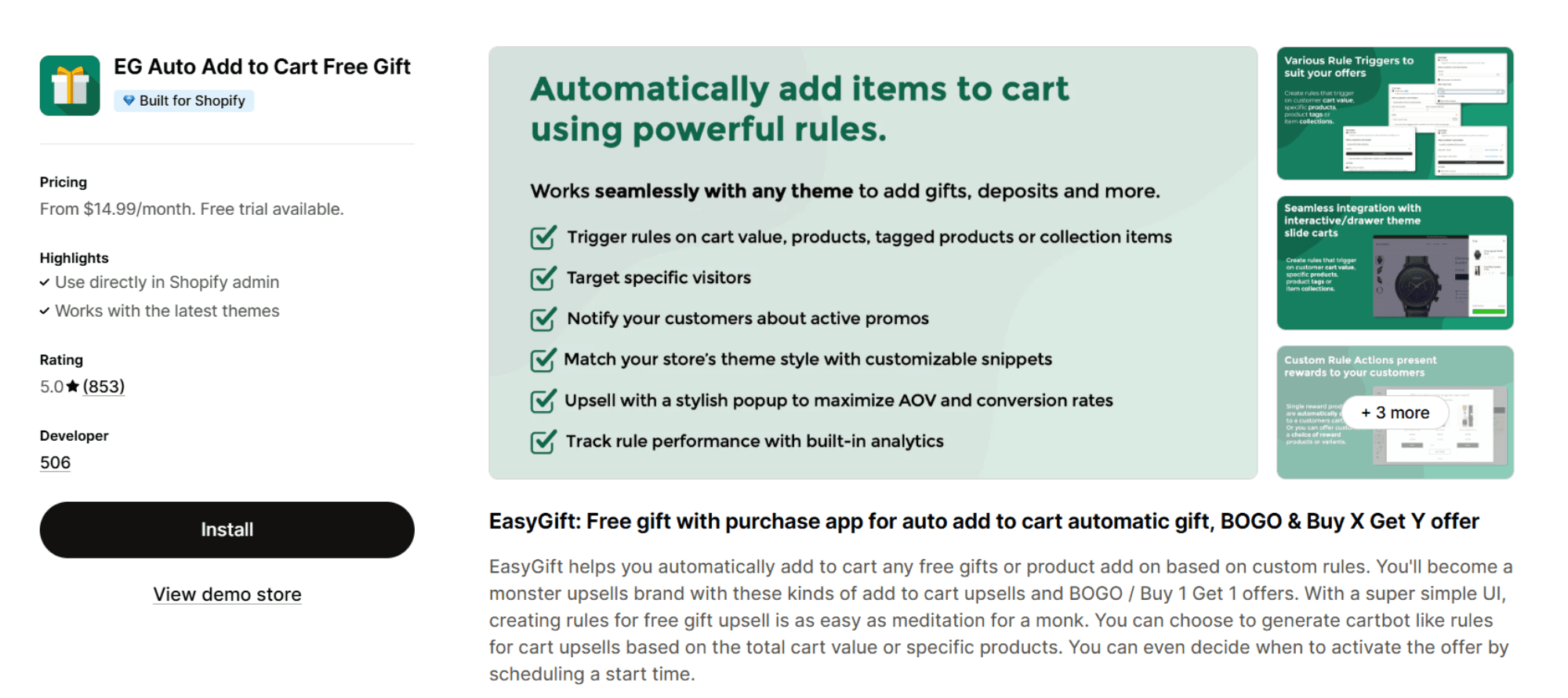
EasyGift makes it simple to add free gifts or upsells to the cart automatically.
Key features:
Auto-add gifts when the cart reaches a certain total or contains specific products.
Run BOGO and Buy X Get Y promotions.
Schedule offers to activate at specific times.
Offer free gifts based on product collections or specific items.
Set up cart-based upsells and product add-ons through an intuitive interface.
SP: Free gift with purchase
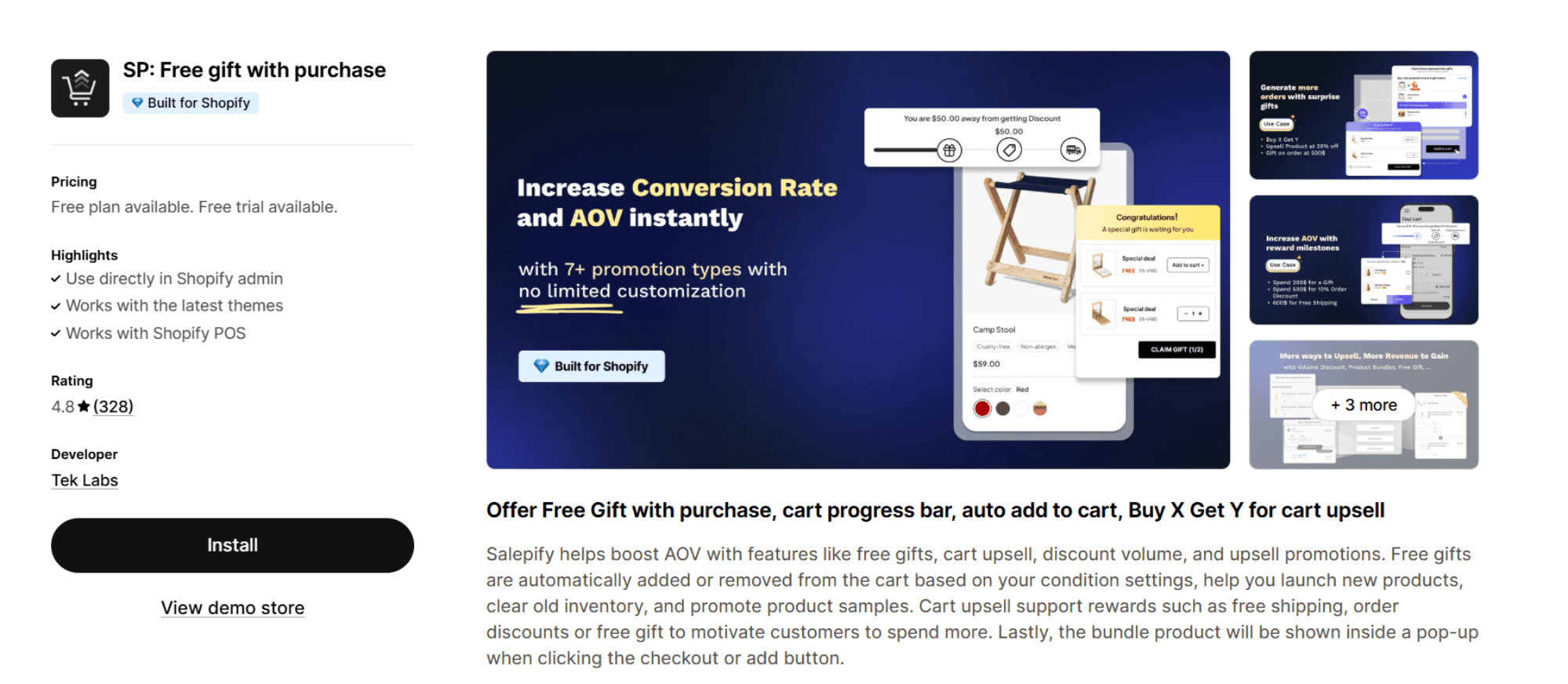
Salepify helps increase average order value with features, such as free gifts, cart upsells, and volume discounts.
Salepify automatically adds or removes the free gifts from the cart based on the seller’s conditions. This will promote your new products, clear your inventory, or offer your samples to the customers. Cart upsells provide customers with rewards.
Key features:
Free gifts based on purchase quantity, order value, or specific products.
Cart upsell with a progress bar that offers rewards, such as gifts, free shipping, or order discounts.
Allows customers to manually select the rewards with auto-add or auto-remove.
Volume discounts on the purchase of multiple products.
Customizable gift displays including icons, text, and animations.
Corner Cart Drawer & Free Gift
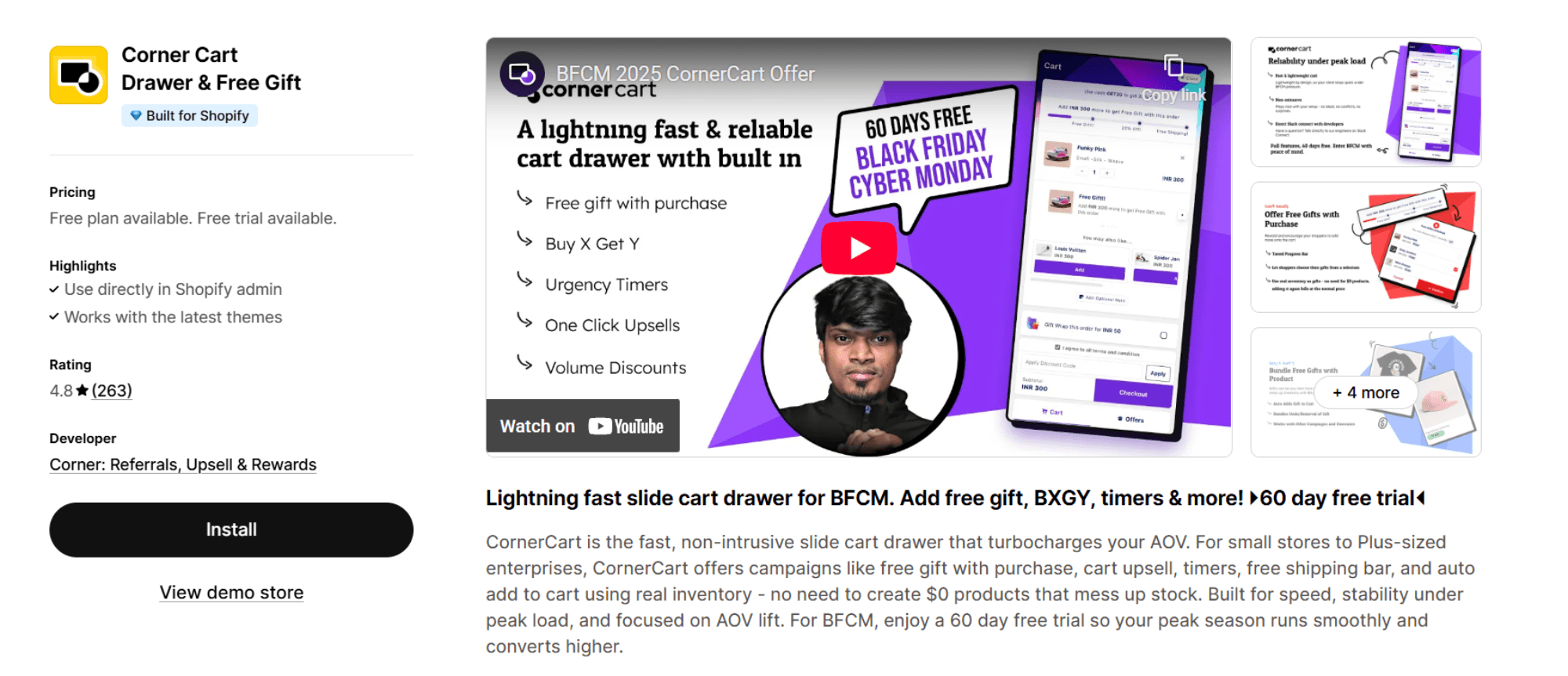
CornerCart is a lightweight, high-speed slide cart drawer. This gift app is designed to help stores lift AOV without affecting the shopping experience. It supports free gifts with purchase, cart upsells, timers, free shipping bars, and auto add to cart using real inventory, so merchants never have to create placeholder $0 products. It is built for peak-season stability. This tool is popular during BFCM, where fast performance directly impacts conversions.
Key features:
Give a real inventory product as a free gift.
Multi-tier progress bars help unlock gifts based on cart value.
Smart in-cart upsells provide recommendations for items that are frequently bought together.
One-click upsells for add-on services.
Provides additional conversion tools.
Monster Cart Upsell+Free Gift

Monster Cart transforms the cart into a customizable, reward-driven experience, boosting the revenue. It supports native-feeling promotions such as gifts, BOGO, tiered discounts, and related product recommendations. All of these promotions are presented inside a branded slide cart. It helps shoppers feel rewarded with progress bars, urgency elements, and value-adding upsells.
Key features:
Fully customizable slide cart drawer.
Progress bars that unlock free gifts, discounts, promotions, or free shipping.
One-click upsells for shipping protection, warranties, and priority processing.
BOGO and Buy More Save More tiered discounts.
Recommendations on Frequently Bought Together products.
Tips for Running a Successful Free Gift Campaign on Shopify
You may feel it’s simple to create these campaigns, but a poorly planned FGWP promotion can undermine your strategy and waste your efforts. You must keep the following things in mind while making your FGWP offers:
Strategize the offer:
Choose a relevant, complementary, and appealing gift to increase perceived value.
Ensure the gift matches your product’s use case.
The thresholds must be reasonable to encourage the customers to buy more.
Decide whether the gift should be added manually or automatically.
Place the gift offer strategically on product pages, in the cart, and during checkout.
Test, Optimize, and Maintain a clean purchase flow:
Test different gifts, thresholds, and placements. This helps identify what drives the highest customer engagement and conversion.
Keep the eligibility rules clear and precise.
Regularly monitoring inventory to ensure the gift product doesn’t go out of stock.
Review performance data regularly. This will help you regularly adjust your strategy.
How to Promote Your Free Gift Offer
Successfully running a Free Gift With Purchase promotion about choosing the appropriate gift and also about placing the ads so that the customers have the knowledge about your promotional gifts. If you execute these promotions effectively, they will enhance visibility, stimulate engagement, and optimize conversions. You must announce the promotional offers across your main communication channels. This helps build customer anticipation even before the promotion goes live. You can create urgency by highlighting the following aspects:
Gift value
Eligibility criteria
Limited nature of the offer
You must place eye-catching notices on your website in the areas that may create a high impact on customers, such as
Announcement bars
Homepage hero banner
Welcome pop-ups
Product pages
Cart drawer
These placements make sure that even if your customers land on the product page, they don’t miss your message. To properly communicate your offer, you must use clear visuals and consistent messaging. If you’re using paid ads, you must incorporate a free gift into your creative assets. This helps attract value-driven customers and increase click-through rates.
You must keep reminding your customers about your campaign through:
Retargeting ads
Abandoned cart emails
On-site pop-ups
Scarcity elements, such as low-stock notices and countdown timers, should be used very carefully. This prevents customers from being overwhelmed, encouraging timely purchases. You must maintain consistent, well-timed communication with your customer. This will increase your brand value and the exclusivity of the offer. This makes customers feel compelled to buy before the offer ends.
Conclusion
To make Free Gift with Purchase promotions on Shopify a powerful booster, they must be executed with integration, clarity, and the right tools. The success of the campaign depends on strategic alignment, the choice of the right gift, setting clear conditions, and effective promotions. FGWP should be combined with proper execution and ongoing optimization to increase conversions and average order value and build long-term.
The right setup and continuous reinforcement can make your gift program more than a promotion. It will enhance the customer experience and strengthen the brand's value at every step of the customer’s purchase journey.
Frequently Asked Questions
How do I automatically add a free gift with purchase on Shopify?
A free gift can automatically be added with a purchase only by using a third-party app like Monk Free Gift from the Shopify App Store. A free gift can't be automatically added using Shopify's native Discount feature.
You can do this simply by choosing a free gift offer based on your requirement from Monk's dashboard and selecting 'Auto-Add' as the display method.
What are the best free gift apps for Shopify?
Monk Free Gift is one of the best apps for free gifting with purchase for Shopify.
With more than 480 reviews and a 4.9-star rating, the app is supported by more than four years of experience and is trusted by more than 3,000 brands.
Monk simplifies the process of creating smooth, highly flexible free gift campaigns that boost average purchase value and conversions.
Can I auto-remove the gift if the customer becomes ineligible?
Yes, using Monk, you can automatically remove the gift if the customer becomes ineligible.
Are there any Shopify plans that include built-in free gift features?
While Shopify’s native Buy X Get Y automatic discounts are available on all plans, they require customers to add the gift product to their cart manually. Hence, there are no Shopify plans that include fully automatic, built-in, free gift features.
Can I show a free gift in a pop-up?
Yes, you can show a free gift offer in a pop-up using Monk and provide shoppers with the option to manually select a free gift of their choice, which can be triggered either by the Add to Cart or the Checkout button.
How can I give a free gift with a discount code?
With Monk, you can easily offer a free gift with purchase when customers enter a discount code or promo code.
The gift can be added automatically to the cart, or the customer can select from a widget. You can share the discount code or a shareable link via email, SMS, and other campaigns.
How to Add a Free Gift With Purchase on Shopify
Summary
Free Gift With Purchase (FGWP) offers customers a free product when they meet conditions like minimum spend, product quantity, or specific items. It increases conversions, average order value, and customer satisfaction by encouraging higher spending and improving perceived value. Shopify merchants can set it up using native Buy X Get Y discounts, though these often require manual gift addition. Third-party apps like Monk automate gift placement, support eligibility rules, and enable features like tiered rewards, progress tracking, and personalized triggers across product, cart, checkout, and post-purchase pages. Success depends on relevant gifts, clear thresholds, proper placement, testing, and ongoing optimization to improve engagement and retention.
Free gifts are used by many online stores to drive conversions and AOV. Although setting up these promotional offers can be challenging for many store owners and eCommerce managers.
Free Gift With Purchase (FGWP) promotions are among the most reliable and powerful methods to boost conversion rates, increase the average value of orders, and make shopping an unforgettable experience for the shoppers. Customers love to be rewarded. A carefully crafted complementary offer can bring joy to the customers, along with guiding them towards their desired buying behaviors. Shopify provides merchants with many ways to build a free gift offer, from simple discounts to more advanced solutions through Shopify Scripts.
In this guide, we’ll walk through everything you need to know about running a successful FGWP promotion on Shopify.
What Is a Free Gift With Purchase on Shopify?
FGWP is among the most effective promotional strategies used by sellers on online stores. In this, customers receive a product at no extra cost when they make a purchase, meeting certain conditions like:
Minimum spending amount
Minimum number of products
Specific collection
A certain customer journey
A Free Gift with Purchase is a way of incentivizing and complementing the customer’s purchase, providing them with some value, like a full-sized product, a sample, or a set of testers.
Here are some examples of common Free Gifts with Purchase (FGWP) offered by brands:
Buy 3 shirts and get a belt free.
Buy products worth $100, and get a free lotion.
Buy a 6-pack of soft drinks, and get a sparkling water free.
Why Offer a Free Gift With Purchase on Shopify?
It is becoming very challenging in today’s competitive marketing to stand out as a brand. In this competitive market, FGWP remains the most effective way to create a unique and memorable shopping experience. It easily captures the attention of customers and drives more conversions. Brands can easily differentiate themselves from their competitors by adding an unexpected bonus to the customer’s shopping journey.
FGWP encourages customers to spend more than what they’ve originally planned so that they can qualify for the reward, along with elevating the perceived value of the transaction. This helps directly boost the average order value of your Shopify store. It also helps strengthen the lifetime value (LTV) of the customer. This happens as FGWP creates a sense of appreciation and delight in the minds of customers, which in turn encourages repeat purchases and long-term loyalty.
FGWP is a low-risk way of introducing your customers to a new product that will lead to potential sales in the future.
You can also reduce the abandonment of the cart by offering a complementary gift to the customers, tempting them to follow through with their purchases rather than leaving the site.
2 Ways to Add a Free Gift on Shopify
Using Shopify Discount Rules
Shopify’s native discount feature offers merchants a simple, quick, and cost-free solution to boost their sales. FGWP using Shopify’s native feature can be easily set up without any coding or technical expertise. It is ideal for beginners or small businesses.
There are some basic conditions, like a minimum spend or purchase of specific products. If there is a promotion like Buy X Get Y, this promotion can assign a free product without relying on any third-party apps.
Suppose you want to set up a free gift with purchase by using the built-in discount features on Shopify. In that case, you have to navigate to Discounts, then choose Create Discount, then choose Buy X Get Y offer, and eventually set it as an Automatic discount. Configure your criteria under “Customer buys,” for example, a minimum spend or specific product requirement, and then assign the free gift under “Customer gets.”
Note:
There’s a limitation on native Shopify’s discounts. To activate the promotion, customers have to manually add the gift item to their cart.
Why you should choose this:
Beginner-friendly
Easy to set up
Using Shopify Apps
In Shopify’s built-in Buy X Get Y discount, customers have to manually add the gift to their cart. In this scenario, customers may forget to remove the gift from their cart before completing their purchase. Shopify third-party apps help automatically detect when the qualifying conditions are met and add the gift in real time. They offer flexibility, supporting tiered gifts, product- or collection-specific promotions, dynamic progress bars, upsells, cross-sells, and Buy One Get One Shopify offers.
This helps:
Reduce confusion at checkout
Improve average order value
Boost conversions
Improve shopping experience
Third-party Shopify Free Gift apps like Monk Free Gift, provide detailed reporting and analytics. This helps track redemption and campaign performance. These apps also offer features that are lacking in Shopify’s native discounts. This makes them a preferred solution for brands that want to maximize the impact of their FGWP promotions. These apps are far more effective than Shopify’s native discount. This is because these apps provide a seamless, automatic, and conversion-friendly experience.
Why you should choose the Monk Free Gift App:
Beginner-friendly
Easy to set up
Highly customizable
No coding expertise required
Allows custom fixes
How to Add a Free Gift With a Specific Product Purchase
A targeted promotional strategy offers customers free gifts with the purchase of a specific product or upon spending a minimum amount. In this strategy, brands not only give their customers incentives but also highlight their specific products. Businesses can influence the purchasing behavior of customers by directly linking a gift to a product. They also introduce customers to complementary or new products, increasing the perceived value of the transaction.
Install and Enable the Monk app.
Install Monk from the Shopify App Store.
Ensure the Monk widget is active.
To activate the Monk widget on your store:
Under Shopify admin, go to Online Store > Themes > Customize.
On the left sidebar, click App embeds.
Locate the Monk widget and enable it. This ensures the widget functions correctly across your store.
Create a New Offer in Monk
Go to the Monk Dashboard.
Click on 'Create a New Offer.'
You can either browse pre-made offer templates or make your own.
Under the Free Gift tab, select “Get a gift when a specific item is purchased.
Choose How the Gift is Added
With Monk, you can choose how to add the gift to the basket.
Auto-Add: Ideal for gifts without variations, automatically adds the gift when the conditions are met.
Manual Select: Ideal for gifts that have size and color options, i.e., variants; a selection widget lets buyers select the gift.
The auto-add option automatically adds the free gift to your basket. You can also add the manual selection widget to the cart, checkout (Shopify Plus), the product page, or even as a pop-up. The manual selection widget is fully customizable and integrates seamlessly with the store’s theme.
Setting up the Free Gift with Purchase Offer
The name of your offer is important because it makes it easy to identify and appears as a discount when applied.
After setting up the name, there are 2 parts to creating an offer inside Monk:
Part- 1: Rules and Placement
Choose where the offer appears: the cart or the checkout.
With Monk, you can choose whether to show the offer details in a banner on the product page, the cart, or the checkout (Shopify Plus).
Under the rule section, 'show offer if' -> 'specific product' -> 'contains any' -> click on the search bar saying 'select product' to select the product that will trigger the gift when added to the cart, or your primary product.
Given Monk's powerful eligibility engine, you can combine more conditions into a single offer to make the offer more precise; for example, get a free conditioner with shampoo above $20, a specific product, and a cart value range.
Learn how to add a free gift with multiple purchase criteria using Monk Free Gift.Under 'Gift products,' choose the product you want to give as a gift and select the desired quantity. You can also combine it with other active free gift offers on your store.
Part-2: Text & Customization
Monk is a highly customizable third-party app that helps cater to your store requirements, brand guidelines, and any ongoing campaigns. It also allows customization of the text content, font, size, style, color, and media. It also offers whether or not to show the price of the free product.
Monk supports customization for different layouts, such as desktop and mobile. This makes the purchase flow more personal, relevant, and frictionless for buyers. This eventually leads to higher trust and better conversion rates.
Best Free Gift Apps on Shopify
Monk Free Gift+BOGO+CartUpsell
Monk stands out as a reliable all-in-one tool for running Free Gift promotions on Shopify. It’s designed to make gifting feel effortless, both for merchants and for the customers, while enhancing the shopping experience and pushing AOV.
What makes Monk great for Free Gift With Purchase:
You can set up both auto-added gifts and “choose your gift” experiences depending on what feels right for your store.
Due to Monk’s powerful eligibility engine, free gifts can be triggered by cart value, specific items, collections, customer tags, location, and even language, giving you a lot of control over
Using Monk, you can construct tiered gifting to gamify your cart, so customers can unlock better gifts as they spend more.
Monk lets you display gift prompts across all the crucial and decision-making points of the store, product pages, cart, cart drawer, checkout (Shopify Plus), and even via pop-ups.
You can customize all the gifting widgets and banners using Monk, from colors to copy, so they blend naturally with the rest of your store.
Monk gives you the choice to keep the cart clean by removing the gift if the shopper no longer qualifies and letting the customer remove the gift if they wish to.
Requires no prior coding knowledge, with 24/5 support available with custom fixes if required.
Monk seamlessly integrates with Shopify’s native themes, providing a clean buying experience for the customers.
Learn how to make most of the Monk Free Gift app
EG Auto Add to Cart Free Gift
EasyGift makes it simple to add free gifts or upsells to the cart automatically.
Key features:
Auto-add gifts when the cart reaches a certain total or contains specific products.
Run BOGO and Buy X Get Y promotions.
Schedule offers to activate at specific times.
Offer free gifts based on product collections or specific items.
Set up cart-based upsells and product add-ons through an intuitive interface.
SP: Free gift with purchase
Salepify helps increase average order value with features, such as free gifts, cart upsells, and volume discounts.
Salepify automatically adds or removes the free gifts from the cart based on the seller’s conditions. This will promote your new products, clear your inventory, or offer your samples to the customers. Cart upsells provide customers with rewards.
Key features:
Free gifts based on purchase quantity, order value, or specific products.
Cart upsell with a progress bar that offers rewards, such as gifts, free shipping, or order discounts.
Allows customers to manually select the rewards with auto-add or auto-remove.
Volume discounts on the purchase of multiple products.
Customizable gift displays including icons, text, and animations.
Corner Cart Drawer & Free Gift
CornerCart is a lightweight, high-speed slide cart drawer. This gift app is designed to help stores lift AOV without affecting the shopping experience. It supports free gifts with purchase, cart upsells, timers, free shipping bars, and auto add to cart using real inventory, so merchants never have to create placeholder $0 products. It is built for peak-season stability. This tool is popular during BFCM, where fast performance directly impacts conversions.
Key features:
Give a real inventory product as a free gift.
Multi-tier progress bars help unlock gifts based on cart value.
Smart in-cart upsells provide recommendations for items that are frequently bought together.
One-click upsells for add-on services.
Provides additional conversion tools.
Monster Cart Upsell+Free Gift
Monster Cart transforms the cart into a customizable, reward-driven experience, boosting the revenue. It supports native-feeling promotions such as gifts, BOGO, tiered discounts, and related product recommendations. All of these promotions are presented inside a branded slide cart. It helps shoppers feel rewarded with progress bars, urgency elements, and value-adding upsells.
Key features:
Fully customizable slide cart drawer.
Progress bars that unlock free gifts, discounts, promotions, or free shipping.
One-click upsells for shipping protection, warranties, and priority processing.
BOGO and Buy More Save More tiered discounts.
Recommendations on Frequently Bought Together products.
Tips for Running a Successful Free Gift Campaign on Shopify
You may feel it’s simple to create these campaigns, but a poorly planned FGWP promotion can undermine your strategy and waste your efforts. You must keep the following things in mind while making your FGWP offers:
Strategize the offer:
Choose a relevant, complementary, and appealing gift to increase perceived value.
Ensure the gift matches your product’s use case.
The thresholds must be reasonable to encourage the customers to buy more.
Decide whether the gift should be added manually or automatically.
Place the gift offer strategically on product pages, in the cart, and during checkout.
Test, Optimize, and Maintain a clean purchase flow:
Test different gifts, thresholds, and placements. This helps identify what drives the highest customer engagement and conversion.
Keep the eligibility rules clear and precise.
Regularly monitoring inventory to ensure the gift product doesn’t go out of stock.
Review performance data regularly. This will help you regularly adjust your strategy.
How to Promote Your Free Gift Offer
Successfully running a Free Gift With Purchase promotion about choosing the appropriate gift and also about placing the ads so that the customers have the knowledge about your promotional gifts. If you execute these promotions effectively, they will enhance visibility, stimulate engagement, and optimize conversions. You must announce the promotional offers across your main communication channels. This helps build customer anticipation even before the promotion goes live. You can create urgency by highlighting the following aspects:
Gift value
Eligibility criteria
Limited nature of the offer
You must place eye-catching notices on your website in the areas that may create a high impact on customers, such as
Announcement bars
Homepage hero banner
Welcome pop-ups
Product pages
Cart drawer
These placements make sure that even if your customers land on the product page, they don’t miss your message. To properly communicate your offer, you must use clear visuals and consistent messaging. If you’re using paid ads, you must incorporate a free gift into your creative assets. This helps attract value-driven customers and increase click-through rates.
You must keep reminding your customers about your campaign through:
Retargeting ads
Abandoned cart emails
On-site pop-ups
Scarcity elements, such as low-stock notices and countdown timers, should be used very carefully. This prevents customers from being overwhelmed, encouraging timely purchases. You must maintain consistent, well-timed communication with your customer. This will increase your brand value and the exclusivity of the offer. This makes customers feel compelled to buy before the offer ends.
Conclusion
To make Free Gift with Purchase promotions on Shopify a powerful booster, they must be executed with integration, clarity, and the right tools. The success of the campaign depends on strategic alignment, the choice of the right gift, setting clear conditions, and effective promotions. FGWP should be combined with proper execution and ongoing optimization to increase conversions and average order value and build long-term.
The right setup and continuous reinforcement can make your gift program more than a promotion. It will enhance the customer experience and strengthen the brand's value at every step of the customer’s purchase journey.
Frequently Asked Questions
How do I automatically add a free gift with purchase on Shopify?
A free gift can automatically be added with a purchase only by using a third-party app like Monk Free Gift from the Shopify App Store. A free gift can't be automatically added using Shopify's native Discount feature.
You can do this simply by choosing a free gift offer based on your requirement from Monk's dashboard and selecting 'Auto-Add' as the display method.
What are the best free gift apps for Shopify?
Monk Free Gift is one of the best apps for free gifting with purchase for Shopify.
With more than 480 reviews and a 4.9-star rating, the app is supported by more than four years of experience and is trusted by more than 3,000 brands.
Monk simplifies the process of creating smooth, highly flexible free gift campaigns that boost average purchase value and conversions.
Can I auto-remove the gift if the customer becomes ineligible?
Yes, using Monk, you can automatically remove the gift if the customer becomes ineligible.
Are there any Shopify plans that include built-in free gift features?
While Shopify’s native Buy X Get Y automatic discounts are available on all plans, they require customers to add the gift product to their cart manually. Hence, there are no Shopify plans that include fully automatic, built-in, free gift features.
Can I show a free gift in a pop-up?
Yes, you can show a free gift offer in a pop-up using Monk and provide shoppers with the option to manually select a free gift of their choice, which can be triggered either by the Add to Cart or the Checkout button.
How can I give a free gift with a discount code?
With Monk, you can easily offer a free gift with purchase when customers enter a discount code or promo code.
The gift can be added automatically to the cart, or the customer can select from a widget. You can share the discount code or a shareable link via email, SMS, and other campaigns.
Ravish (RV)
Co-Founder, Monk Commerce
Ravish is an ecommerce and SaaS marketing expert with 6+ years of experience in Shopify and ecommerce and 10+ years of experience in marketing, and growth strategy. He has worked closely with Shopify merchants to solve real ecommerce challenges and shares practical, research-backed insights, industry best practices, and emerging trends.
Contents
Related Articles

20+ Best Free Gift Ideas for Shopify Stores That Drive More Sales
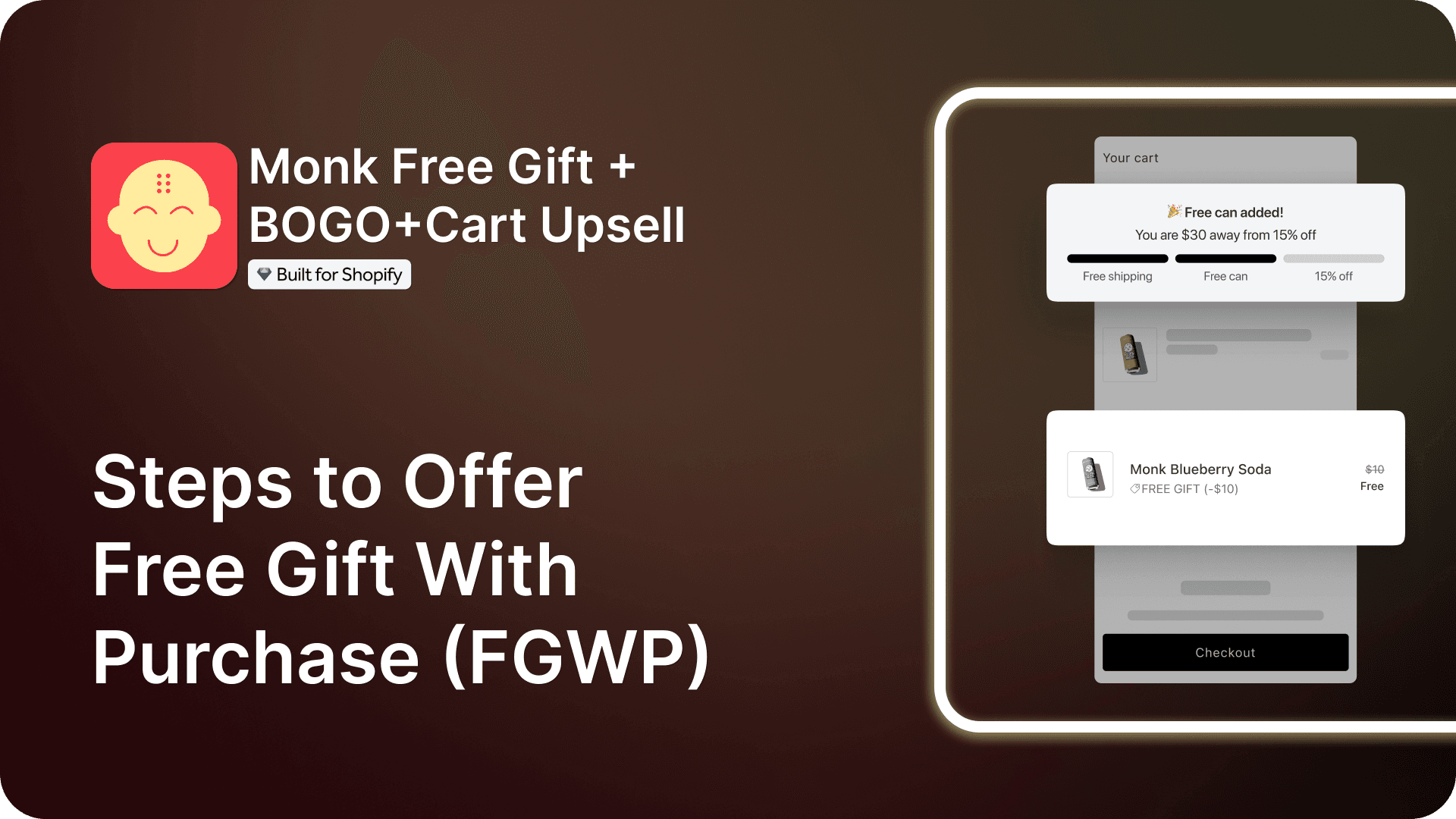
Steps to Offer Free Gift With Purchase (FGWP): A Complete Guide
Free Gift Promotion Strategy [8 Proven Ways to Boost Conversions, AOV & Customer Loyalty]
Get Monk Free Gift app for just $1/month this Black Friday
First month: $1 after your 7-day free trial. All features included. Offer live!
Claim offer now

Get Monk Free Gift app for just $1/month this Black Friday
First month: $1 after your 7-day free trial. All features included. Offer live!
Claim offer now
Get Monk Free Gift app for just $1/month this Black Friday
First month: $1 after your 7-day free trial. All features included. Offer live!
Claim offer now